Why Japan's Most Rigorous AI Character Animation Course Spends 56 Pages on Setup
A new 320-page Japanese guide breaks down how professionals actually learn character animation with generative AI: pinned environments, character sheets as motion anchors, and a pipeline that treats law and ethics as production stages.
AI-assisted draft. Reviewed and edited by the Phosphene team before publication.
On this page
A 320-page full-color book on generative AI character animation releases in Japan on September 19, 2026. What makes it worth a second look is not the model coverage. It is where the pages go.
Out of 320 pages, 56 cover environment setup, 84 cover original character creation, 50 cover video generation, and 47 cover copyright, identity, labor, and law. Few English-language tutorials give law and ethics that much room; most treat it as an appendix, if they cover it at all. This allocation is a design decision, and it encodes a theory about why self-taught creators stall.
The 56-page setup chapter is the feature
Most tutorial writers treat installation as overhead: a prelude to get through before the real content. The book's authors, the AICU media editorial team with Akiri Shirai and Zasuko Michikusa, treat it as the failure point. Their reasoning is simple. People who bounce off generative AI rarely bounce off generation itself. They bounce off a broken custom node, a model file in the wrong folder, an upstream update that rewires a workflow overnight.
The fix they chose is unusual for a print medium: version pinning. ComfyUI itself and every custom node are locked to specific versions, tracked in a separate open-source project called ComfyLTS. That project is still early: it currently presents itself as a vision and knowledge base, with the pinned build and public image announced as forthcoming. What exists today are the notebooks and workflows on GitHub; the printed steps stay executable only for as long as those pins, model files, and services remain available.
Print media usually ages badly around fast-moving software. Pinning is the publishing equivalent of a lockfile, and it works the same way: boring, unglamorous, and the difference between a tutorial that works for one month and one that keeps working for as long as its pins hold.
You do not have to buy the book to use the idea. Pin your own environments. When a workflow matters, record the exact versions of ComfyUI, custom nodes, and model files it ran on. The reproducibility problem in AI creative work is not model drift. It is environment drift, and a lockfile-style habit is the cheapest insurance against it.
Chapter 4 feeds chapter 5
The structural core of the book is that character creation and animation are one pipeline, not two skills.
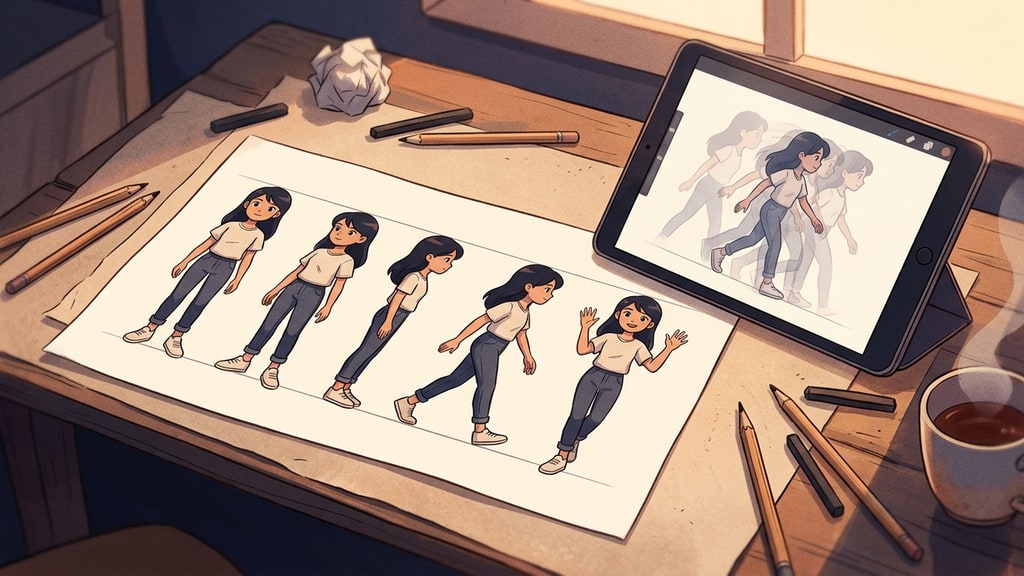
Chapter 4 builds an original character across 84 pages: personality and settings drafted in an AI chat, visual style decided in SDXL, expressions and poses adjusted, composition pinned with ControlNet, identity locked with a LoRA. The output is a character sheet. Chapter 5 then animates that sheet, using it as the reference image for reference-to-video generation.
This is the same conclusion production teams keep arriving at independently: a character sheet is not concept art. It is a motion anchor. When Seedance 2.0 receives a clean, multi-view character sheet as its reference, identity survives movement because the model has unambiguous visual evidence to hold onto. A loose collection of favorite portraits gives it contradictory evidence instead, and the face drifts.
The book also covers training your own LoRA rather than only downloading other people's, with a training notebook and sample data included. That step, going from "using distributed LoRAs" to "training my character," is where hobby tooling becomes production tooling. It is also where the character-sheet discipline pays off a second time: the clean multi-view sheet is a strong reference frame, but a proper LoRA dataset is its own artifact, a larger and more varied set of images across poses, outfits, and lighting, each captioned, built from the sheet rather than being the sheet itself.
The video chapter, in production terms
Chapter 5 runs three moves worth knowing even if you never open the book.
Reference-to-video with character sheets. Using ComfyUI's application mode and the ByteDance reference node, a Partner Node that requires a registered ComfyUI account and credits to run, a character sheet goes in, a 15-second clip with stable identity comes out. The demo piece, two characters meeting in Shibuya with audio, was made entirely in a browser with no special hardware.
Upscaling as a separate stage. The 864x496 generation gets lifted to 1254x720 with SeedVR2 on a Colab A100, 361 frames in 489 seconds. The book is explicit about publishing that timing, because knowing how long an operation takes is what makes people willing to try it. Hidden time costs are as demotivating as hidden technical costs.
Open-weights fallback. Wan 2.2 handles image-to-video and first-last-frame-to-video locally. The FLF2V mode, where you supply a start frame and an end frame and the model fills the gap into a loop, is particularly useful for logo animation and icon motion, the short looping assets that production teams always need more of.
Publishing all 15 prompts from the chapter, each with a sample video, is the same instinct as publishing the timing data. Seeing a working prompt next to its actual output teaches faster than reading prompt theory, because you calibrate on real pairs instead of rules.
The 47 pages nobody else writes
The final chapters cover copyright, identity, labor, and the current state of regulation, plus a practical checklist for writing your own usage guidelines.
This is the part most technical books treat as an appendix. Framing it as "not just becoming able to use it, but becoming able to keep using it" reframes the whole discipline. A creator who can generate but cannot navigate rights is one takedown notice away from losing a client. A team without usage guidelines is one incident away from a policy scramble. Ethics chapters in creative AI books are usually filler; a checklist you actually build into your workflow is risk management.
The pattern fits a broader shift in how production AI is taught. Tool tutorials converge on the same models and the same tricks within weeks. What differentiates curricula now is process: environment discipline, asset reuse across pipeline stages, honest cost accounting, and the legal layer that keeps the work publishable.
What to steal without buying the book
Four habits transfer directly to any stack:
- Pin your environments. Lock versions for anything you expect to re-run, and keep the lockfile next to the workflow.
- Treat the character sheet as pipeline infrastructure, not concept art. It anchors video generation, and it seeds, but does not replace, the varied captioned dataset a LoRA actually trains on.
- Publish time costs alongside quality results. "361 frames, 489 seconds on an A100" converts an intimidating unknown into a plannable operation.
- Write your usage guidelines before you need them, not after the first rights question arrives.
The book's bet is that the differentiating skill for creative AI work is not prompting. It is direction: knowing which model to reach for, how to chain them, and how to keep the resulting work usable. That is a harder sell than prompt tricks, which is exactly why it is probably correct.
If you want the character-sheet-first approach without local setup, Phosphene's template workflows walk the same pipeline in a browser: define the character, lock the look across a reference set, then carry that consistency into multi-image generation.