Stop Generating Stills: Pull Editorial Photography Out of Generated Video
Image models keep producing stiff, posed frames. A Japanese creative group generates video instead and screenshots the frames, because video models capture the in-between moments that make photography feel alive.
AI-assisted draft. Reviewed and edited by the Phosphene team before publication.
On this page
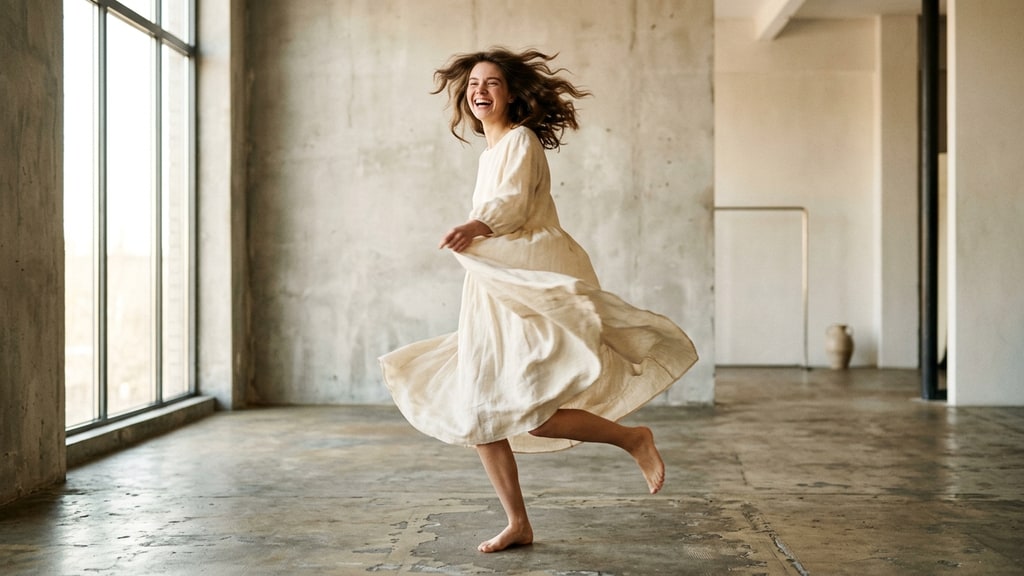
Ask an image model for a natural-looking photo of a person and you usually get something that looks like a model holding a pose for the camera. Hair is perfect, smile is frozen, posture is a little too deliberate.
The Japanese creative group CreativeEdge CL+ has been building a visual magazine with generative AI, and their third installment documents a deliberately opposite approach: they generate video first, then screenshot the frames. The result is photography with the looseness that image models keep missing.
This is an adaptation of their workflow, with the reasoning filled in. The core idea applies beyond their specific tools.
Why image models produce stiff portraits
Image generation models train mostly on still photographs, and most photographs in the world are posed. Someone looked at a camera and held a position until the shutter closed. That means the training data is saturated with "finished static states" — people at the stable end of a movement.
When you prompt for naturalness, the model does not know what you mean, because it rarely saw the middle of a motion. It returns the statistically safest answer: a person holding a clean pose. Stiffness is not a failure of prompting. It is a distribution problem in the training data.
Video models train on sequences of frames. To move a person from pose A to pose B, the model has to learn what happens in between: the muscles that tense as weight shifts, the micro-expression that flickers while a smile breaks, the fabric that gets pulled by a turn. Those intermediate states exist in video training data, so video models can render them.
The writer of the series puts it directly: real, attention-grabbing photos are mostly cut from these in-between moments. Generating video and extracting stills is the digital equivalent of a photographer burst-shooting a model and later picking the one frame that feels alive.
The workflow: key visual, video, screenshots, upscale
The concrete pipeline from the article:
- Generate one strong key visual with an image model. The group used Nano Banana Pro for a symbolic hero image.
- Feed that image into a video model as a reference. They used Seedance 2.5 with a 28-second generation.
- Write motion into the prompt. Their prompt asked the two subjects to shift poses and expressions every two seconds, like fashion models on a studio sofa.
- Play the generated clip and screenshot the frames that work.
- Upscale the screenshots before layout.
The prompt structure is the part worth copying. Asking a video model for "various poses every two seconds" forces it to generate a continuous stream of transitional states, which is exactly the material you want to screenshot. A single pose-per-scene prompt would produce just a few usable stills.
The upscale step matters
Screenshots from generated video are usually below print quality. The group upscales with Topaz Bloom, using the Wonder 3 model, at 2x: a 2880 x 1622 screenshot becomes 5760 x 3244. The detail difference is visible in the eyes and lips, which is where viewers actually look.
For a full-page layout in their magazine they need roughly 2894 x 4093 px. Generating at 2K in Nano Banana Pro and then upscaling gets there without visible degradation.
This step is easy to skip and hard to justify skipping. A frame that looks sharp on a 1080p timeline looks soft on a printed page.
Reference handling: face close-ups, not full character sheets
The article includes a useful warning about character references. When they used a full character sheet with a detailed costume, the reference costume collided with the dress described in the prompt, and accuracy dropped. The fix was to reference only a close-up of the face.
Rule of thumb: use the smallest reference that contains the identity you need. If the costume is defined by the prompt, keep the costume out of the reference. If the face is the identity anchor, crop everything else away.
They also note model temperament: GPT Images is more capable in general but tends to overwrite a referenced face, and Seedream tends to polish faces toward a beauty-standard look. Nano Banana Pro remains their choice for deep-thought instruction prompts, even after newer models arrived.
Print workflow and the bigger idea
The magazine itself is a 24-page A4 saddle-stitched booklet, full color on coated stock, assembled in Adobe Express and sent to a print-on-demand service. The layouts are treated as rough comps during the comparison stage, then finalized for print.
The takeaway is not about the specific tools. It is about choosing the generation medium based on what the final output needs:
- If you need a stable character in a specific composition, generate a still.
- If you need the illusion of a real moment — weight shifting, an expression breaking, fabric moving — generate video and harvest frames.
The video-first idea is not new to this series. Their earlier production notes apply the same logic to manga panels, and the multi-format pipeline post covers that side. This installment is specifically about editorial photography, where the in-between moment is the entire point of the image.
For a related workflow, see how the same group reuses generated clips across drama, anime, and manga in the video-first multi-format pipeline.
When to use this technique
Try the screenshot-from-video approach when:
- you want candid or editorial photography rather than posed portraits
- you need several natural variations of one subject, scene, and lighting
- consistency across images matters more than pixel-level control per image
- you have video-generation credits to spend and the output is worth more than a still
Skip it when you need exact composition control, specific text in frame, or a single hero image fast. For those, a direct still generation is the right tool.
The group's framing is worth remembering: image models are excellent at finished static states, and that is precisely why their default output looks finished and static. Video models cannot help but produce the moment in between. For photography, the moment in between is the product.