MiniMax H3 and the 15-Second Wall: How Latent-Space Stitching Keeps Long Video Consistent
MiniMax H3 caps a single generation at 15 seconds. A Japanese ComfyUI workflow breaks past it by handing context between clips in uncompressed latent space, keeping faces, wardrobe, and audio stable where MP4 stitching fails. The prompt format it depends on is worth learning on its own.
AI-assisted draft. Reviewed and edited by the Phosphene team before publication.
On this page
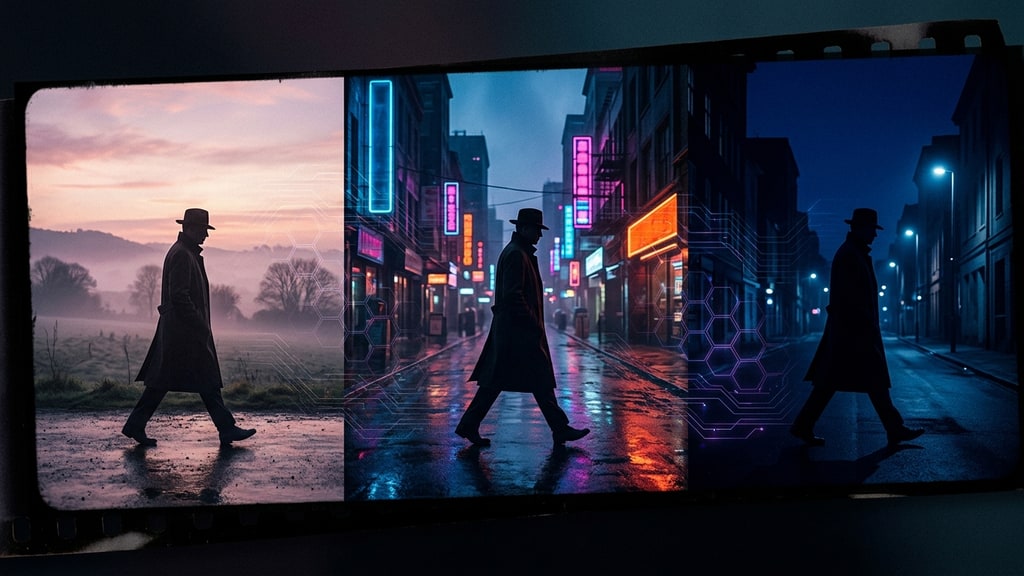
Every native-audio video model hits a wall, and with MiniMax H3 the wall is printed in the spec: one generation command, 15 seconds maximum. There is no hidden setting that unlocks a 40-second take. A single long video is not a feature the model ships with.
That constraint sounds mild until you try to build anything with a story arc. Two people arguing across a room, a walk that turns into a chase, a line of dialogue that needs a beat before the reply. Real scenes breathe. Fifteen seconds of continuous generation is not a storytelling format.
So everyone reaches for the same obvious fix: generate two clips, drop them on a timeline, cut them together. And that is exactly where long AI video falls apart.
Why stitching MP4 files fails on a curved surface
The failure mode is specific, and if you have made one of these videos you have seen it. The last frame of clip one and the first frame of clip two are almost the same person. The face is a little wider. The hair parts differently. The lighting sits at a slightly different angle. The camera drifted a few centimeters. Each clip is internally coherent, but at the seam your lead actor quietly becomes someone else.
There are two compounding reasons. The second one is the interesting one.
First, re-encoding. Combining finished MP4s in an editor normally means transcoding, which costs a generation of quality every time you combine. (FFmpeg can join clips without quality loss via stream copy, but only when codec, resolution, frame rate, and time base all match — and any real edit such as a trim or a transition forces a re-encode anyway.) The artifacts pile up exactly at the cut points, where the compression is already stressed.
Second, and more fundamental: an MP4 is the end product of generation. By the time you have a video file, the model has already collapsed its rich internal representation down to pixels. When you cut between two finished videos, you are asking the seam to hold between two flat images that were each produced from a different starting state. There is no shared memory between them. The model generating clip two has no idea what the model generating clip one was thinking about that face.
The move: hand off context in latent space
The workflow that gets past the wall, documented in a detailed Japanese ComfyUI tutorial by Ai-Hakase, does not stitch videos. It stitches thinking.
Diffusion video models do their actual work in latent space — a compressed audio-visual representation, encoded by separate VAEs for video and for audio, that is still far richer than the pixels it eventually decodes to. The trick is to keep the conversation with the model inside that representation. Instead of ending a clip, decoding it to MP4, and starting fresh, you carry the latent context forward: the next generation pass begins where the last one ended, in the same representational space, with identity, wardrobe, lighting, and camera position still live. Audio context travels the same way, which is why dialogue and ambience continue instead of resetting. The continuity is not automatic, though — it holds only when the workflow explicitly hands the relevant latent context from one generation pass to the next.
The payoff is a character that stays the same character across the seam. Faces hold. Wardrobe holds. The cut stops being a jump-scare of a slightly different human.
This is the same family of reasoning that makes shot-type triage useful: pick the right tool for the right layer of the problem. If you are comparing models by strength, we covered that angle in our MiniMax H3 production triage piece. Stitching is the answer to a different question: how do you make many short generations behave like one long take?
The grid trick for character consistency
The tutorial's second idea is more mundane and very stealable. Before generating anything, create a reference grid: four frames of your character in a standard image model, arranged in one image. Each cell shows the character from a different angle or in a different state.
Then feed each frame as a reference image to separate generation passes. The grid anchors identity. The latent handoff anchors continuity. Together they produce roughly 30 seconds of video where the same character, in the same wardrobe, moves through consecutive shots without morphing.
It is a strange kind of production design: you are not just designing the character, you are designing the anchors that every downstream generation will inherit. A weak grid produces a drifting character no matter how good the stitching is.
The prompt format that makes H3 actually listen
Here is the part the tutorials underplay, and it is arguably the most transferable skill in the whole workflow.
MiniMax H3 does not reward free-form English prose. Dump a paragraph of scene description in and you get a fraction of the model's capability. The official prompt writing guide defines a different format per generation mode — for the base text- and image-to-video modes that means numbered shots, explicit camera moves, dialogue wrapped in <d> tags with the spoken language marked, and sounds and music declared in their own sections.
For the full-reference mode (Ref2VA), which handles complex multimodal inputs built from references, the guide specifies a rewrite format closer to a screenplay with a type system than to a prompt. A full rewrite contains six sections: subject definitions, a summary, retention analysis (where each referenced element appears and whether it survives fully or partially), a detailed shot-by-shot description, an overall soundscape, and non-diegetic music. Reference labels are typed too. <Subject N> is reusable visible content, <Picture N> a concrete frame anchor, <Video N> a whole-video structural source, <Audio N> an audio asset. The guide even specifies keeping dialogue in its original language inside <d> while everything around it stays English.
The Japanese workflow automates the hard part with a vision-language model: plain Japanese instruction in, professional structured English prompt out. That is the right instinct. Hand-writing retention analysis is busywork, and busywork is exactly what automation is for.
The format generalizes past H3. Structured shot lists beat prose prompts in almost every current video model, because a numbered shot with a declared cut point is a schedule, not a vibe. If your video prompts read like ad copy, rewriting them as shot schedules is the cheapest quality upgrade available to you.
What this means for long-form AI video
The 15-second wall is not MiniMax's shame; it is the current physics of the architecture. Every model in this class has a ceiling, and the ceiling moves slower than the marketing. What separates usable long-form work from demo clips is not waiting for a model that generates minutes at a stretch. It is pipeline craft: reference anchoring, latent handoff, structured prompting, and honest shot triage.
None of that is glamorous. All of it compounds.