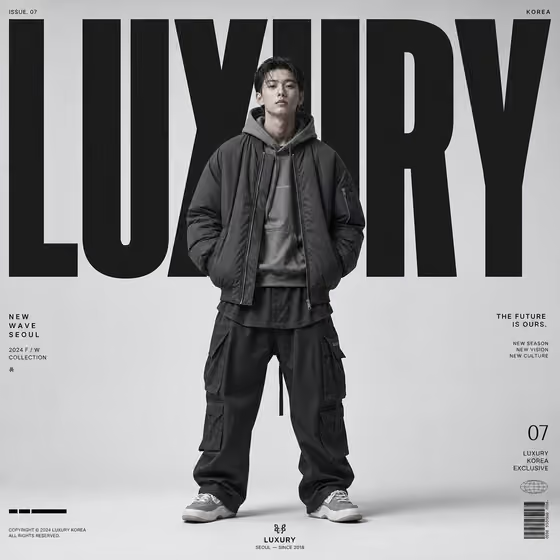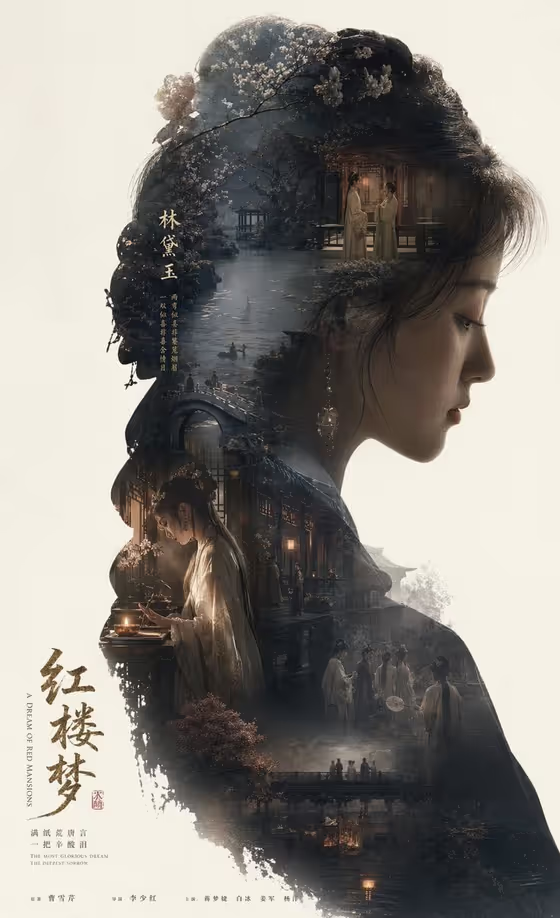
Silhouette Epic Story World turns a single character into a large side-profile silhouette and fills that outline with the story around her: gardens, buildings, companions, and symbolic objects layered as one double-exposure poster. The result is a 3:4 image with a title on a quiet, open background, as in the cover example, where a classical heroine's profile holds bridges, lantern-lit rooms, and small figures.
It suits anyone building a poster for a novel, a historical figure, a film concept, or a personal project who wants the whole story to live inside one portrait. You describe the character, choose the narrative world, and set the poster title, and the template handles the composition and lighting.
What works best as input
- For the Story character or subject field, the slot accepts a typed description or a matching reference photo. A short, specific phrase such as "a tragic classical heroine" gives the profile a clear identity.
- If you add a reference photo, pick one with a clear side or three-quarter face and an uncluttered background so the silhouette outline reads cleanly.
- Only use photos of yourself, people you know, or fictional-style references you have the right to use. Avoid real public figures.
- Keep the subject description focused on who the character is (era, role, mood) rather than a long list of objects, since the story world field covers the scenery.
- For Narrative world, choose the option that matches the emotional tone you want, such as a doomed garden romance or palace intrigue and fate, because it decides which places and symbols fill the contour.
How to use it
- Open the Silhouette Epic Story World template in Phosphene.
- Fill in Story character or subject by typing a description or adding a reference photo, then choose a Narrative world.
- Enter your Epic poster title in the Epic poster title field, in the exact wording and capitalization you want shown.
- Generate the image, then review how the scenes sit inside the silhouette and whether the title reads clearly. Adjust your fields and generate again if needed.
Tips for a better result
- Pick a narrative world that fits the character. A heroine paired with a garden romance gives the layered architecture and water scenes seen in the cover example.
- Use a short, memorable title. Concise titles tend to sit more cleanly in the open negative space of the poster.
- Try the same character with different narrative worlds to see how the interior scenes, mood, and symbols change while the profile stays the focus.
- If you use the "my chosen literary character" style of input, name the character and one defining trait so the silhouette feels personal.
Common mistakes
- Writing a vague subject like "a woman" or "a man". Without a role, era, or mood, the silhouette has little story to carry.
- Choosing a narrative world that clashes with the character, such as a palace intrigue world for a wandering hero, which can make the scenes feel disconnected.
- Using a cluttered or heavily angled reference photo, which makes it harder to form a clean profile outline.
FAQ
Do I have to upload a photo?
No. The Story character or subject field accepts a text description, and a matching reference photo is optional.
What shape and format is the result?
The template produces a single image in a 3:4 aspect ratio, designed as a vertical poster.
Can I put my own title on the poster?
Yes. The Epic poster title field lets you type or choose the title, such as "A DREAM OF RED MANSIONS" or your own wording.
Can I use this for my own story or book character?
Yes. The examples include "my chosen literary character" and "my source story world", so you can describe your own character and setting.