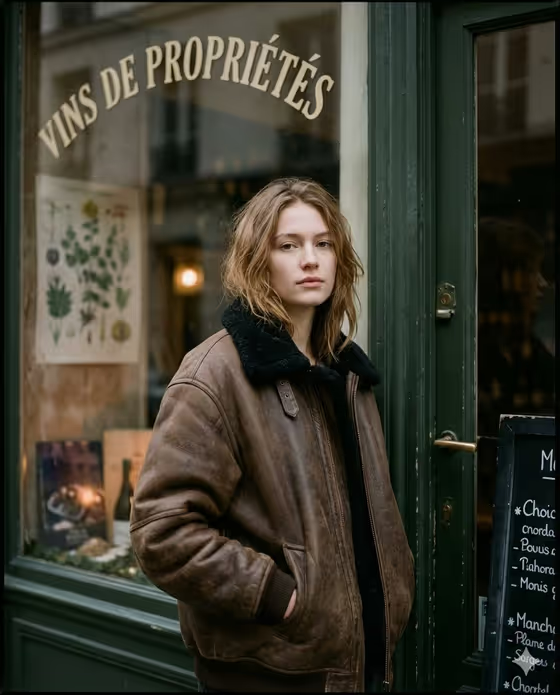
This template places your subject outside a vintage Paris shopfront at dusk, with a dark green painted doorframe, a window lettered "VINS DE PROPRIÉTÉS" and a chalkboard menu at the edge of the frame. The result is a film-toned vertical (3:4) editorial portrait, with a muted brown, olive and charcoal palette, soft grain and a calm, slightly tired gaze straight to camera.
It suits anyone who wants a moody, magazine-style street portrait without traveling anywhere: creatives building a portfolio, people refreshing a profile image, or anyone who likes the cozy, rainy-winter look of European street photography. You choose who is in the shot, the expression, and the coat or garment they wear.
What works best as input
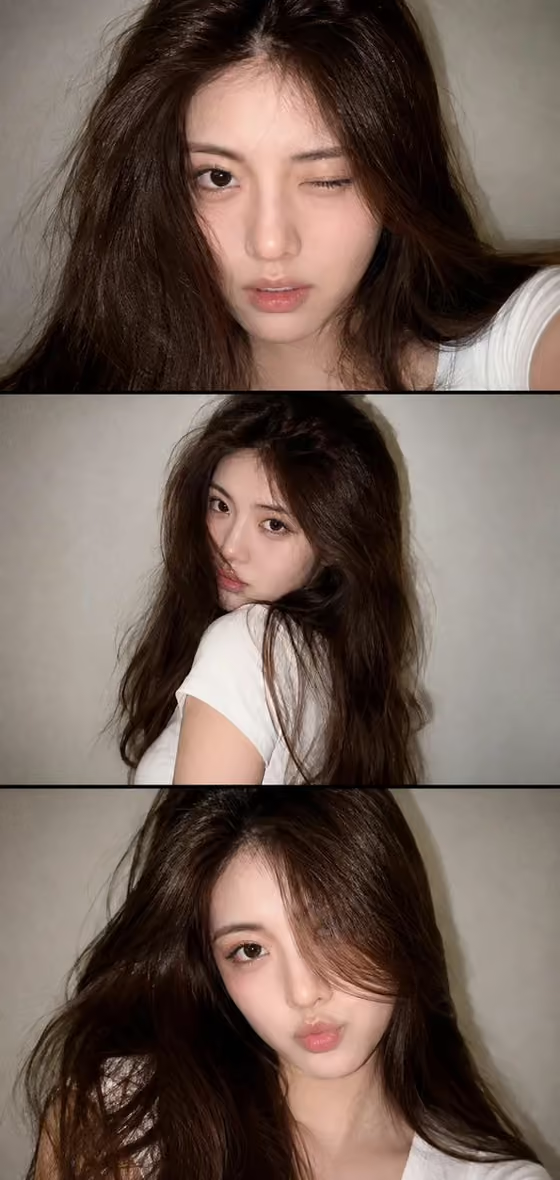
- The template asks for 2 or more photos. Use clear, well-lit shots of the same person, ideally one close face shot and one showing more of the upper body, so the likeness carries over.
- In the Portrait subject field you can upload a photo or type a description. Typing something like "an adult woman matching my reference" tells the template to follow your uploaded images.
- Pick photos where the face is sharp and unobstructed. Avoid sunglasses, heavy filters, hats pulled low or strong motion blur.
- Only use photos of yourself or people who have agreed to it, and keep subjects adult, as the template's examples describe.
- For the Editorial outfit or garment field, you can type a description such as "a charcoal wool overcoat" or upload a photo of a garment and refer to it as "my referenced garment".
How to use it
- Open the Paris Shopfront Editorial template in Phosphene and add your 2 or more photos.
- Fill in Portrait subject by describing the person or pointing to your reference, for example "an adult woman matching my reference".
- Set Pose or expression (for example "calm direct gaze" or "quiet introspection") and Editorial outfit or garment (for example "a weathered suede jacket"), then generate.
- Review the 3:4 result. Check the face, the coat and the shopfront details, and adjust your fields and generate again if something is off.
Tips for a better result
- Try different expression options. "Quiet introspection" and "intense focused gaze" give noticeably different moods against the same street backdrop.
- Vary the garment. The scene is built around an oversized coat with a collar, so heavy outerwear like a wool overcoat or suede jacket fits the cozy dusk atmosphere best.
- Keep descriptions short and concrete. A material, a color and a fit ("oversized", "worn") give the template more to work with than a long list of adjectives.
- If you want the result to feel closest to you, keep the Pose or expression on "the source gaze and expression" so it follows your reference photos.
Common mistakes
- Uploading only one photo or very low-quality images. The template expects 2 or more, and weak references make the likeness less reliable.
- Describing a busy outfit with logos, bright colors or lots of jewelry. The look is built around a muted palette and no visible logos, so loud details can fight the scene.
- Trying to change the location or lighting in the text fields. The Paris shopfront, dusk light and film look are fixed, so use the fields for subject, expression and garment only.
FAQ
Can I upload a photo of my own outfit?
Yes. The Editorial outfit or garment field accepts a photo, and you can refer to it as "my referenced garment". You can also just describe the garment in text.
Can I use a man or a non-binary subject?
The Portrait subject field is open text, and examples include an adult man with a distinctive presence and an expressive adult creative. The scene's default styling leans toward a woman, so review the result and adjust your description if needed.
What size is the image?
The output is a vertical 3:4 image, framed from around mid-thigh to just above the head.
Can I change the shop sign or background?
No. The Paris storefront, the arched lettering and the dusk lighting are part of the template's fixed direction. You control the subject, the pose or expression, and the outfit.