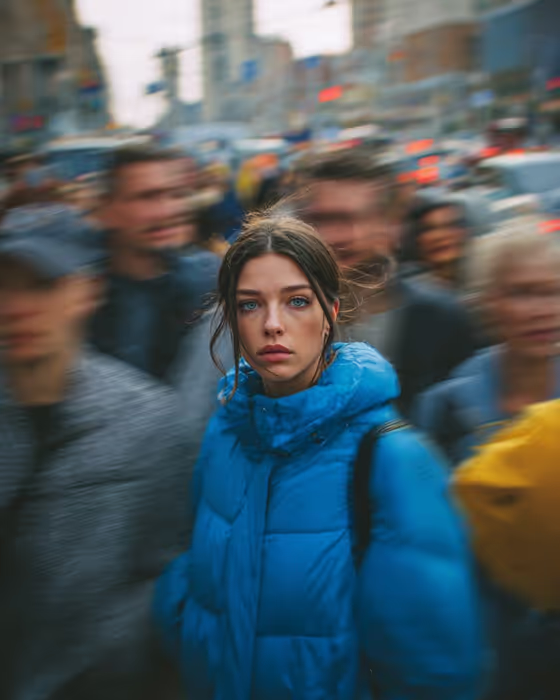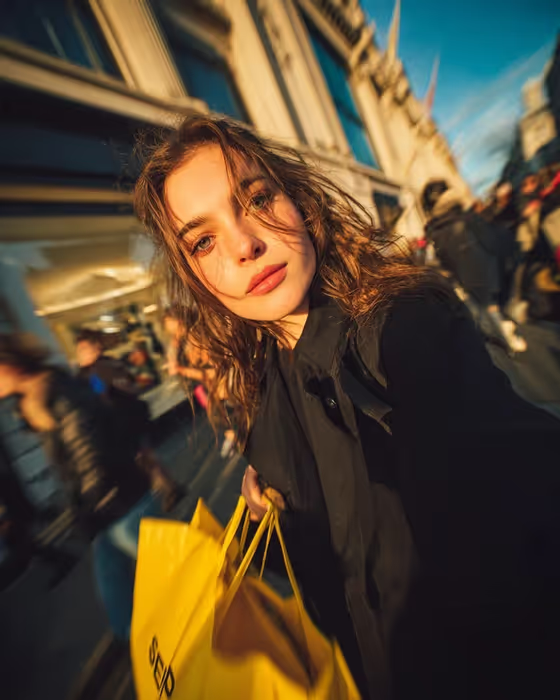
Shopping Motion Portrait makes a golden-hour street portrait of one person walking through a busy shopping street. The look is warm and editorial: bright yellow shopping bags, wind-blown wavy hair, intense eye contact with the camera, and a blurred crowd moving behind a sharp face.
It suits anyone who wants a candid fashion-style portrait with a city feel, such as a profile image, a lifestyle post or a mood-board shot. The image comes out in 3:4 portrait format, and you choose the subject and how the scene is framed.
What works best as input
- The subject field accepts either a typed description or an uploaded reference photo. If you upload, pick a clear, well-lit photo of one person with the face fully visible.
- A front-facing or slightly angled shot works best, because the finished image is built around direct eye contact with the camera.
- Only upload photos of yourself or people who have agreed to it, and keep the photo to a single person so the template knows who the subject is.
- If you type instead, keep it short and concrete, like the placeholder "a fashionable woman". The examples "an editorial portrait subject" and "a candid everyday subject" show the level of detail that fits.
How to use it
- Open the Shopping Motion Portrait template in Phosphene.
- In the "fashionable woman portrait subject" field, describe your subject or upload a reference photo.
- In "Pose and scene", choose how to frame the shot, for example an intimate close portrait, a full-body editorial frame or an environmental candid frame.
- Generate the image, then review the face, hair and background blur. Adjust your inputs and run it again if you want a different result.
Tips for a better result
- Try the different Pose and scene options on the same subject. A close portrait leans into the eye contact, while a full-body or environmental frame shows more of the street and architecture.
- Keep the subject description simple. The template already sets the golden light, yellow bags, wind-blown hair and shallow depth of field, so extra detail can compete with that look.
- If you use a reference photo, pick one with natural, even light on the face so the warm highlights from the scene blend in cleanly.
- Run the same inputs more than once and compare. Small differences in expression and crowd blur can change which version you prefer.
Common mistakes
- Uploading a group photo or a heavily cropped face, which makes it unclear who the portrait should show.
- Writing a long, detailed outfit or setting description in the subject field. The template fixes the shopping street, golden hour and yellow bags, so those details are better left alone.
- Expecting a different mood, such as a dark night scene or a studio backdrop. This template is built around warm golden-hour street light.
FAQ
Do I have to upload a photo?
No. The subject field accepts a short text description, or you can upload a reference photo instead. Pick whichever suits you.
What does the Pose and scene option change?
It sets how the image is framed, such as an intimate close portrait, a full-body editorial frame or an environmental candid frame. The golden-hour shopping street look stays the same.
What size is the result?
The template produces a single image in 3:4 portrait format.
Can I change the yellow shopping bags or the time of day?
No. The yellow bags, golden-hour light, wind-blown hair and blurred crowd are fixed parts of this template. You control the subject and the framing.