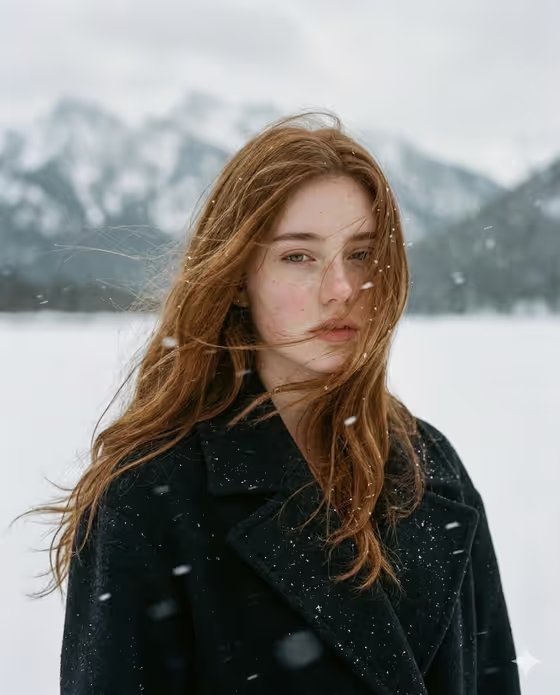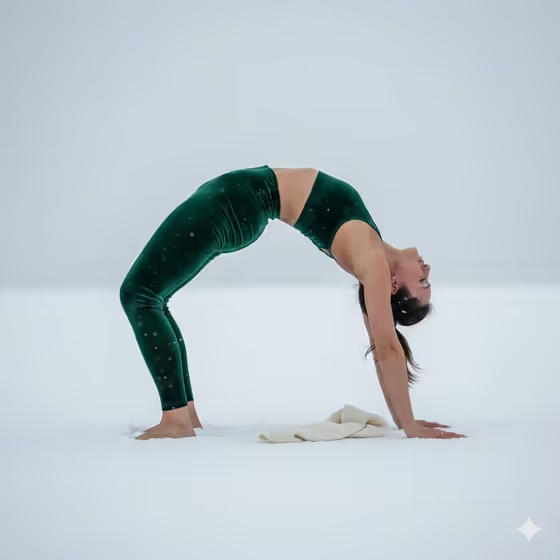
Snow Yoga Wheel Pose creates a wide, side-profile fitness portrait of one person holding a backbend on a flat white snowy horizon. The look is minimal and quiet: soft light, a pale overcast sky, and a clean silhouette that shows the full arch from hands to feet.
It suits yoga teachers, wellness brands, fitness creators and anyone who wants a calm winter editorial image of themselves or a described subject. The output is a 16:9 image in the Portraits category.
What works best as input
- For the Portrait subject slot, you can upload a photo or type a short description such as "a confident adult" or "a joyful young woman". Pick one approach and keep it simple.
- If you upload a photo, use a clear, well-lit image of the person with a visible face and natural expression. Avoid heavy filters or sunglasses that hide features.
- Only upload photos of yourself or people who have agreed to it. Keep the subject described respectfully and in ordinary, non-revealing terms.
- In the Yoga pose field, name one specific pose, like "Full wheel pose" or "Supported backbend". A single clear pose gives a cleaner silhouette than a list of options.
- In the Snowy horizon field, describe a flat, uncluttered setting such as "Minimal snowy shoreline" or "White winter field" so the horizon stays simple.
How to use it
- Open the Snow Yoga Wheel Pose template in Phosphene.
- Fill in Portrait subject (upload a photo or type a description), then choose a Creative direction such as Clean editorial or Quiet premium.
- Enter your Yoga pose and Snowy horizon, using the placeholder examples as a guide for how short and specific to be.
- Generate the image, then review the pose, the horizon line and the overall mood. Adjust a field and run it again if something is off.
Tips for a better result
- Match the Creative direction to the mood you want. Clean editorial and Quiet premium fit the calm, minimal look of the cover, while Cinematic dramatic pushes toward moodier contrast.
- Try different horizons to change the feel without changing the pose: a frozen mountain plateau reads more rugged, an icy lakeside horizon reads more serene.
- Swap the pose for a related backbend like "Deep bridge pose" or "Strong upward bow" to get a different arch shape in the same setting.
- Keep your wording consistent with the template's quiet tone. Calm, simple phrases tend to suit a meditative, low-angle fitness editorial.
Common mistakes
- Describing a busy or cluttered scene in Snowy horizon. The template is built around a flat, clean horizon, so crowded details work against it.
- Typing several poses into the Yoga pose field. Choose one pose so the figure and silhouette stay clear.
- Uploading a small, dark or heavily cropped photo for Portrait subject, which gives the template little to work with.
FAQ
Do I have to upload a photo?
No. The Portrait subject slot accepts either a photo or a typed description, such as "a confident adult". The other fields are text or choices only.
What size is the result?
The template outputs a single image in a 16:9 wide format, which suits the wide side-profile framing.
Can I use a pose other than wheel pose?
Yes. The Yoga pose field is editable, and examples include deep bridge pose, supported backbend and strong upward bow. Results are best with one clear backbend-style pose.
Can I change the setting from snow?
The Snowy horizon field lets you vary the winter scene, such as a lakeside, plateau or field, but the template is designed around a snowy, flat horizon.