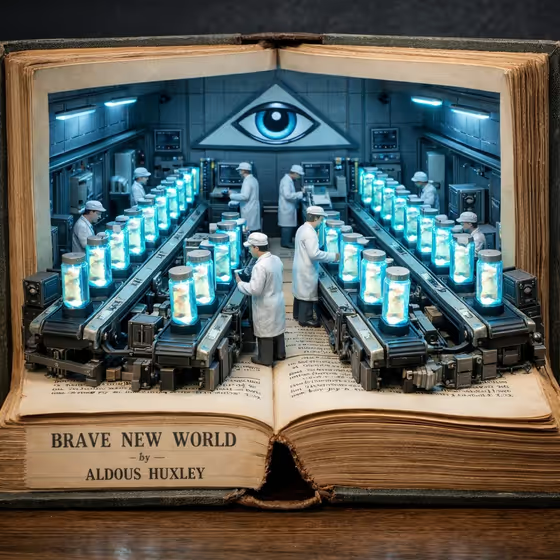
Storybook World Diorama turns a book title into a miniature set that rises out of an open vintage book. The cover example shows Brave New World with a hatching laboratory built into the pages, tiny figures in white coats working along conveyor lines of glowing jars, and an all-seeing eye on the back wall.
It is for readers, teachers, bookstore and library accounts, and anyone who wants a collectible-looking illustration of a favorite story. You fill in four text fields, so there is nothing to upload and no photo needed.
What works best as input
- This template has no photo slot, so everything depends on your wording. Keep each field short and concrete, in the style of the placeholders.
- In Book or story, type the title as it is usually known, such as Frankenstein or The Time Machine. A recognizable title gives the template more to work with.
- In Emerging scene, name a place that people work or live in, like a surveillance control room or a time-machine workshop. The prompt adds miniature figures operating machines, so a scene with machinery or activity fits well.
- In Central symbol, describe one clear emblem, such as a monumental clock face or a glowing mechanical heart. One strong symbol reads better than a list of several.
- For Atmosphere, pick the option that matches the story's mood, for example Clinical and eerie or Gothic and ominous.
How to use it
- Open the Storybook World Diorama template in Phosphene.
- Fill in Book or story, Emerging scene, and Central symbol with short descriptions, then choose an Atmosphere.
- Generate the image. The result comes out in a 3:4 portrait frame.
- Review the diorama. If the scene or symbol is not what you pictured, adjust the wording of that field and generate again.
Tips for a better result
- Match all four fields to one story. A scene and symbol that clearly belong to the book give a more coherent diorama.
- Try the same book with different symbols, for example an all-seeing eye versus a stark warning insignia, to see how much the wall centerpiece changes the set.
- Switch only the Atmosphere between runs to compare moods while keeping the rest of the scene the same.
- Use the example values as a starting point, then swap in details from your own favorite chapter or setting.
Common mistakes
- Writing a long paragraph in Emerging scene or Central symbol. Short, specific phrases work better than a full story summary.
- Mixing unrelated ideas, such as a gothic laboratory with a clock-tower symbol from a different book, which can make the set feel confused.
- Expecting to upload a photo or cover scan. This template only takes text and an atmosphere choice.
FAQ
Do I need to upload a photo?
No. All four fields are text or a choice, and none of them accept a photo.
What will the image look like?
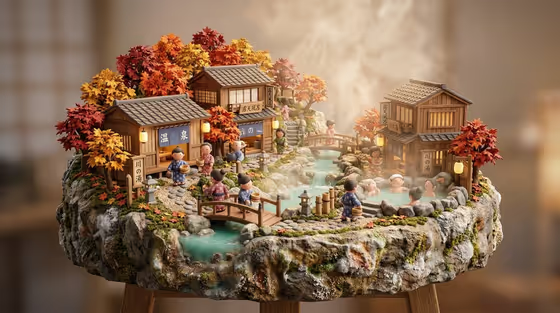
An open vintage book with its pages rising into a detailed miniature set, lit with cool blue neon and styled as a photorealistic handcrafted sculpture.
Can I use any book or story?
You can type any title into Book or story. Well-known stories tend to give the template more to draw on.
What shape is the output?
A 3:4 portrait image.