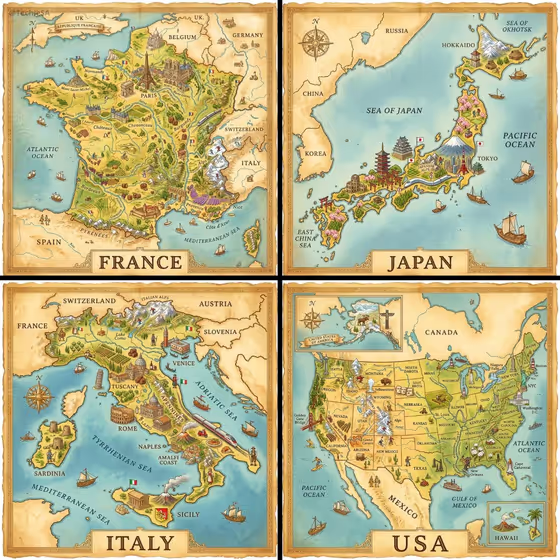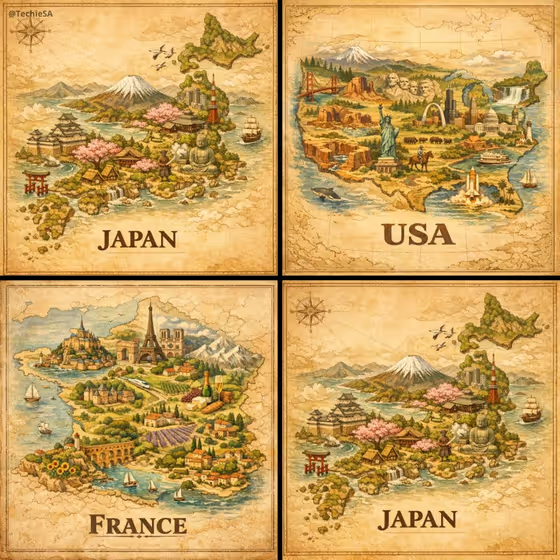
Heritage Country Map turns a place name and a short list of landmarks into a hand-painted, bird's-eye illustration on a parchment-colored background. Landmarks, architecture and natural scenery are folded into the shape of the land, like the vintage illustrated maps shown in the cover examples of Japan, the USA and France.
It suits travel lovers, teachers, designers and anyone who wants a decorative map of a home country, a dream destination or a place with personal meaning. Everything is typed, so you do not need a photo or any artwork to start.
What works best as input
- There is no photo slot in this template. Both fields are text, so the quality of your result comes from what you write.
- In Country or place name, type the name exactly as you want it to appear in the bold serif lettering under the map, for example Japan, Italy, Mexico or Morocco.
- In Landmarks and scenery, list the architecture, cultural symbols and natural features you want to see, separated by commas, such as temples, Mount Fuji, and cherry blossoms.
- Choose landmarks that are visually distinct and clearly tied to the place. Famous silhouettes like towers, mountains, castles or coastlines read well in a small miniature scene.
- Aim for three to five items. A focused list tends to give each feature room, while a very long list can crowd the map.
How to use it
- Open the Heritage Country Map template in Phosphene.
- Type the place name into the Country or place name field. This text is also what gets rendered under the map.
- Describe what to include in the Landmarks and scenery field, using a short comma-separated list of architecture, symbols and natural features.
- Generate the image, then review it. Check that the name is spelled correctly and that the landmarks you listed are visible, and adjust your wording and try again if needed.
Tips for a better result
- Mix man-made and natural features, like Roman ruins, hill towns, and coastline, so the map has both buildings and terrain to paint.
- Use the placeholder examples as a pattern: concrete nouns such as pyramids, colonial plazas, and agave fields work better than vague words like beautiful or historic.
- Try a region or a smaller place instead of a whole country. The field accepts any place name, so you can make a map of a state, island or city's surroundings.
- Run the same place with different landmark lists to compare versions, for example one focused on cities and another on nature.
Common mistakes
- Writing a misspelled or unusual place name. The name is rendered as text on the image, so a typo will show up in the lettering.
- Packing in too many landmarks. A very long list can make the scene cluttered and some items may be missing or tiny.
- Using vague descriptions like famous places or nice scenery. Without specific landmarks, the map has little to build from.
FAQ
Do I need to upload a photo?
No. This template has no photo upload. You only fill in two text fields: the place name and the landmarks and scenery.
What does the finished image look like?
A hand-painted isometric map in a vintage illustrated style, with a warm earthy palette, a parchment-colored background, and the place name in bold serif lettering below the scene.
Can I use a place that is not a country?
The field is labeled Country or place name, so you can enter other places too. Describe their landmarks and scenery clearly in the second field.
What should I put in the landmarks field?
Describe architecture, cultural symbols and natural features, like medinas, desert kasbahs, and Atlas peaks. Commas between items keep the list easy to read.