Stop Naming Colors in the Prompt. Pass a Palette Instead.
Color words carry a hue but never a proportion, so the model splits the difference and the image goes muddy. A weighted palette fixes the root cause, but only if you keep the colors you must protect in the prompt text.
AI-assisted draft. Reviewed and edited by the Phosphene team before publication.
On this page
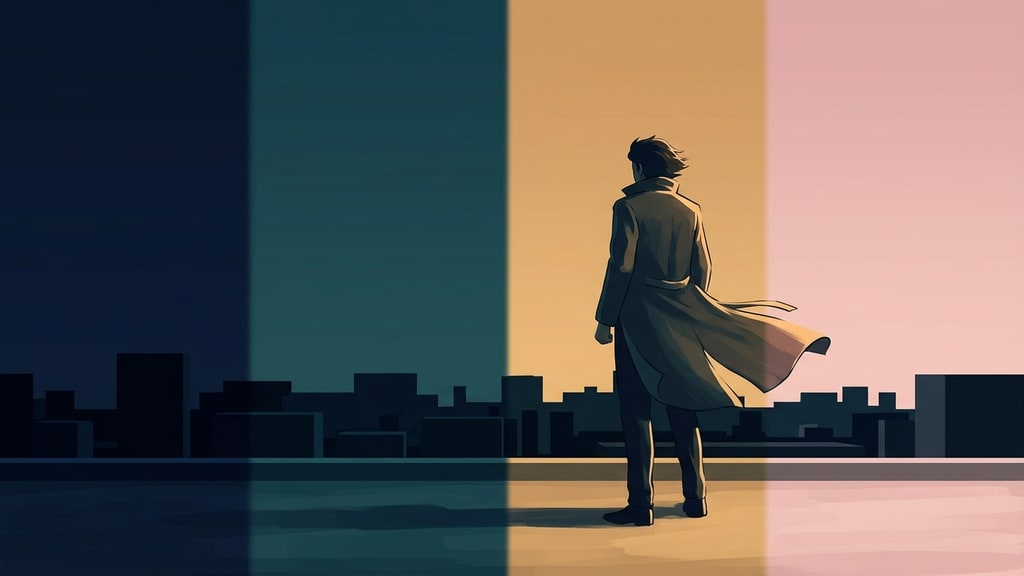
Ask for "a girl on a rooftop, pink and blue" and you get a fight. Pink jacket, pink sky, blue hair, blue shoes, blue rim light, and one accidental purple somewhere. Six competing reads of the same two adjectives, all equally weighted, because that is exactly what you asked for.
The problem is not your taste. It is the format. A color word is a lookup, not a specification: "peach" resolves to a hue with no area, so the model picks a coverage for you, and it usually picks too much. Give it three color words and you have three claims on the whole frame.
PixAI's Tsubaki.3 has a feature that attacks this directly. Instead of describing colors in prose, you hand the model a palette: a small set of swatches with weights attached. The Japanese walkthrough by Ai-Hakase is a better introduction to the idea than to the specific product, because the underlying lesson is model-agnostic.
Colours as a distribution, not a list of adjectives
The palette panel splits into three groups, and the split is the whole trick:
- Overall, the atmosphere of the frame.
- Background, environment only. Off by default unless you want it.
- Character, including skin. Also off by default.
A single swatch in the Overall group might sit at 60%, a second at 25%, and a third at 10%. That is not a description of pink. It is a statement that pink owns most of the picture, something else is secondary, and a third color is allowed to appear as an accent. The ratio does the work that adjectives cannot.
PixAI's own documentation reportedly suggests starting with Overall alone, and that matches how the feature behaves. Three groups of six colors is 18 decisions before you have written a sentence, and most of the time you only needed one.
What changes when you delete the color words
The test prompt is deliberately colorless: a girl leaning on a rooftop fence, looking back over her shoulder into the distance, hair and shirt moving in the wind, upper body at a slight low angle, flat anime coloring with a touch of impasto, sharp light-and-shadow contrast, moody.
Generated with no palette, that prompt gives you a decent but unremarkable frame. Generated with the "Peach Drop" preset, the sky, the background and the whole shirt swing to pink, a red ribbon appears at the collar, and the hair turns blue. Switch to "Navy Peony" and the same prompt lands in night navy with pale violet hair. Same text, same seed behavior, different film.
That is a different lever from prompt engineering. You are not adding constraints to the text, you are replacing an under-specified instruction with a specified one. If you have been stacking adjectives hoping one of them sticks, the prompt decomposition approach and this technique solve the same class of problem from opposite ends: one removes noise from the sentence, the other moves a decision out of the sentence entirely.
The limit nobody expects: a swatch is not a color command
Here is the part worth remembering even if you never touch this tool.
Take the Navy Peony result and decide the hair should be black instead of violet. Change the widest swatch in the Character group to near-black, #1c1b22, and generate. The hair does not turn black. The violet gets denser and the shirt changes color. The palette moved the atmosphere; it did not issue a per-object instruction.
Now add two words to the prompt, "black-haired", and regenerate with the identical palette. Black hair, and the sky falls into a navy-to-pink gradient that was not there before.
The rule that follows is the entire practical skill:
Colors you must protect go in the prompt. Everything you did not name belongs to the palette.
That single sentence explains most of the failure reports around palette systems, including in tools that call the feature something else. If your prompt says "pink hair, green eyes, gold trim", the palette has nothing left to decide except the sky, and then people conclude the feature does nothing. If your prompt names nothing, the palette decides everything, and you get a coherent image of a character you did not specify.
Two more failure modes, both easy to trigger:
- Too many color words. They override the palette and you are back to six competing hues.
- Too many swatches. Four or five is a scheme. Nine is confetti.
Steal a palette from an image
Presets are someone else's taste. The more useful move is extraction: upload a reference and let the tool pull a palette from it.
The article's example uses Van Gogh's Starry Night, which is public domain and therefore actually shippable. The extraction returns six swatches: navy, blue-grey, ochre, deep navy, light blue and pale yellow, at roughly 16 to 17 percent each.
Note what that flat distribution means. Extraction measures what is in the picture, not what made the picture work. Starry Night reads as a blue painting with yellow fire in it, but a naive six-color sample gives yellow the same weight as navy. Left alone, you get a pleasant blue-and-yellow mush. The fix is manual: pull the blues up over 60% and drop the ochre to an accent. What you want from a reference image is its ratio, not its histogram.
Done properly, the payoff is real. In the walkthrough, the generated frame ends up with yellow light landing only on the railing and the cheek, in an otherwise blue night. That is the color logic of the painting, not its content, and it is a much more interesting thing to borrow.
Finishing without losing the color you just set
Getting the atmosphere right is not the same as getting the frame right. Faces come out slightly off, linework is coarse, an expression is wrong. The instinct is to regenerate, which throws away the color decision you just made.
Three cheaper moves, in ascending order of how much they change:
Text edit with an explicit keep-list. Open the image in edit mode, keep the same model, and write both halves of the instruction: change the expression to a faint smile, and preserve the color, the light, the pose, the hairstyle, the clothing, the background and the rendering style. Naming what must not move is the part people skip, and it is the part that works. This is the same discipline as targeted image editing, just applied to color.
Repaint at low strength. Select the entire image, set strength to 0.4 and rerun with a short prompt. Somewhere between 0.3 and 0.5 the model cleans up faces and hair lines while holding the composition and the palette; above that you get a different picture that happens to be related. If a result drifts anyway, discard and go lower rather than accepting it.
Two references with assigned jobs. For keeping a character's face and clothing while borrowing another image's lighting, feed two images and say which does what: keep the face, hair and outfit from figure 1, take the color and light from figure 2, follow figure 1 for composition. Explicit role assignment beats stacking references and hoping the model infers a hierarchy.
Then the boring tier ladder. Fast, cheap tiers are for scouting four candidates at once; the expensive tier is for the one that already earned it. In the walkthrough the difference is visible at pixel level: the mid tier paints light in flat planes, the top tier puts individual yellow strands in the hair. Paying for that on the first of eight attempts is how you burn a month of credits on exploration.
What I'd actually change in your process
Two habits, neither of which requires this specific product.
First, separate the color decision from the content decision, and stop making both in the same sentence. Write the prompt with no color words at all. Look at the frame. Then decide the palette. If you do it in one pass, you cannot tell which instruction produced the mud.
Second, when a control seems to do nothing, check whether you have already overridden it. The black-hair test above is a two-minute diagnostic that applies to palettes, style references, LoRA triggers, and negative prompts alike. Nine times out of ten the feature works and the prompt is arguing with it.
One caveat on sourcing: the walkthrough is a hands-on tutorial for one tool, written by someone with a commercial relationship to it, and the specific presets, tier limits and credit rules it mentions are PixAI's and will change. The palette ratios, the protect-colors-in-the-prompt rule and the extraction problem are the parts that travel.