Targeted AI Image Editing: Fix the Pose, Keep the Style
Regenerating an image to fix one flaw usually destroys the rest of it. A targeted edit keeps the original art and changes only what you point at. Here is a practical editing workflow built from inpainting, natural-language edits, and reference transplants.
AI-assisted draft. Reviewed and edited by the Phosphene team before publication.
On this page
- The three editing approaches, and when each one wins
- Inpainting, for point fixes
- Natural-language editing, for wide changes
- Reference transplant, for borrowing a pose or outfit
- A working pipeline that produces finished art
- Keeping the edit from wrecking the character
- Editing fits the same instinct as tag-based direction
- The habit to unlearn
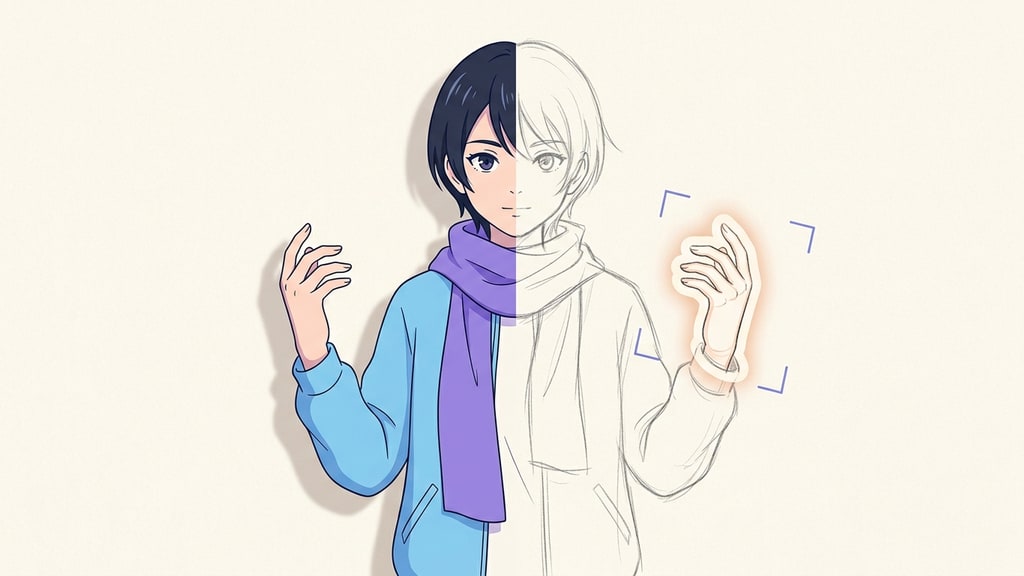
The regeneration lottery is a trap, and most people who make AI illustrations fall into it eventually.
You generate an image you love. The face is right, the mood is right, the palette is right. But the hand is bent in a way no human could bend it. So you rerun the prompt. Now the pose is fine and the face belongs to a stranger. You rerun again, praying for a hand that works on the face you actually wanted, and somewhere around the fourth attempt you give up and keep the broken one.
The fix is not a better prompt. The fix is to stop treating regeneration as the only move. Modern image editors let you change one part of a picture while the rest stays put. The base image stops being a draft you are gambling on and becomes the thing you protect.
The three editing approaches, and when each one wins
Different edits want different tools. Most of the confusion around image editing comes from reaching for the wrong one.
Inpainting, for point fixes
Brush the damaged region and the model redraws only that area. Use it for a crooked finger, a stray object you want gone, or a small color change. Because it is designed to touch only the masked zone, the rest of the frame usually stays put — but check each result before treating it as final, since editors describe intent, not guarantees.
This is the smallest, most surgical tool. Reach for it when the problem lives in one place.
Natural-language editing, for wide changes
For something bigger, like a full background swap, a pose change, or the addition of text, you describe the change and keep the model from touching the character. An editor with good identity retention, like the Tsubaki.3 model demonstrated on PixAI, is intended to fold a broad change into the image while the character's face, clothes, and linework hold steady — how closely it holds depends on the strength setting, which controls how much of the original may change, so a close resemblance is the typical outcome rather than a guarantee.
This is the approach for "change this whole region, keep the person."
Reference transplant, for borrowing a pose or outfit
Sometimes you do not want to describe a pose at all, you want to copy one from another image. A reference workflow lets you say "use the pose from this picture" and the model grafts it on while usually protecting identity. Same idea applies to wardrobe or composition.
This one wins when words are the wrong interface, because the target pose is easier to show than to name.
A quick decision rule: broken hand, remove an object, local recolor → brush. Swap the scene, change the pose, add typography → natural language. Steal a specific pose or outfit from another image → reference transplant.
A working pipeline that produces finished art
The source I adapted this from walks through turning one base illustration into two clean ad posters without ever rerunning the base prompt. The sequence is worth keeping whole, because the order matters.
Start with one image you like. Do not regenerate it.
- Outpaint the frame first. If the target is a poster, top up the canvas before you touch anything else. Extending the layout up front gives the later edits room and keeps the composition from feeling cropped later.
- Change the pose. Either by text ("lower the arm") or by pointing at a reference image for the pose. The face and outfit are intended to stay locked.
- Swap the background. Describe the new setting and let the model relight the character to fit it. Two different backdrops off the same base image generally still render the same character.
- Add or replace objects. A bottle in the character's hand, headphones around the neck, a prop that makes the image read as an ad. Objects land on top of an already-stable composition.
- Drop in text and logos. Modern editors render typography into the image, which matters if you are making a poster, a cover, or a key visual with a tagline.
- Adjust the color palette. Nudge the whole frame toward a mood, a cool clean palette for a summer drink or a neon cyber look for an energy ad.
- Take a high-res refine pass last. Editors like PixAI's Edit V4 clean up the small stuff, the slightly odd hands and the melting letterforms, at higher resolution. This is the polish step that separates a usable asset from a draft.
The last step matters more than people expect. Do not regenerate when the take is ninety percent right. Run the refine pass to remove the ten percent, because a targeted cleanup does not gamble away the character the way a reroll would.
Keeping the edit from wrecking the character
Every failure mode in this workflow is the same failure: the model improved the picture by quietly changing the one thing you actually loved. The guard is to say explicitly what must not move before you ask for the change.
Name the locked elements in the instruction. Same face, same outfit, same line style, same lighting direction. Then name the region or object you want changed, and what the change is. One change at a time. Look at the result, then make the next change. Piling three instructions into one sentence invites the model to rebalance the whole image to satisfy all of them.
When a change drifts into territory you wanted to keep, you do not start over. You brush that single drift away and re-run. The base image is a durable asset now, and iterations are cheap and local.
Editing fits the same instinct as tag-based direction
There is a clean parallel to how guided creation tools work. In Phosphene, the same idea shows up as tags: you lock the attributes that define the subject and vary the scene or style around them, then judge each output against a checklist instead of against a vibe.
Editing an image directly is the image-level version of that. The stable parts are your locked tags, the one thing you point at is the tag you are changing, and the refine pass is your proofread. You stop rolling the dice on an entire image and start directing it.
The habit to unlearn
The reflex to regenerate is strong because it is the oldest behavior in image generation. You hit generate, you do not like the result, you hit it again. That habit made sense when every image was built from nothing.
It stops making sense the moment you have a frame you want to keep. From there, the cheaper and more controllable path is to edit it: change the pose, swap the scene, add the text, take a cleanup pass, and keep the character you already won. The generation lottery is only worth playing when you have nothing to protect.