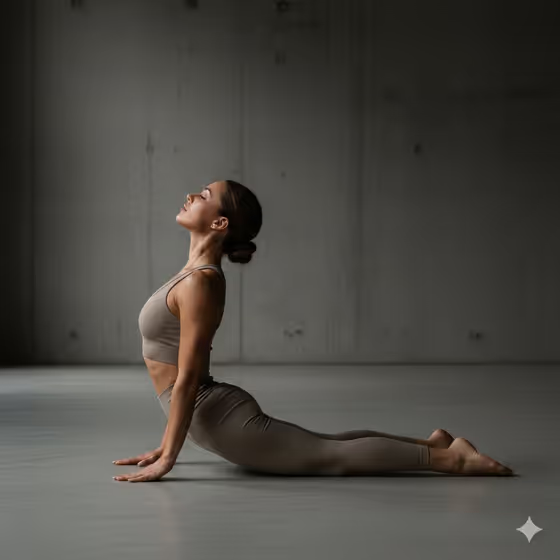
Controlled Strength Study makes a calm, sculptural fitness portrait of one athlete, shot full-body from a slightly low angle. The look is editorial and quiet: matte performance wear, a minimal concrete-style space, and soft directional light that shapes the arms, core and legs without any aggressive drama.
It suits fitness coaches, trainers, movement performers and anyone who wants a disciplined, gallery-like image of an athlete. You choose who the athlete is and which flex pose they hold, and the template handles the framing, lighting and wardrobe.
What works best as input
- The Athletic Subject slot is a text field that also accepts a photo, so you can either describe the person or add a reference image of them. Use a photo when you want the result to follow a specific look.
- If you upload a photo, pick one with a single person, good even light and a clear view of face and body. Avoid heavy filters, group shots and cropped limbs.
- If you describe instead, be concrete about age range, build and presence, for example 'a mature strength coach' or 'a poised male fitness model'. The examples in the field show the level of detail that works.
- Only use photos of yourself or people who have agreed to be pictured, and keep descriptions respectful of the person.
How to use it
- Open the Controlled Strength Study template in Phosphene. The output is a single 3:4 image.
- In Athletic Subject, type a short description of the athlete or add a reference photo. This field is required.
- In Flex Pose, describe the pose in plain words, such as 'controlled side-body strength pose' or 'grounded lunge with engaged core'. This field is text only and also required.
- Generate the image, then check the anatomy, the pose and the face. Adjust either field and run it again if something is off.
Tips for a better result
- Name one clear pose rather than combining several. A single stance like 'calm front stance showing definition' gives the low camera angle a clean shape to work with.
- Try changing only the subject while keeping the pose the same to compare how different athletes read under the same lighting.
- Words like 'balanced', 'grounded' and 'controlled' match the template's calm tone. Pose descriptions that sound aggressive or strained work against the quiet editorial feel.
- If a reference photo gives you a result that drifts from the person, add a short text description of the key traits in the same field.
Common mistakes
- Describing a busy scene or props in the pose field. The template already sets a minimal studio or architectural background, so extra scenery can fight the intended look.
- Stacking multiple people or several poses into one entry. The template is built around a single full-body athlete, and crowding the prompt can cause duplicate or malformed figures.
- Uploading a low-quality, heavily cropped or group photo as the subject reference, which gives the template little to follow.
FAQ
Can I use my own photo?
Yes, the Athletic Subject field accepts a photo as well as text. The Flex Pose field is text only.
What format does the image come out in?
The template produces a single image at a 3:4 aspect ratio.
Can I choose the clothing and background?
Those are part of the template's fixed direction: neutral matte athletic wear and a minimal studio or architectural setting. You steer the result through the subject and the pose.
What kind of pose should I write?
Short, specific, calm descriptions work best, such as 'balanced full-body double-arm flex' or 'grounded lunge with engaged core'.