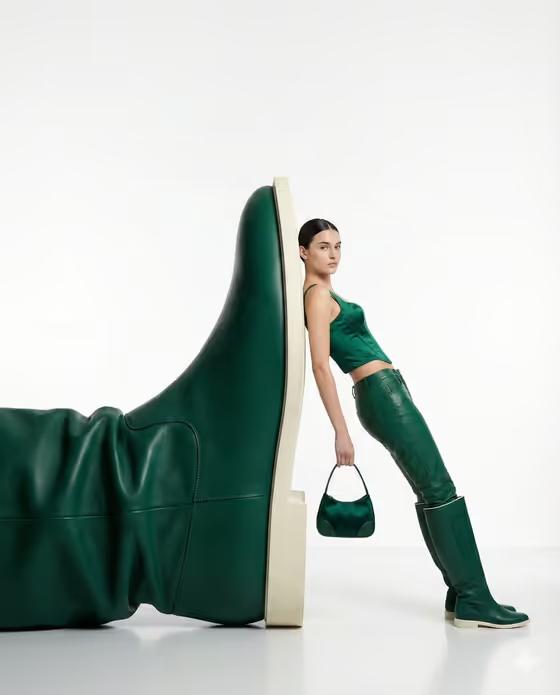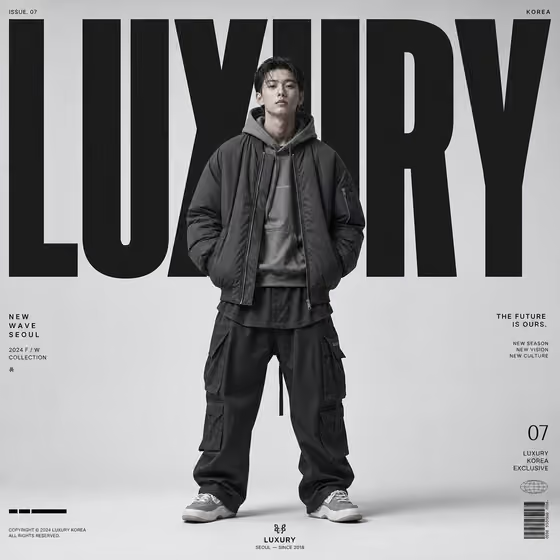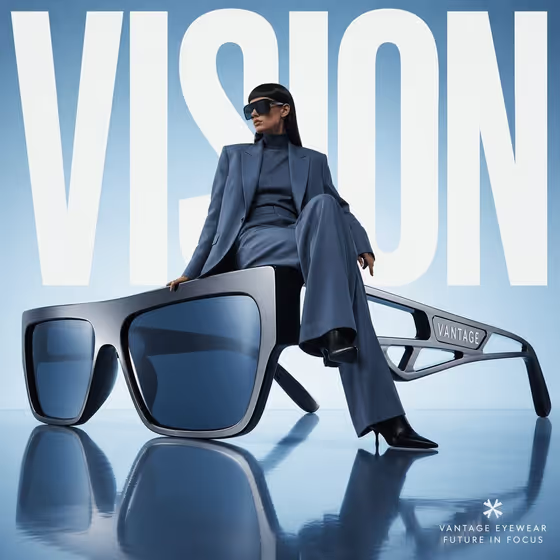
Giant Eyewear Editorial turns a pair of sunglasses into an oversized sculpture and places a model seated casually on the frame, as if it were a piece of studio furniture. Your headline sits behind them in large bold white type, which gives you a clean, square eyewear campaign image in an avant-garde fashion style.
It suits eyewear brands, small shops, stylists and social media managers who want a striking product ad without arranging a studio shoot. You describe or reference the glasses, the model, the headline and the studio color, and the template handles the scale, the reflections and the layout.
What works best as input
- For Eyewear Product, either describe the frames in words (for example, oversized futuristic shield sunglasses) or add a clear photo of the exact pair so the shape and details carry over.
- Use a product photo with a plain background, good light and the whole frame visible, including the temples if possible. The glasses become the main sculpture, so their silhouette matters most.
- For Editorial Model Subject, you can describe the person (such as a poised androgynous fashion model) or add a portrait reference. A well-lit, front-facing or three-quarter portrait with the face unobstructed works best, and only use photos of people who have agreed to be featured.
- This template expects two or more photos, so plan to add one for the eyewear and one for the model.
- Keep Headline Text short, since it is set as giant type behind the subjects. A single word like VISION or a brief phrase like SEE BEYOND fits the layout best.
How to use it
- Open the Giant Eyewear Editorial template in Phosphene.
- Fill in Eyewear Product and Editorial Model Subject, using a description, a photo reference, or both for each, then type your Headline Text.
- Pick a Studio Background option, such as powder blue with a reflective floor or signal red with a dark reflective floor.
- Generate the image, then check that the frames, the model and the headline read clearly and adjust your inputs if something is off.
Tips for a better result
- Match the studio color to the product. A chrome or dark frame pops against powder blue or warm ivory, while a translucent frame can look good on soft lilac or a darker floor.
- Try the example frame styles, such as giant sculptural cat-eye or translucent wraparound visor, to see how the sculpture changes the whole composition.
- Keep the headline to one or two words. Shorter text gets set larger and stays easy to read behind the model.
- Run the same product with different model descriptions or backgrounds to build a small set of campaign variations.
Common mistakes
- Using a cluttered or low-resolution product photo, which makes the sculpted frames lose their clean edges and details.
- Writing a long headline. Giant type works best with a short word or phrase, and long text can feel cramped.
- Leaving the model description vague or contradicting the frame, for example asking for a relaxed pose with a very rigid, angular product concept that does not suit it.
FAQ
Do I have to upload photos?
The template is set up for two or more photos, one for the eyewear and one for the model. You can also describe either one in text, and the fields accept both.
What shape is the final image?
It is a square 1:1 image, which suits feed posts and campaign layouts.
Can I change the headline text?
Yes. Headline Text is a required field where you enter the word or phrase that appears in giant white type behind the sculpture and the model.
What can I choose for the background?
Studio Background is a choice field with options like powder blue with reflective floor, soft lilac with mirrored floor, warm ivory with glossy floor and signal red with dark reflective floor.