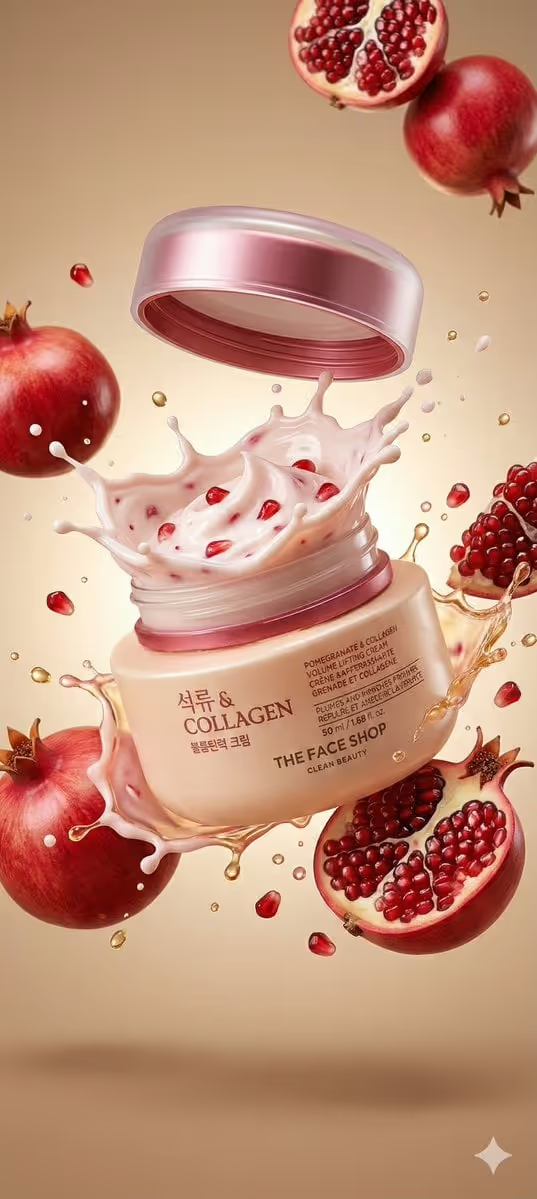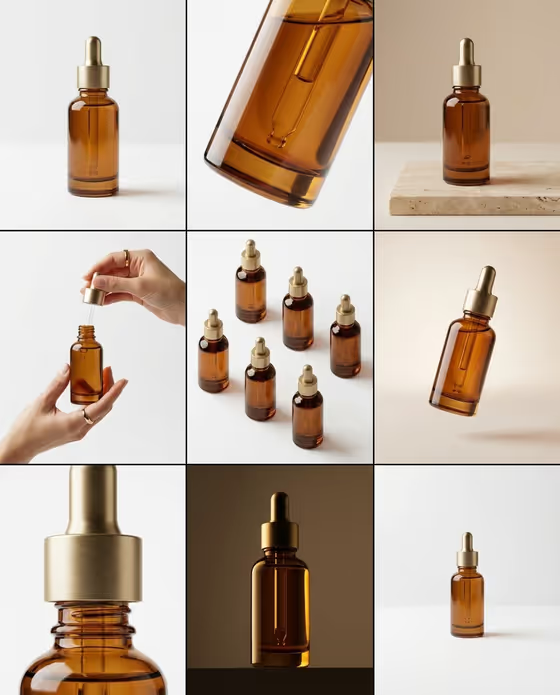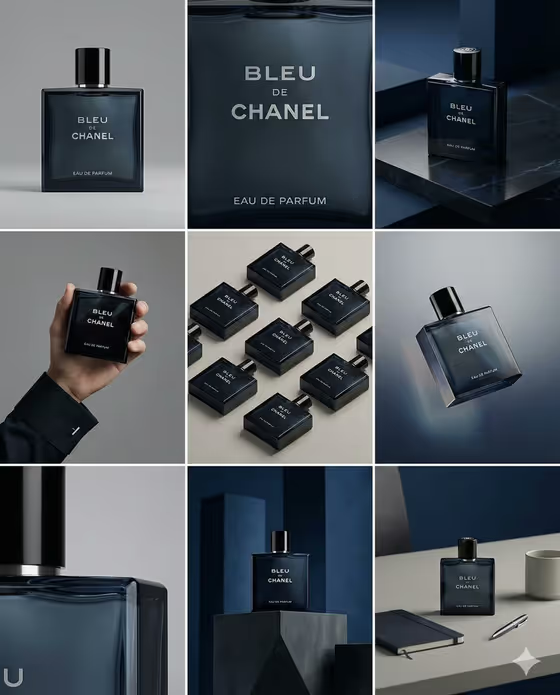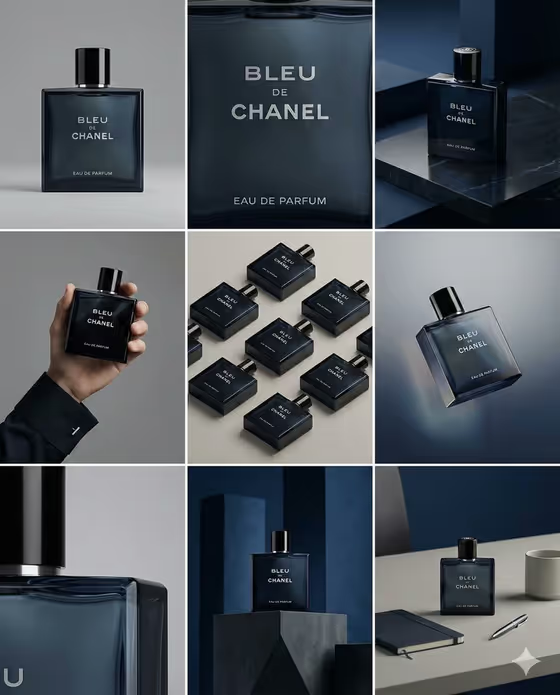
Nine-Frame Product Study turns one product into a single 3:4 image made of nine equal panels, arranged as a 3x3 storyboard. The cover shows the idea well: a dark blue fragrance bottle appears as a straight-on hero, a tight macro of the label, a shot on a stone plinth, a hand holding it, a flat-lay grid, a floating angle, and a few desk and pedestal setups, all with the same bottle and label.
It suits designers, brand owners and e-commerce sellers who want a portfolio-style overview of a product without planning nine separate shots. You choose the exact product and describe the rhythm of the panels, and the template keeps the packaging, logo and materials consistent across the grid.
What works best as input
- The Exact Product field accepts a description or a visual reference, so a clear photo of your product gives the template the most to hold onto. Pick one where the label, logo and silhouette are easy to read.
- Use a single product on a plain background with even light. Clutter, props or a second item in the shot can confuse which object should repeat in every panel.
- Show the front of the packaging as squarely as you can, since the label and logo need to stay legible and unchanged across all nine frames.
- If you describe the product instead, be specific about shape, color and material (for example, a premium fragrance bottle or a sculptural skincare jar) so the result does not turn generic.
- For Panel Sequence, name the kinds of shots you want, such as hero, macro, material, silhouette and detail. This text field takes words only, so describe the rhythm rather than attaching an image.
How to use it
- Open the Nine-Frame Product Study template in Phosphene.
- In Exact Product, describe your product or add a visual reference of it. The placeholder 'the uploaded packaging product' works if you are supplying a photo.
- In Panel Sequence, write the order and type of shots you want, or start from one of the examples like 'front, side, top, texture and label studies'.
- Generate the image, then check that the label, logo and proportions look identical in all nine panels before saving it.
Tips for a better result
- Mix distances in your sequence: ask for a wide hero, a tight macro of the label, and a few abstract material close-ups so the grid has visual rhythm like the cover.
- Try different Panel Sequence phrasings from the examples, such as 'calm studio views with abstract close-ups' versus 'portfolio sequence from identity to construction', to get a different feel from the same product.
- Keep the product description short and concrete. Naming the material (glass, matte can, ceramic jar) helps the close-up panels look believable.
- If a result drifts on a detail, regenerate with a clearer product photo or a more precise description rather than adding more shot types.
Common mistakes
- Describing a vague product, like just 'a bottle', so the nine panels have little to stay consistent with.
- Packing too many different ideas into Panel Sequence, which can push the grid toward lifestyle scenes. This template is built for neutral studio views, not storytelling.
- Using a photo where the label is blurry, cropped or heavily reflective, which makes the logo and text harder to keep intact across frames.
FAQ
Do I have to upload a photo?
The Exact Product field accepts either a text description or a visual reference, so a photo helps but you can also describe the product in words. Panel Sequence is text only.
What does the output look like?
A single 3:4 image divided into a 3x3 grid of nine equal panels, all showing the same product from different angles, crops and distances.
Will the logo and label stay the same in every panel?
The template is set up to keep the product, label, logo, materials and proportions unchanged across all nine frames, but it is worth checking each panel after generating.
Can I get lifestyle scenes or people in the grid?
The template is directed toward neutral studio backgrounds and product detail rather than lifestyle narrative, so it works best for clean, portfolio-style product studies.