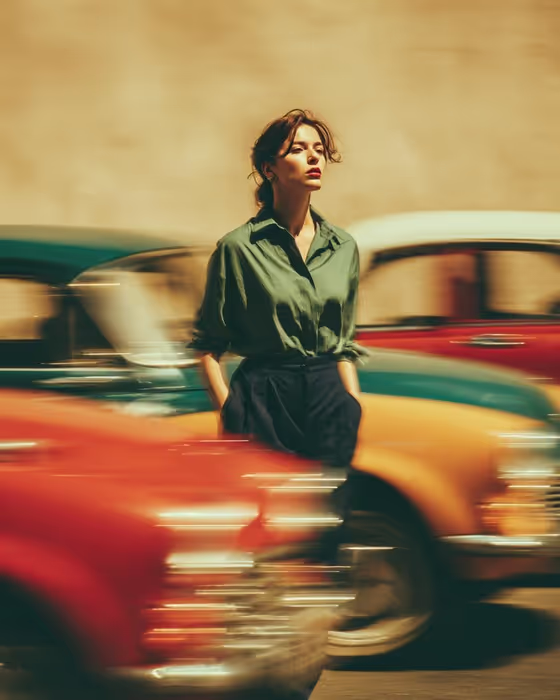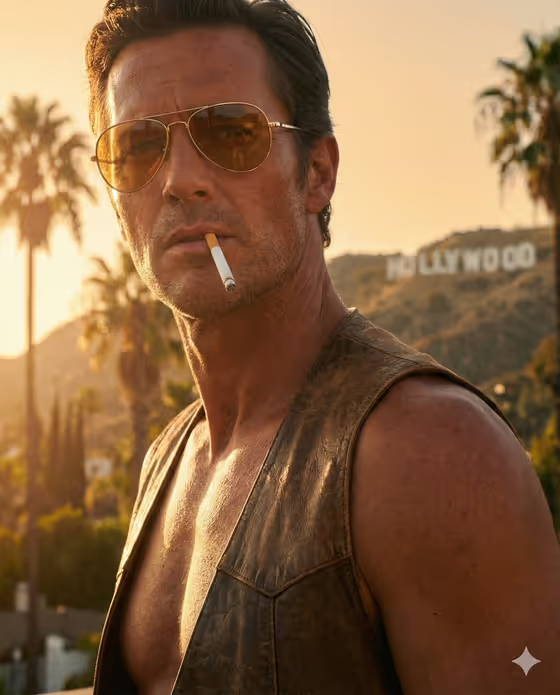
This template turns a portrait photo into a retro film still set in 1970s Los Angeles. The result is a 3:4 image with amber aviator sunglasses, a warm golden-hour glow, blurred palm trees and a hazy hillside behind the subject, finished with heavy film grain and sun-bleached highlights.
It suits adults who want a cinematic, vintage-styled portrait for a profile picture, a poster-style post or a themed project. The look is rugged and moody, so it works best when you want something bold and stylized rather than a soft, natural portrait.
What works best as input
- Use a clear photo of one adult, with the face and upper body in view. The template uses a medium close-up from a low angle, so a head-and-shoulders or chest-up shot gives the model the most to work with.
- Pick a photo with even, readable lighting on the face. Strong shadows or heavy filters can fight with the warm golden-hour grading the template adds.
- Avoid photos where the face is covered or cropped. If you are already wearing sunglasses or a hat, the result may be less accurate to your features.
- The Portrait subject field accepts a photo or a short description. If you type instead, a line like 'an adult man matching my reference' or 'an adult man with a distinctive presence' shows the kind of wording that fits.
How to use it
- Open the Seventies Hollywood Portrait template in Phosphene.
- In Portrait subject, upload your photo or type a short description of the person you want in the portrait.
- In Pose or expression, pick one of the options or describe your own, for example 'the source pose and energy', 'calm editorial stillness', 'confident direct presence' or 'candid spontaneous energy'.
- Generate the image, then check the face, sunglasses and background. If it is not quite right, adjust the pose or expression and run it again.
Tips for a better result
- Choose 'the source pose and energy' when you want the result to stay close to your original photo, and 'confident direct presence' when you want a more staged, camera-facing look.
- Try 'calm editorial stillness' for a quieter, magazine-style mood, or 'candid spontaneous energy' for something that feels caught mid-moment.
- Start from a photo that already has warm or natural light. It tends to blend more naturally with the amber, sun-bleached grading than a cool or flash-lit shot.
- Run the template with a few different source photos or pose choices and compare. Small changes in the input can shift the framing and expression noticeably.
Common mistakes
- Uploading a full-body or distant photo. The template frames a medium close-up, so a small face in a wide shot gives the model little to build on.
- Using a heavily filtered or blurry photo, which makes the face less reliable in the final image.
- Leaving the subject vague or mismatched with your reference. The template's example wording is written for an adult man, so describe the person you actually want, and use an adult subject.
FAQ
Do I have to upload a photo?
The Portrait subject field accepts either a photo or a text description, so you can choose whichever suits you. A photo gives the result a closer match to a real person.
What does the finished image look like?
It is a 3:4 retro film-still portrait with amber aviators, blurred palm trees, a hazy hillside and warm golden-hour light, finished with visible film grain.
What does the Pose or expression field change?
It guides how the subject carries themselves in the shot. You can keep the pose from your source photo or pick a mood such as calm, confident or candid.
Can I change the setting or the sunglasses?
No. The 1970s Hollywood setting, the tinted aviators and the film look are fixed by the template. You only control the subject and the pose or expression.