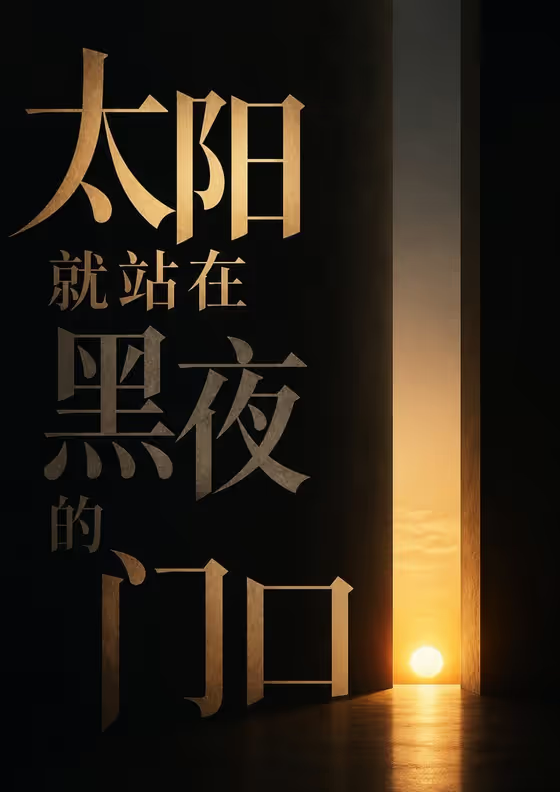
Threshold Quote Poster turns one line of text into a minimal typography poster. The lettering is oversized, the spacing is generous, and the words are the only real subject. The cover shows a Chinese line set in large gold serif characters on a near-black field, with a thin vertical opening of sunset light beside the text.
It suits anyone who wants a poster built around a single phrase: a motto, a lyric, a campaign line, or a short quote for a studio wall or social post. The output is a 3:4 image, so it works well as a portrait poster.
What works best as input
- The main field is text. Type the exact words you want rendered in the field labeled "sun stands at the gate of night phrase", since the template uses your phrase as written.
- Keep the line short. The template aims to distill the line to its emotional core, so one sentence or a few words will give the lettering room to be large.
- Check spelling, punctuation and spacing before you generate. Anything you type is what the poster is supposed to display.
- If your line is in another language or script, enter it in that script. The cover example uses a Chinese phrase, and the placeholder shows an English one.
- The text field is marked as accepting a photo, but this template is built around the phrase itself, so lead with the wording and treat any image as optional.
How to use it
- Open the Threshold Quote Poster template in Phosphene.
- In the phrase field, enter the exact words you want on the poster, or start from the placeholder example and replace it with your own line.
- Choose a Typography layout. The listed examples include centered statement, asymmetric editorial type, and stacked monumental lettering.
- Generate the poster, then review the result for correct wording and a clear, uncluttered layout before using it.
Tips for a better result
- Try the same phrase with each layout option. Centered statement, asymmetric editorial type and stacked monumental lettering frame the words differently, and the cover looks like a stacked, staggered arrangement.
- Shorter lines tend to suit oversized lettering better, so trim a long quote down to its strongest clause.
- If you want a dark, moody result like the cover, pick a line with a sense of light, time or passage, since the template centers on a threshold feel.
- Run the template more than once with small wording changes to compare how the line breaks and emphasis shift.
Common mistakes
- Entering a long paragraph. The template is built around one line with generous breathing room, so too much text works against the minimal look.
- Leaving the layout choice vague or unchanged without checking it. The layout decides how the words are arranged, so pick the one that matches the mood you want.
- Skipping a proofread of the output. Always compare the rendered text against your original phrase before sharing.
FAQ
Can I add extra text like a subtitle or logo?
The template is set up for the single phrase you enter and instructs the design to use no extra copy, so it is meant for one line only.
What size is the poster?
The output is an image in a 3:4 aspect ratio, which is a portrait format.
Do I need to upload a photo?
The phrase field is text. It is the one thing you need to provide, and it is required, along with a choice of typography layout.
Can I use a language other than English?
The cover example is a Chinese phrase and the placeholder is English, so you can enter your line in the language you want. Proofread the result to confirm every character is correct.