Agent-Controlled AI Image Workflows Are the Next Creative Interface
How agent-driven image tools like Comfy MCP point toward a more practical way to build repeatable creative pipelines without living inside node graphs.
AI-assisted draft. Reviewed and edited by the Phosphene team before publication.
On this page
- What Comfy MCP signals
- The best use case is not beginners only
- Why repeatability matters more than raw novelty
- Agent workflows in Phosphene
- Where agents help inside a visual workflow
- The human still owns taste
- The risk: invisible complexity
- A practical workflow to try
- 1. Write the job in one sentence
- 2. Separate locked traits from variable traits
- 3. Run one bounded operation
- 4. Review the result against the locked traits
- 5. Save the workflow only after it survives a variant
- The takeaway
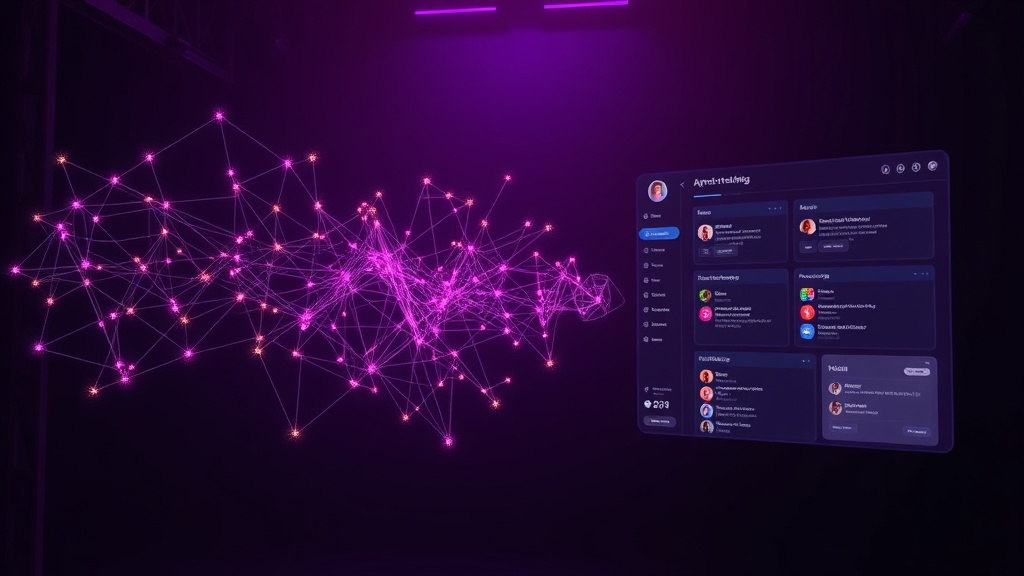
Node graphs are powerful, but they are not always the right interface for creative decisions.
A creator might know exactly what they want: remove the background, upscale the image, generate a character sheet, turn a still frame into a short video, or reuse a proven workflow with a small change. The problem is that many advanced image pipelines still force that person to think in nodes, ports, model loaders, samplers, and custom extensions before they can make the visual decision.
The fix is not to hide every technical layer. The fix is to let an agent operate the technical layer while the human stays focused on intent.
That is why agent-controlled creative workflows matter. The interesting part is not just that an AI assistant can call an image tool. The interesting part is that the assistant can search templates, inspect available models, run a workflow, explain what changed, and keep the process repeatable.
What Comfy MCP signals
ComfyUI has always been strongest when a creator needs control. You can wire together image, video, 3D, audio, upscaling, background removal, model search, custom nodes, and repeatable templates. The tradeoff is obvious: control comes with interface friction.
Comfy MCP points at a different pattern. Instead of asking the creator to manually build or edit every graph, an agent can connect to the Comfy environment and perform workflow tasks through natural language.
That can include:
- generating or editing an image
- removing a background
- upscaling a result
- searching models and nodes
- finding templates
- producing image, video, audio, or 3D outputs
- loading a shared workflow URL
- using cloud GPU resources for heavier jobs
- calling a local ComfyUI desktop instance when the creator wants their own models
The important shift is not "chat instead of UI." That framing is too shallow.
The real shift is: the workflow becomes an object the agent can reason about.
The best use case is not beginners only
It is tempting to describe agent-controlled tools as a beginner feature: people who do not understand nodes can finally use ComfyUI.
That is true, but it undersells the idea.
Advanced creators also waste time on mechanical work:
- finding the right template for a task
- checking which model is loaded
- changing one parameter across a workflow
- repeating a previous setup with a new source image
- explaining a graph to a teammate
- turning a successful experiment into a reusable pipeline
An agent is useful when the task is structured but annoying. If the creator already knows the creative direction, the agent can handle the plumbing.
A good prompt to an agent is not:
Make a cool image.
A better prompt is:
Use the previous portrait as the identity reference. Create a clean three-quarter character sheet, preserve the hair silhouette and jacket colors, remove the background, upscale the best result, and summarize which settings changed.
That is not magic. It is delegation.
Why repeatability matters more than raw novelty
Most image-generation demos optimize for surprise. Production workflows optimize for repeatability.
If a team is making a character system, a social campaign, a product ad set, or a short AI video sequence, the question is not "can the model make one impressive image?" The question is:
- can we repeat the process tomorrow?
- can another teammate run the same workflow?
- can we change only the background without breaking the character?
- can we recover the exact settings that produced the approved direction?
- can we package the workflow into a template instead of a one-off experiment?
This is where agent-controlled workflows become more than a convenience feature. They create a bridge between natural-language direction and production discipline.
A shared workflow URL, a template catalog, and an agent that can explain what it ran are closer to a creative operating system than a single image generator.
Agent workflows in Phosphene
Phosphene is built around the same principle from a different direction: make the creative structure visible.
Instead of asking users to manage a low-level node graph, Phosphene lets them build image direction through tags, relationships, models, and generation history. The user can keep the subject, style, lighting, camera, and constraint layers separate instead of compressing everything into one fragile prompt.
A practical Phosphene workflow looks like this:
- Create the core subject tag group: character, product, object, or scene.
- Add style tags: anime key art, cinematic realism, clay render, editorial product photo.
- Add technical intent: lighting, lens, composition, aspect ratio, detail level.
- Generate a baseline.
- Change one group at a time and keep the successful version visible.
- Reuse the same structure for a new output: portrait, poster, product shot, or video key frame.
That is similar to what an agent does when it operates a Comfy workflow: preserve the pipeline, change the intended variable, and make the result reproducible.
The difference is the interface. In Phosphene, the creative stack is designed to be readable without requiring node knowledge. For many creators, that is the right level of abstraction.
Where agents help inside a visual workflow
Agent control is strongest when the assistant can perform a bounded operation and report back clearly.
Good tasks:
- "Find a template for background removal and run it on this image."
- "Create four outfit variants while preserving the character identity."
- "Upscale the approved frame and keep the composition unchanged."
- "Search for a model suited to flat anime character sheets."
- "Turn this still into a five-second idle motion test with no outfit changes."
- "Compare these two generations and identify which tags or settings likely caused the difference."
Weak tasks:
- "Make it better."
- "Do something viral."
- "Make a masterpiece."
- "Use all the best models."
The agent needs a job, not a vibe.
This matters for Phosphene users too. The best results come when the user gives the system a controllable visual hypothesis: change the lighting, test a new camera angle, preserve identity, isolate wardrobe, or simplify the background.
The human still owns taste
Agent-controlled tools can reduce friction, but they do not replace taste.
The assistant can find a model. It cannot decide whether the character silhouette is memorable. It can run an upscale. It cannot tell whether the image feels expensive, childish, uncanny, or off-brand unless the human gives it a standard.
A useful production loop keeps the responsibilities clean:
- Human defines the visual goal.
- Agent runs the technical workflow.
- Human selects or rejects based on taste.
- Agent records what worked.
- The workflow becomes a reusable asset.
That loop is much healthier than asking the model to invent, judge, edit, and approve its own work.
The risk: invisible complexity
There is one real danger with agent-driven creative tools: they can hide too much.
If the agent changes the model, seed, prompt, workflow template, sampler, resolution, and reference image without surfacing it, the user gets a result but loses the process. That is fine for a toy. It is bad for production.
A serious creative tool should show enough of the pipeline to debug the output:
- which model was used
- which reference images were used
- what changed from the previous generation
- what stayed locked
- whether the result came from local resources or cloud resources
- which template or workflow produced it
Phosphene should keep leaning into that visibility. The point is not to make every user technical. The point is to prevent creative decisions from disappearing into a black box.
A practical workflow to try
Use this pattern when you want an agent-assisted image pipeline without losing control.
1. Write the job in one sentence
Create a clean anime-style character sheet from this approved portrait while preserving the face, hair silhouette, jacket colors, and accessory.
2. Separate locked traits from variable traits
Locked:
- face shape
- hair silhouette
- color palette
- signature accessory
- outfit material language
Variable:
- pose
- expression
- crop
- background
- presentation layout
3. Run one bounded operation
Do not ask for a full campaign. Ask for one output type: a sheet, an upscale, a background removal, a motion test, or a poster crop.
4. Review the result against the locked traits
If the face changed, the workflow failed even if the image looks good. If the accessory disappeared, the pipeline needs tighter constraints. If the style drifted, split style reference from character reference.
5. Save the workflow only after it survives a variant
A workflow is not reusable until it handles at least one controlled variation.
The takeaway
Agent-controlled image workflows are not about replacing visual tools with chat. They are about making complex creative pipelines easier to operate, repeat, and share.
Comfy MCP shows one version of that future: agents operating node-based workflows and model catalogs. Phosphene approaches the same problem from the creator side: tags, relationships, and model choices that keep intent visible.
The strongest creative systems will combine both ideas. Let the agent handle mechanical workflow execution. Keep the human in charge of taste, direction, and approval. And never let the pipeline become so invisible that you cannot reproduce the image that actually worked.