Turn a Character Sheet Into a Prompt Compiler
A Japanese tabletop asset walkthrough gets the hard part right: a fixed prompt structure that turns one character sheet into the same four paragraphs every time, plus the framing rules that make expression swaps read as the same person.
AI-assisted draft. Reviewed and edited by the Phosphene team before publication.
On this page
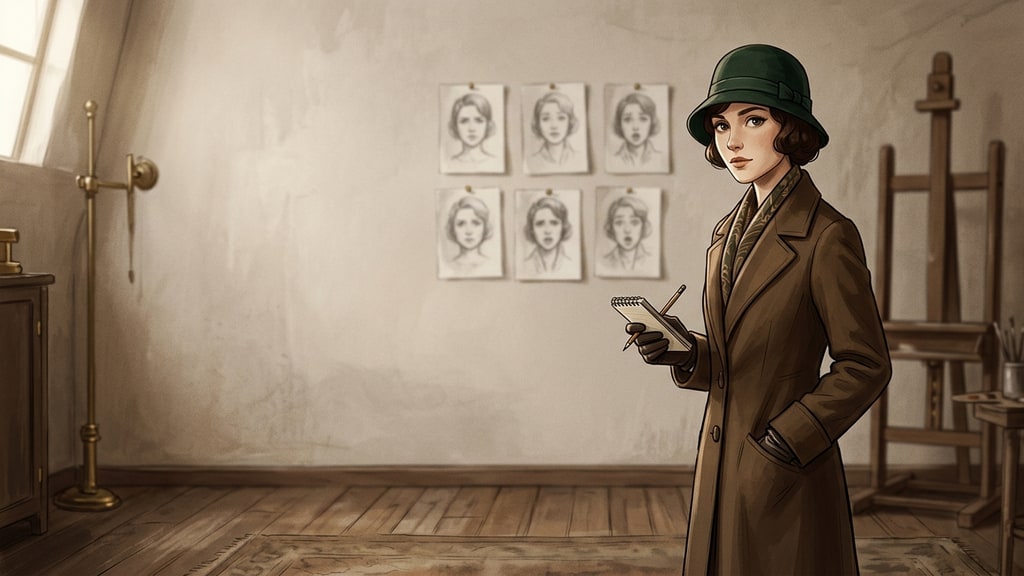
Eight characters, one visual world, one evening to prepare. That is the normal shape of a tabletop campaign, a card game prototype, or a small visual novel, and it is where character generation stops being fun. One good portrait takes a minute. A roster that looks like it came from the same illustrator takes an afternoon of prompting, and the afternoon is usually spent retyping the same character description in slightly different words and hoping the face survives.
A Japanese walkthrough by AI creator Ai-Hakase, published on 24 October, is built around PixAI's Tsubaki.3 and a tabletop use case: player character, expression variants, then the NPCs the game master has to run. The most useful thing in it is not the model. It is an argument about where the prompt should come from. The author does not write prompts by hand. She writes a character sheet, hands it to a language model behind a fixed system prompt, and gets back a prompt in a fixed shape.
That is a compiler, and it is the piece most workflows are missing.
The sheet is the input, not the prompt
A character sheet, in tabletop terms, is the thing players already fill in: name, age, appearance, personality, what they carry, what they are afraid of. Most of it is prose written for a human reader. It is also, almost by accident, a complete description of the variables that decide whether two generated images read as one person.
The move in the walkthrough is to stop treating that sheet as background reading and treat it as source data. A system prompt tells the model to emit nothing but an image prompt, in four paragraphs, in this order:
- The rendering style: line quality, shading, colour range, period mood
- The appearance: age, hair, eyes, face shape, build, outfit, props
- Pose and expression
- Composition and background
The order is not arbitrary. Style first sets the frame the rest is read in; appearance carries the constants of identity; pose and expression are the per-image variables; composition is the last thing decided and the one you change most often. When a result is wrong, that structure tells you which paragraph to edit. When the same character drifts, it is almost always paragraph two that lost a word.
Four paragraphs also make the prompt diffable. Two versions that differ by one clause are easy to compare, and comparing is how you find out that "dark green eyes" became "green eyes" three images ago.
Constancy is a wording rule
The walkthrough's rules for holding a character are unglamorous and specific, and they all point at the same failure: the model re-rolls anything you leave loose.
- Never paraphrase the sheet. Reuse its exact words for hair, eyes, face, age, build, outfit and props, every single time.
- Do not invent settings that the sheet does not contain. If the sheet is thin, fill the gap with concrete words that match its mood instead of adjectives like "cute girl", which is a slot with a dozen open values.
- Fix the camera position, the character's size in frame, where the limbs get cropped, and the margin around the figure. Same values, every image.
- Keep the background plain for assets. A grey studio backdrop is boring and it is the reason a character can be dropped into a layout later.
The last two are the ones people skip, and they are the ones that survive contact with a real project. Identity is not only a face. If the head sits at a different height in two images, swapping expressions in a session or a page layout makes the character bob, and the eye reads that as a different drawing even when the face is correct.
The sheet itself matters more than the system prompt. A sheet written as decisions, with named values instead of moods, gives the compiler something to preserve; a sheet written as a vibe gives it a slot to fill on every run.
Name three colours in it, hair, eyes and outfit, keep them identical across the set, and check them by eye at the end. A palette that drifts one shade is the quietest way a cast stops matching.
Geometry before expression
Expression variants are usually described as an image problem. In practice they are a compositing problem, and the walkthrough treats them that way.
The first pass is a single reference image: six expressions, neutral, smiling, angry, surprised, sad and flustered, arranged as a two-by-three grid of bust-up shots. It is not a deliverable. It is a cheap way to see, in one frame, whether the hair silhouette and the outfit held while the face changed. Six faces side by side make drift obvious in a way that one image never does.
Then the singles. Open the approved standing image, set it as the reference, and change one thing: the expression. The prompt the compiler produced for that expression already ends with an instruction to keep hair, outfit, pose, composition and background unchanged, and the "change one, keep the rest" split is written explicitly whenever clothing or a prop has to move too.
That explicit split is worth copying into your own templates, because it does work that a reference image alone does not. A reference locks appearance and leaves the instruction free to wander. Naming what must not change keeps the model from improving the composition on its own initiative, which is the most common way a clean asset set turns into six unrelated illustrations.
The asset library workflow covers the base image and the three-view sheet in more depth. This step is the one that follows it: once the base exists, the expressions are only worth making if they line up.
NPCs: carry the style, refuse the identity
The game master's problem is different from the player's. NPCs have to feel like they live in the same world without looking like recolours of the lead.
The walkthrough's method is two sentences and one reference. Each new sheet goes through the same compiler, producing a prompt in the same four paragraphs. Then that prompt gets a prefix: draw the following character in the same art style, colour range, line and shading as the reference image, and do not draw the character in the reference image. The lead's standing art is attached as the reference.
The exclusion clause looks like politeness. It is a constraint. Reference-driven models copy content, not only style, so a reference that contains a person will leak that person: the same coat, the same fringe, sometimes the same face at a slightly different age. Telling the model what not to draw is cheaper than regenerating until the leak disappears.
This is also the honest limit of the technique. Style transfer through a reference is reliable. Identity separation through a reference is not, and any roster built this way needs a look at the whole cast together before it goes into a document, a deck or a game.
Cheap passes, expensive finals
The cost discipline in the source is familiar but worth restating, because it changes the order of work rather than the quality of any single image.
Tsubaki.3 has a fast variant and a full one. The fast variant is for finding direction: composition, outfit silhouette, whether the character reads at all. The full model renders the keepers, either from the refined prompt or as an edit of the chosen draft. LoRA overlays, in the walkthrough a muted antique style at strength 0.7 with its trigger words added to the prompt, are tuned by looking at results rather than by trusting the default.
The practical rule: never open on the expensive tier for a character you have not yet decided on. Credits spent on a direction you reject are the only credits in this workflow that buy nothing.
What still breaks, and a ten-minute audit
Three failure modes survive all of the above.
Hands and small props, which move first and worst. Fabric patterns, which simplify between images. And long-run drift, where image fifteen is a cousin rather than the same person, because every step was approved against the previous step instead of against the sheet.
The audit that catches most of it, run once per character:
- Put the base image, one expression variant and one second character side by side at 100% crop.
- Compare hair silhouette, eye shape and the three pinned colours. Those catch most of the damage.
- Stack the expression variants on top of each other and check whether the head sits at the same height and the feet land on the same line.
- Show the set to someone who has not seen the character and ask one question per image: same person, yes or no.
- Save the approved sheet and the compiled prompt together. The sheet is the source, the prompt is the build output, and the next character starts from the same compiler.
The images are the part everyone looks at. The reusable asset is the sheet plus the template that turns it into a prompt, which is why the walkthrough's real contribution is a writing discipline applied to image generation. Generate the roster from a document you can edit, and the fifth image stops being a gamble.
If you want the same logic applied to a single portrait before you build a cast, the text-first character design method and the full consistency system cover the decisions that come before any of this.