Fast AI Image Models Are for Decisions, Not Final Art
How to use low-latency image models for visual prototyping, creative direction, and cheaper iteration before spending on high-control final generations.
AI-assisted draft. Reviewed and edited by the Phosphene team before publication.
On this page
- What low-latency models are good at
- Draft models should have a job
- A practical three-pass workflow
- 1. Scout with a fast model
- 2. Lock the art direction
- 3. Spend quality budget only after the decision is clear
- Fast model workflow in Phosphene
- When fast is enough
- When fast is dangerous
- Fast image models and video pipelines
- A simple decision matrix
- The takeaway
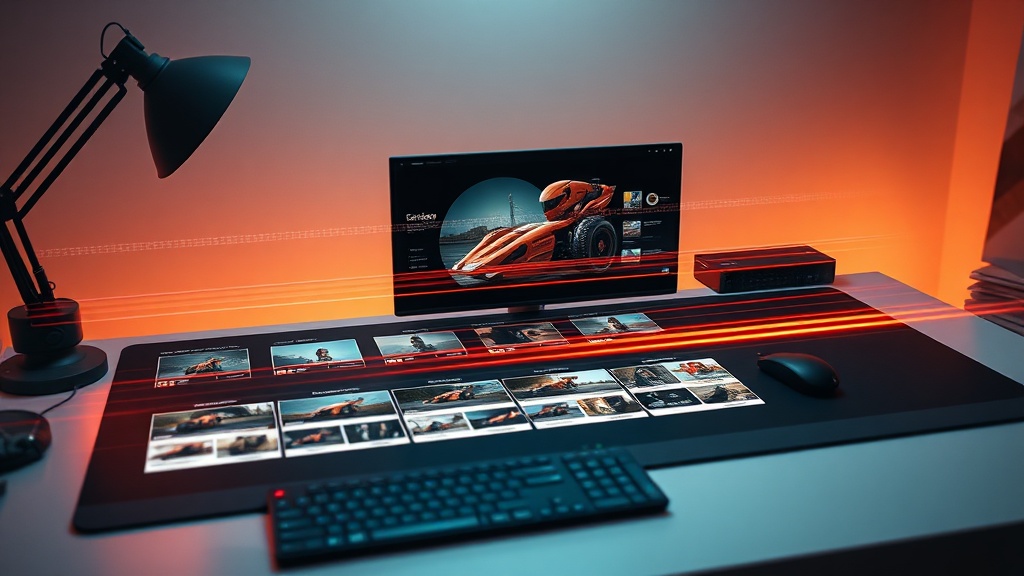
Fast image models are easy to misunderstand.
When a model promises four-second image generation and a low per-image price, the obvious reaction is to treat it as a cheaper replacement for a heavier model. Sometimes that is true. But the better use case is more specific: fast models are excellent for making creative decisions earlier.
They are not always where the final art should come from. They are where you find out what the final art should be.
The fix is not to generate more random images because they are cheap. The fix is to use speed as a design tool.
What low-latency models are good at
A fast image model changes the economics of uncertainty.
If a generation takes a long time or costs too much, creators tend to overthink the prompt. They try to solve subject, composition, style, lighting, camera, mood, and production constraints in one pass. That usually creates a dense prompt and a muddy result.
A low-latency model lets you split the work:
- test composition quickly
- compare style directions
- find a readable silhouette
- check whether a product angle works
- explore background density
- generate draft key frames before video
- reject weak ideas before using a more expensive model
The output does not need to be perfect. It needs to answer a question.
That is the mindset shift.
Draft models should have a job
The weak version of fast generation is a slot machine:
Generate twenty cool cyberpunk posters and pick the best one.
That can produce something interesting, but it is not a workflow. It is expensive randomness disguised as speed.
A better draft pass asks one question at a time:
Which camera angle makes this product feel more premium: straight-on, low-angle, or top-down?
Does this character read better with a short coat or long coat silhouette?
Is the scene stronger with a clean studio background or an environment with story context?
Should the final image use warm practical lighting or cold moonlight?
These are creative direction questions. A fast model is useful because it gives you answers while the idea is still flexible.
A practical three-pass workflow
Use this sequence when you are building concept art, product visuals, character systems, AI ad stills, or key frames for image-to-video.
1. Scout with a fast model
Keep the first prompt compact. Do not load it with every final detail.
Example:
Minimalist ceramic desk speaker, rounded form, warm walnut table, premium product photography, soft side light, clean background, 16:9 composition.
Generate several drafts where each batch changes one major variable:
- camera angle
- background type
- material finish
- lighting direction
- crop distance
- color palette
The goal is not to find the final render. The goal is to identify the direction that has the strongest read.
2. Lock the art direction
Once a draft works, write down why it works.
For example:
- low-angle camera makes the object feel more substantial
- warm side light reveals the ceramic texture
- darker background creates premium contrast
- empty space on the right leaves room for copy
- the rounded silhouette is readable at thumbnail size
This step matters because it turns a lucky draft into a reusable brief.
A good direction brief might look like this:
Keep the low-angle hero composition, warm side light from camera left, dark walnut surface, matte ceramic texture, negative space on the right, premium quiet-luxury product mood. Improve material realism and edge definition. Do not add extra objects.
Now the heavier model has a precise job.
3. Spend quality budget only after the decision is clear
Use a higher-control or higher-quality model when the creative direction is already chosen.
That might mean:
- better detail rendering
- stronger typography handling
- cleaner product geometry
- more consistent character identity
- higher-resolution output
- controlled image editing
- reference-based refinement
The key is that the expensive pass should not be solving basic direction. It should be polishing a direction that already survived the draft stage.
Fast model workflow in Phosphene
In Phosphene, fast-model scouting maps naturally to tag-based iteration.
Start with a stable tag stack:
- Subject: product, character, environment, prop, or scene.
- Style: editorial photo, anime key art, cinematic realism, clay render, concept sketch.
- Composition: close-up, wide shot, low angle, top-down, centered hero frame.
- Lighting: softbox, rim light, golden hour, neon bounce, overcast diffuse.
- Constraint: clean background, no text, no extra objects, identity preserved.
Then change only one group per pass.
For example, keep subject + style + lighting stable and rotate composition tags. Or keep subject + composition stable and rotate lighting tags. That gives the fast model a clean experiment instead of a chaotic prompt.
This is where Phosphene helps. The tag structure makes the experiment visible. You can see whether the improved image came from a camera change, a lighting change, a style change, or a subject change.
Without that structure, fast generation often turns into a folder of nice images with no explanation.
When fast is enough
Sometimes the draft model is good enough for the final asset.
That is especially true for:
- internal mood boards
- early pitch decks
- social tests
- thumbnail exploration
- low-risk blog visuals
- temporary landing-page direction
- quick visual references for a human designer
If the image is not customer-facing or does not need perfect identity consistency, there is no reason to overproduce it.
But for final campaign assets, brand visuals, product pages, paid ads, or character systems, speed should usually feed a second stage.
The question is not "which model is best?" The question is "which model is best for this stage of the workflow?"
When fast is dangerous
Fast models can make weak ideas feel productive.
If you generate fifty variations without a hypothesis, you are not iterating. You are browsing. Browsing is fine for inspiration, but it should not be confused with direction.
Watch for these failure patterns:
- every batch changes too many variables
- you save images because they are pretty but not useful
- the final prompt becomes longer after every pass
- the subject identity drifts across drafts
- the team cannot explain why one image won
- the approved draft cannot be reproduced later
Speed does not remove the need for art direction. It punishes the absence of it faster.
Fast image models and video pipelines
Low-latency image generation becomes even more useful when the next step is video.
Video models are less forgiving. If the source frame has a weak silhouette, unclear lighting, noisy background, or unstable character design, animation will usually amplify the problem.
A fast image model can scout key frames before the video stage:
- Generate draft still frames.
- Pick the composition that reads best.
- Refine the chosen frame with a stronger image model or image editing tool.
- Send only the approved frame into image-to-video.
- Use a small motion prompt that respects the locked frame.
That sequence is slower than one text-to-video prompt, but it is much more controllable.
A good motion prompt after the still is approved:
Slow push-in, subtle parallax, product remains centered and unchanged, warm light flickers softly, no new objects enter the frame, clean commercial pacing.
The still image does the art-direction work. The video model only adds motion.
A simple decision matrix
Use a fast model when:
- you are choosing between directions
- you need many cheap composition tests
- you are building a mood board
- the output is internal or low-risk
- you want a key-frame candidate for video
- you are not sure what prompt structure will work
Use a heavier model when:
- identity consistency matters
- product geometry must be accurate
- text in the image must be readable
- the image is customer-facing
- you need precise editing control
- the direction is already approved and needs polish
Do not make this a brand loyalty question. Treat models like production tools.
The takeaway
Fast image models are most valuable when they reduce the cost of making decisions.
Use them to scout, compare, reject, and clarify. Then move the winning direction into a higher-control pass when the asset actually needs polish. In Phosphene, that means using tags to keep each experiment clean: one subject, one style, one composition question, one lighting question.
Cheap speed is not a license to make more noise. Used well, it is a way to get to a stronger brief before you spend serious quality budget.