OpenAI
GPT Image 2.6
Best for readable text, product images, precise edits and short animated GIFs.
Or run a ready prompt
- A kraft paper coffee bag labeled "SLOW MORNING" on a terrazzo counter beside a glass pour-over, soft window light, product photo
- A bold gig poster with the headline "NIGHT SHIFT" in condensed type, a neon-lit tram at a rainy stop, risograph texture
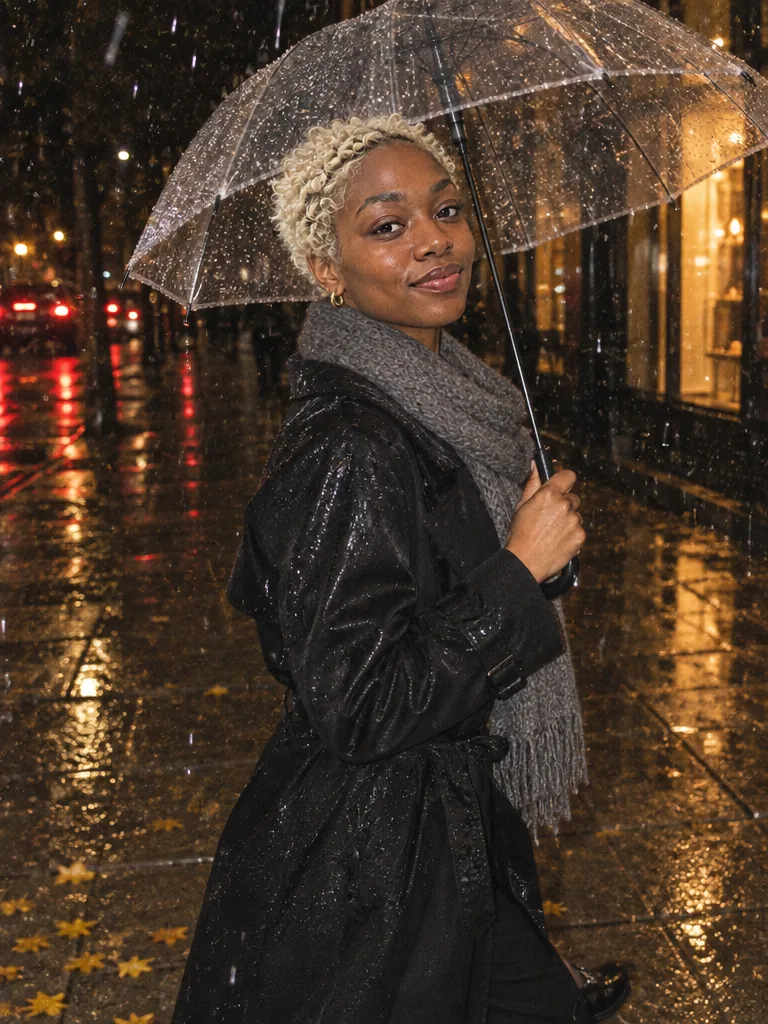
- A candid street portrait on a rainy night under a clear umbrella, hard on-camera flash freezing the raindrops, compact camera grain
What GPT Image 2.6 is good at
GPT Image 2.6 is OpenAI’s newest image model and the default model in Phosphene since 5 November 2026. It keeps the strengths of GPT Image 2.5, prompt adherence and exact text, and adds animated GIF output. Flare is the quick version; Sunburst is for the final asset.
Strong at
- Following long, specific prompts closely
- Exact text on packaging, posters and UI mockups
- Editing a reference photo while keeping the face, product and layout
- Short animated GIFs from a text prompt, 6 to 16 frames
Keep in mind
- Flare takes about 12 seconds per image and Sunburst about 32; draft on Flare
- Uses about three times the output tokens of GPT Image 2.5 at Medium quality, so it is priced above 2.5 once the Flare launch price ends on 19 November 2026
- GIFs start from text alone; reference photos work for still images
- Five aspect ratios only (square, 3:4, 4:3, 9:16, 16:9)
Tips for GPT Image 2.6
- Put the exact words you want in quotes, like "NORTH ROAST", so they are spelled as written.
- Draft on Flare at Medium quality, then switch to Sunburst or High quality for the final image.
- For a GIF, describe one simple motion that loops, like steam rising from a cup or a sign flickering on.
Versions in Phosphene
- From 2 credits
GPT Image 2.6 Flare
OpenAI’s newest fast image model: generation and reference-photo editing for typography, product mockups, and complex prompts.
- From 2 credits
GPT Image 2.6 Sunburst
OpenAI’s newest precise image model. Slower than Flare, built for finished assets and edits that must keep faces, products and layout intact.
GPT Image 2.6 specs
| Flare | Sunburst | |
|---|---|---|
| Price per image | From 2 credits | From 2 credits |
| Resolution | 1K, 1.2K, 1.5K, 4K | 1K, 1.2K, 1.5K, 4K |
| Aspect ratios | 1:1, 3:4, 4:3, 9:16, 16:9 | 1:1, 3:4, 4:3, 9:16, 16:9 |
| Quality setting | Low, Medium, High | Low, Medium, High |
| Reference photos | Yes | Yes |
| Typical time | About 12 seconds | About 32 seconds |
GPT Image 2.6 price per image
Credits for one image from a prompt, at each setting the composer offers.
Flare and Sunburst
| Resolution | Low | Medium | High |
|---|---|---|---|
| 1K | 2–3 | 3–5 | 4–6 |
| 1.2K | 2–4 | 3–6 | 4–7 |
| 1.5K | 2–4 | 3–7 | 4–8 |
| 4K | 6–9 | 9–16 | 11–19 |
One reference photo adds up to 2 credits; more photos add up to 15 in total.
A range means the price depends on the aspect ratio. The composer shows the exact price before you generate.
Questions about GPT Image 2.6
- How much does GPT Image 2.6 cost in Phosphene?
- GPT Image 2.6 Flare and Sunburst: from 2 credits at 1K Low quality to 19 at 4K High. One reference photo adds up to 2 credits; more photos add up to 15 in total. The composer shows the exact price before you generate.
- What is new in GPT Image 2.6 compared with GPT Image 2.5?
- Animated GIF output. At Medium quality 2.6 also spends about 3.3 times the output tokens of 2.5 per image, which is why it is priced higher. Until 19 November 2026, Flare costs the same as GPT Image 2.5 Flare. The controls are the same, so prompts written for 2.5 work as they are.
- What is the difference between Flare and Sunburst?
- Flare is the fast version, about 12 seconds per image, and the place to start. Sunburst takes about 32 seconds; use it for final images and edits that must keep a face, product or layout intact.
- How much does GPT Image 2.6 cost?
- The price in credits is shown on this page and in the composer before you generate. Until 19 November 2026, Flare costs the same as GPT Image 2.5 Flare; after that it is priced on its own measured cost.
- Can GPT Image 2.6 make animated GIFs?
- Yes. Switch the composer to GIF, pick 6, 9 or 16 frames and describe the motion. GIFs are made from a text prompt and come out as small looping clips.
- Do I need an OpenAI account or API key?
- Phosphene runs the model for you and charges credits from your Phosphene balance, so a Phosphene account is all you need.
Other image models
- GPT Image 2.5Prompt adherence, readable text, product and brand images
- Nano Banana 2.1Clear text, detailed images and edits with up to 14 references
- Nano Banana 2High-quality images fast, clear text and reference edits
- Seedream 5Repeated edits on one image, multilingual typography and realism
- MAI-Image 2.6Photoreal people, complex scenes and accurate text
- Muse ImageReadable text, accurate layouts and multi-reference edits at a low price
- Krea 3Fast edits that change one thing and keep the rest of the photo
- Qwen Image 3.0Multilingual text, infographics and packaging, with reference edits
- Grok ImagineTypography, posters, precise edits and polished campaign images
- Ideogram 4.5Posters, logos and exact text, with edits that keep the framing
- FLUX 3Text-rich layouts and photoreal scenes, plus Klein for fast, low-cost drafts