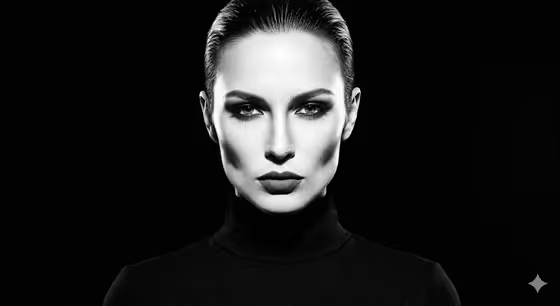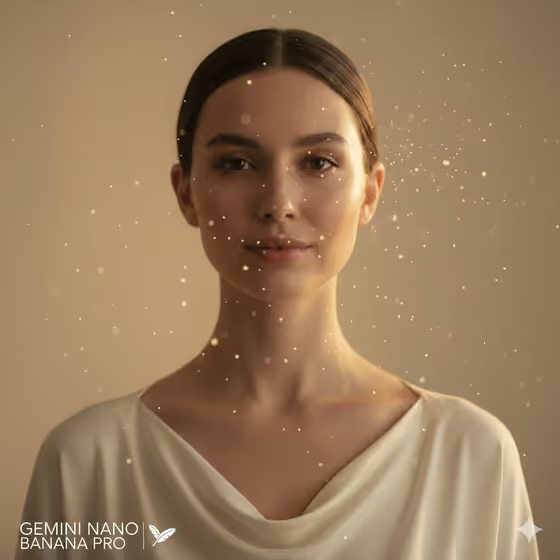
Calm Eyes Couture Close-Up turns a subject into a close, high-fashion studio portrait with a calm direct gaze, relaxed shoulders and a gentle, controlled smile. The look is warm and restrained: soft key light, an ivory top, plain negative space and fine translucent dust particles drifting around the face, as in the cover image.
It suits anyone who wants a quiet, editorial-style portrait, such as a profile picture, a creative headshot or a mood-driven fashion image. You describe a subject or use a matching reference photo, choose a couture top, and the template handles the framing, lighting and atmosphere.
What works best as input
- For the Portrait person or subject field, you can either type a short description (for example, "an elegant adult woman" or "a serene adult man") or upload a matching reference photo of yourself or someone who has agreed to be used.
- If you upload a photo, pick one with the face clearly visible and evenly lit. A front-facing shot with a relaxed expression gives the template the most to work with, since the result is a calm, direct-eyed close-up.
- Keep the shoulders and neckline of your reference uncluttered. The result is built around a clean neckline and ivory wardrobe, so a busy background or heavy accessories in the source photo are not needed.
- If you describe the subject in text, keep it simple and respectful: age group, general look and mood, such as "an androgynous couture model". Short, calm wording matches the tone of the template.
How to use it
- Open the Calm Eyes Couture Close-Up template in Phosphene.
- In Portrait person or subject, type a description or upload your reference portrait. Then choose a Couture top, such as the soft ivory clean-neckline top.
- Generate the image. The output is a 3:4 portrait, a close couture shot with warm light and drifting dust.
- Review the result. Check the eyes, the smile and the neckline, then adjust your subject description or top choice and generate again if you want a different feel.
Tips for a better result
- Pick a Couture top that stays in the ivory family, like the cream sculptural blouse or pale silk high-neck top. The template is built around restrained ivory color, so these keep the palette cohesive.
- Try the same subject with different tops to compare necklines. A clean neckline leaves more room for the face, while a high-neck top changes the shape of the frame.
- If you use a reference photo, try a second photo with different lighting or angle. The source photo shapes how natural the face looks in the final portrait.
- Keep your subject wording short. The template already sets the expression, light and dust, so extra styling instructions can work against the calm, simple look.
Common mistakes
- Uploading a photo where the face is small, turned away or hidden by shadow. A close portrait needs a clear view of the face.
- Describing a dramatic mood or big smile in the subject field. This template is built around calm eyes and a gentle, controlled smile, so strong expressions fight the design.
- Choosing a bold or dark garment idea and expecting the ivory look. Stay with pale, soft tops to keep the intended color and negative space.
FAQ
Do I have to upload a photo?
No. The Portrait person or subject field accepts a text description, and you can also upload a matching reference photo if you prefer.
What size and shape is the result?
The template produces a still image in a 3:4 portrait aspect ratio.
Can I change the dust particles or the lighting?
Those are part of the template's fixed direction: warm studio light and fine translucent dust around the face. You control the subject and the couture top.
Can I use a photo of someone else?
Only use photos of people who have agreed to it, such as yourself or a friend who has said yes. Avoid using the likeness of public figures.