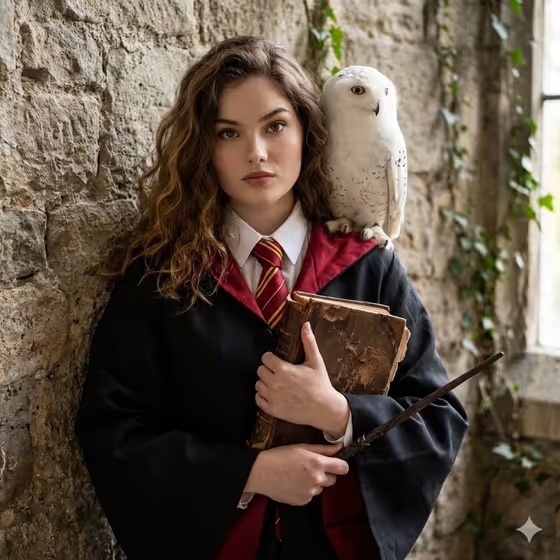
Old Academy Spellbook turns a photo of you into a fantasy academy portrait. You appear in a dark robe with a white collar and a house-colored tie, holding a worn leather spellbook and a wand, with a white owl perched on your shoulder against old stone walls.
It suits anyone who wants a moody, bookish character portrait, whether for a profile picture, a themed party invite, or a fun keepsake. The template keeps your face and loose hair recognizable while it builds the academy setting around you.
What works best as input
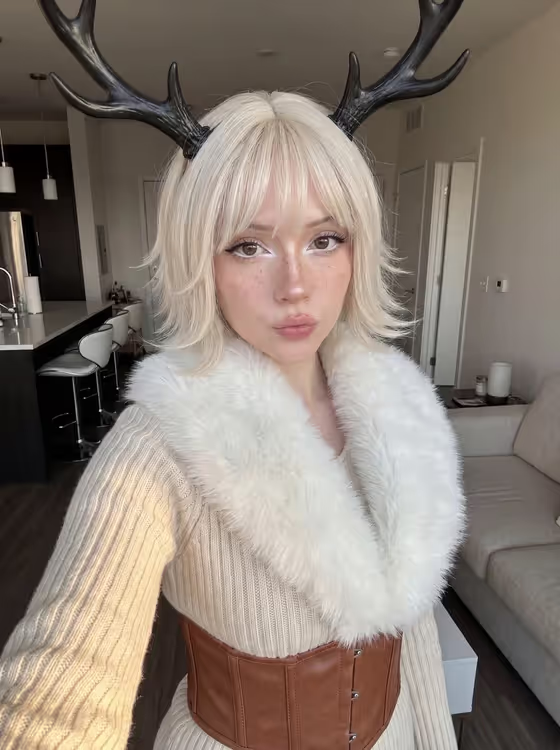
- In the Person and Fantasy Product field, upload one clear photo of the person you want in the portrait. The template is built around a single reference photo.
- Choose a photo where the face is well lit and fully visible, with no sunglasses, heavy filters or hands covering the face, so the likeness carries over.
- A front-facing or slightly angled shot from the chest up works well, since the final image is a 3:4 portrait with the robe, book and owl around you.
- If you type instead of, or alongside, the photo, keep it short and specific, such as 'the uploaded woman as a magic student' or 'a poised fantasy scholar with owl'.
- Use a photo of yourself or of someone who has agreed to be pictured in this kind of scene.
How to use it
- Open the Old Academy Spellbook template in Phosphene.
- In Person and Fantasy Product, upload your photo and add a short description of how you want to appear, for example 'a confident academy sorcerer'.
- In House Colors, describe the robe and tie direction, such as 'black robe with blue-silver lining' or 'charcoal robe with gold trim'.
- Generate the image, then check that the face, hands, book, wand and owl look natural before saving or trying a different color option.
Tips for a better result
- Try each of the house color examples to get a different mood from the same photo, like green accents for a cooler look or gold trim for a warmer one.
- Be specific about the lining and tie colors in House Colors. 'Black robe with red lining' gives a clearer result than just 'red'.
- Vary the character wording in the first field, such as 'a young adult wizard with old book' or 'a poised fantasy scholar with owl', to shift the feel of the portrait.
- Use a photo with loose, visible hair if you want it to read clearly, since the template aims to preserve it.
Common mistakes
- Uploading a small, blurry or heavily filtered photo, which gives the template little to keep your face accurate.
- Writing a long, cluttered description of extra props or effects. The template is designed around one robe, one book, one wand and one owl, so piling on more can work against it.
- Leaving House Colors vague or contradictory, like naming several unrelated color schemes at once.
FAQ
Do I need to upload a photo?
The template is designed around one uploaded photo in the Person and Fantasy Product field, which helps keep your real face in the portrait. You can also add a short text description there.
What do I put in House Colors?
Describe the robe and tie direction in plain words, for example 'dark robe with green accents' or 'black robe with red lining'.
What shape is the image?
The result is a 3:4 portrait image.
Can I change the owl or the book?
The template fixes the look as a worn spellbook, a wand and one white owl on the shoulder. You steer the character and the house colors, not those props.