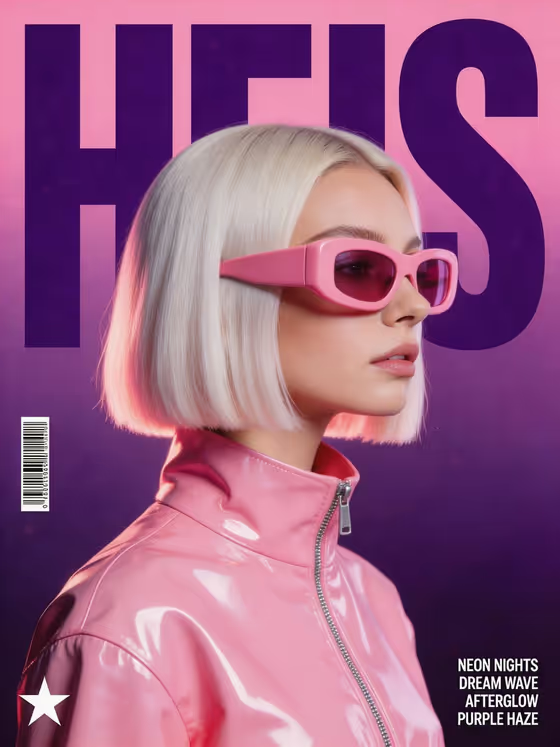
Synthwave Profile Poster turns a performer or character into a retro-futuristic music poster in a 3:4 frame. Your subject appears in profile with chunky opaque visor glasses and a glossy high-collar vinyl jacket, set against a pink-to-deep-purple gradient with rim-lit hair, film grain and small barcode graphics.
The big feature is the headline. You choose a short title, and it is set in massive condensed type behind the head, partly covered by the portrait. It suits musicians, DJs, label designers and anyone who wants an album-cover or gig-poster look without building the layout by hand.
What works best as input
- In the Poster Design Subject field you can either describe the person or add a profile reference photo. A side-on view matches the profile composition this template builds.
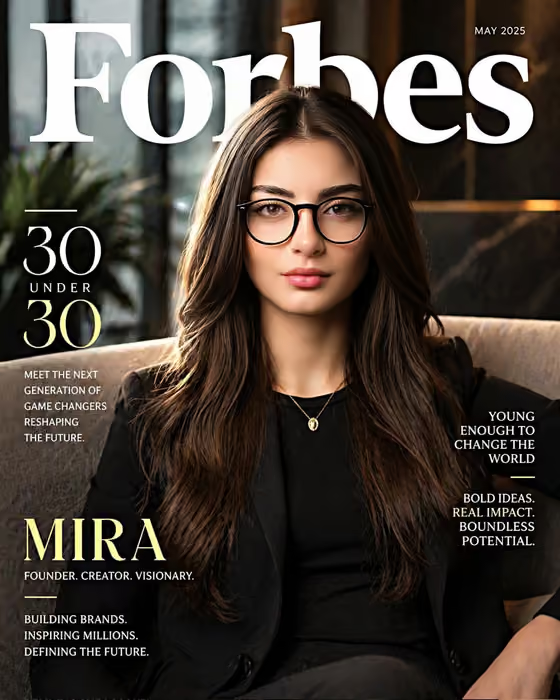
- If you describe instead of uploading, be specific about the look, like the cover's "a woman with a platinum bob". Hair color and cut matter because the hair is rim-lit and sits right next to the headline.
- Choose a clear, well-lit photo where the face and hair outline are easy to read. Busy backgrounds or heavy shadows give the result less to work with.
- Only use photos of people who are fine with being featured, such as yourself, your band or someone who has agreed.
- Keep the Poster Headline short, in capitals, like HEIS or NEON ECHO. Short words stay readable when the type is huge and partly hidden behind the head.
How to use it
- Open the Synthwave Profile Poster template in Phosphene.
- In Poster Design Subject, describe your performer or add a profile reference photo.
- In Poster Headline, type the title you want behind the profile, such as NIGHT SIGNAL.
- Generate the poster, then check that the headline is legible and the subject looks right. Adjust your fields and try again if needed.
Tips for a better result
- Try the example subjects as a starting point, like "an androgynous electronic artist" or "a glamorous retro performer", and swap in your own details.
- Test headlines of different lengths. Four to six letters fill the frame boldly, while longer titles like ELECTRIC HEART will sit smaller and may be covered more.
- Name distinctive hair or styling in your description. The lighting is built around glossy highlights and rim-lit hair, so a clear hair description pays off.
- Run the same subject with several headlines to build a matching set of posters for a release or tour.
Common mistakes
- Writing a long sentence as the headline. The portrait covers part of the text, so long titles become hard to read.
- Using a front-facing or cropped photo as the reference when the template is designed around a profile view.
- Being vague in the subject field, such as just "a person". Without details the poster can look generic.
FAQ
Do I have to upload a photo?
No. The Poster Design Subject field accepts a text description, or you can add a profile reference photo instead.
What shape is the poster?
It is a 3:4 portrait image, like a magazine cover or gig poster.
Can I change the pink and purple look?
The visor glasses, glossy jacket and magenta-to-deep-purple gradient are fixed parts of this template. You control the subject and the headline.
Why is part of my headline hidden?
That is intentional. The headline sits behind the head and is partially covered by the portrait, which gives the layered poster effect.