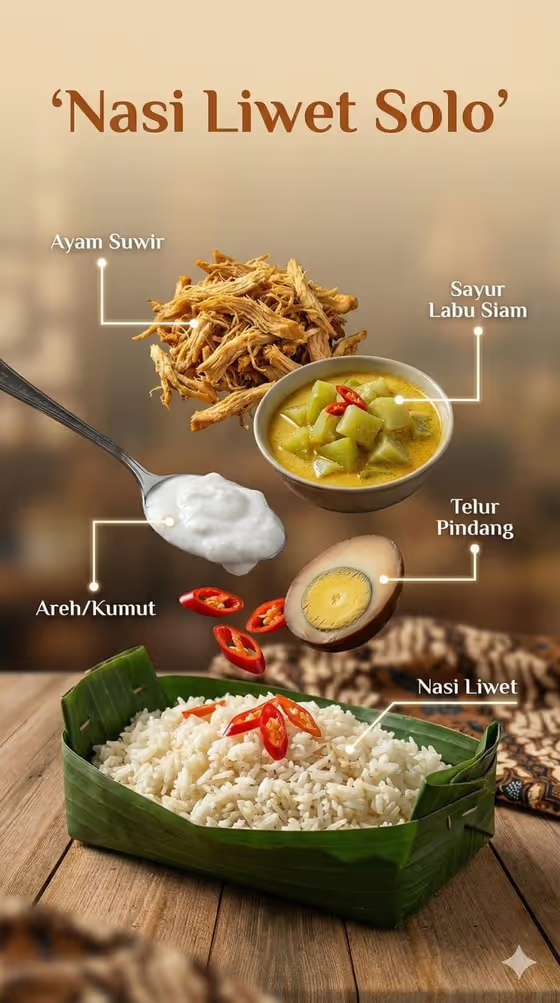
This template builds a vertical food poster in which the separated parts of a dish float above the finished serving, each one tied to a thin pointer line and a short label. The finished dish sits at the bottom on a banana leaf or rustic ceramic, with a softly blurred tropical backdrop behind it.
It suits home cooks, food bloggers, small food businesses and anyone who wants a clear, editorial-style breakdown of an Indonesian dish or food product. The cover example shows a Solo-style rice plate with shredded chicken, a vegetable curry, a spoonful of cream, a braised egg and chili slices hovering over the rice.
What works best as input
- For the Food product or Indonesian dish field, you can type the dish name (the examples include beef rendang, nasi goreng and soto ayam) or upload a matching reference photo, since this field accepts both.
- If you upload a photo, pick one where the dish is well lit and clearly visible so the template can read its look and colors.
- If you type instead, be specific about the dish, for example a regional name like the one in the cover poster, so the ingredients feel authentic.
- For the Dish poster title, keep it short and readable, in the style of RENDANG INGREDIENTS or NASI GORENG GUIDE, because it becomes the headline of the poster.
- For Ingredient layer, list the components you want floating, such as protein, aromatics, sauce and garnish, or name your own recipe components.
How to use it
- Open the Tropical Floating Dish Poster template in Phosphene.
- Fill in the Food product or Indonesian dish field by typing a dish name or adding a reference photo.
- Choose or write your Ingredient layer, then enter your Dish poster title.
- Generate the poster, then check that the labels, pointer lines and ingredient names match your dish before saving or regenerating.
Tips for a better result
- Match the Ingredient layer to what is actually in the dish, for example rice, spice paste, egg and herbs for a rice dish, so the floating items make sense.
- Use three to five components. The cover example works because each floating item is distinct and easy to name.
- Try the same dish with a different ingredient layer or a new poster title to get a fresh variation of the layout.
- Use a clear reference photo when you want the plated dish to resemble a specific version of the recipe.
Common mistakes
- Listing too many ingredients in the Ingredient layer, which crowds the poster and makes labels harder to read.
- Writing a long poster title. A short title keeps the headline clean and leaves room for the labels.
- Using a vague dish description or a dark, cluttered reference photo, which gives the template less to work from.
FAQ
Do I have to upload a photo?
No. The Food product or Indonesian dish field accepts typed text or a matching reference photo, so either works.
Can I use it for dishes that are not Indonesian?
The template is built around food products and Indonesian dishes, and the field also allows your own chosen dish. Results are best when the dish suits banana-leaf plating and a tropical setting.
What shape is the poster?
It is a vertical 3:4 image, laid out like an editorial poster with the title at the top and the plated dish at the bottom.
Can I change the labels?
Labels come from the ingredients you list in the Ingredient layer, so naming your components clearly is the best way to control them.