Conversational Image Editing Is the Next Prompting Interface
Meta's Muse Image points toward a new image workflow where the creator describes intent, marks up the canvas, and lets the model plan the edit before generating pixels.
AI-assisted draft. Reviewed and edited by the Phosphene team before publication.
On this page
- The old interface was one-shot prompting
- Conversational editing changes the contract
- What belongs in language, and what belongs on the canvas
- 1. Intent
- 2. Locked elements
- 3. Local changes
- 4. Quality criteria
- The new prompt is a brief, not a spell
- Why social-context generation is risky
- A better editing loop for real creative work
- What to watch next
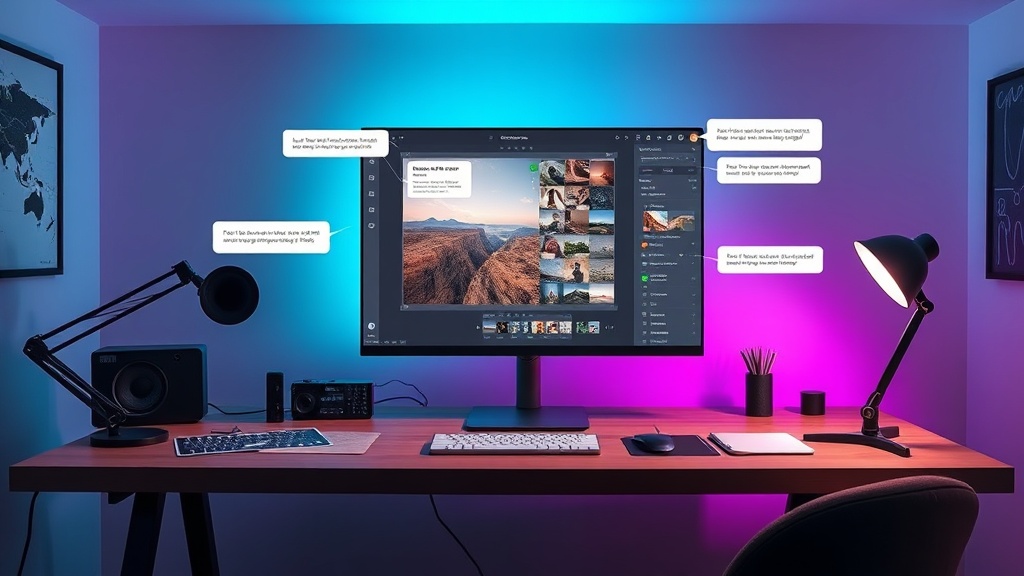
Most AI image tools still treat creation like a vending machine: write a prompt, press generate, hope the result is close enough, then rewrite the prompt when it is not.
That workflow works for exploration. It is weak for editing. When the task is "remove this reflection," "make this product shot feel more premium," or "turn this room into a calmer Scandinavian interior," a paragraph of prompt text is an awkward interface. The creator knows the target, but the model needs context: which area matters, what should stay locked, what can change, and what the final image is supposed to do.
The shift is not simply better image generation. The shift is conversational image editing: a workflow where the model plans the edit, asks the image for context, and lets the user point directly at the canvas instead of encoding every instruction in language.
The old interface was one-shot prompting
Traditional text-to-image tools made the prompt the whole product surface. You wrote something like:
Minimal product photo of a ceramic desk lamp on a warm beige background, soft shadows, editorial lighting, premium catalog style.
If the lamp looked wrong, you added more words. If the shadow was too hard, you added more words. If the background changed but the lamp shape also drifted, you added even more words.
That led to a strange habit: creators started writing defensive prompts. They described not only the desired output, but also everything the model should not break.
- keep the same face
- do not change the logo
- preserve the room layout
- remove only the object inside the red circle
- maintain the original lighting direction
- do not add extra fingers, text, or props
This is not creative direction. It is babysitting.
Conversational editing changes the contract
Meta's Muse Image, described in recent Japanese and German coverage, is interesting because it points at a different contract. Instead of treating the image model as a direct prompt-to-pixel engine, it is presented as a more agentic image system.
The rough loop looks like this:
- The user describes the desired outcome in natural language.
- The system interprets the task and breaks it into visual steps.
- It plans layout, composition, and edit targets.
- It can use tools such as search or code when the image requires structured information.
- The user can mark up the image directly with circles or sketches.
- The system generates or edits the final image.
The important part is not the brand name. It is the interface pattern.
A creator should not need to explain "the small object in the lower-left corner next to the lamp but not the cable" when they can simply circle it. A designer should not need to describe every zone of a room when a model can read the photo, infer the layout, and ask for the intended style. A marketer should not need to rebuild a product shot from scratch when the original photo already contains the exact SKU, scale, and material.
The fix is not longer prompts. The fix is a workflow where words, references, markup, and iteration each do the job they are good at.
What belongs in language, and what belongs on the canvas
A practical conversational editing workflow separates instructions into four layers.
1. Intent
Intent belongs in plain language. This is where you describe the job the image needs to perform.
Make this look like a premium landing page hero image for a sustainable skincare brand.
That sentence is not enough to generate the final image, but it gives the model a direction: premium, commercial, clean, brand-safe.
2. Locked elements
Locked elements should be explicit. These are the parts of the image that must survive the edit.
- product shape
- logo placement
- face identity
- room geometry
- wardrobe details
- camera angle
- lighting direction
A good editing model needs these constraints because image generation is naturally opportunistic. If you do not say what must stay fixed, the model may improve the image by quietly changing the thing you actually needed to preserve.
3. Local changes
Local changes belong on the canvas. Circle the glare. Sketch the missing shelf. Mark the part of the background that should disappear.
This is where conversational image tools become faster than prompt-only tools. A markup instruction is high bandwidth. It carries position, scale, and region boundaries in one gesture.
Instead of:
Remove the small person standing behind the right shoulder of the subject, but keep the tree line and the shadow on the ground unchanged.
You can write:
Remove this distraction and rebuild the background naturally.
Then circle it.
4. Quality criteria
Quality criteria belong in short checklists. They prevent the model from optimizing for a pretty image while missing the actual production requirement.
For a product image:
- logo readable
- material texture preserved
- no fake text
- background clean enough for ecommerce
- consistent shadow under the object
For a portrait:
- same person
- same age range
- natural skin texture
- no changed eye color
- no extra jewelry unless requested
For an interior edit:
- room layout preserved
- windows stay in the same position
- furniture scale believable
- style changes without architectural drift
This is the part most casual prompts skip. It is also the part that separates usable creative work from AI slop.
The new prompt is a brief, not a spell
When image editing becomes conversational, the prompt should stop trying to be magic syntax. It should become a creative brief.
A useful brief has this shape:
Goal: turn this casual desk photo into a polished hero image for a productivity app.
Keep: laptop shape, notebook position, coffee mug, natural morning light.
Change: clean up cable clutter, simplify background, add subtle depth, make the desk surface warmer.
Quality bar: realistic, no fake UI text, no distorted keyboard, no extra objects.
That is not a poetic prompt. It is production direction. It tells the model what matters, what can move, and what will count as a failed edit.
The same structure works for generated images, not just photo edits:
Goal: create a cinematic character poster for a young courier in a rainy neon city.
Keep: silver bob haircut, amber/blue heterochromia, cropped black jacket with cyan trim.
Change: explore three background options: alley, train platform, rooftop.
Quality bar: readable silhouette, consistent face, no random logos, strong vertical composition.
This is especially useful when you are iterating in a tool that supports references, tags, or saved style directions. The brief becomes portable. You can test multiple models without rewriting the entire concept.
Why social-context generation is risky
Muse Image coverage also highlights a more uncomfortable direction: models that use social context, including public Instagram profiles, to influence generated images.
For creators, this can feel powerful. A model that understands the vibe of an account can generate images that match an existing feed, campaign, or personal style. For brands, it hints at faster social content production. For casual users, it makes remixing friends or public profiles feel frictionless.
But frictionless is not always good.
If a model can pull visual context from public profiles, the product needs clear consent boundaries. Public does not automatically mean reusable. A creator's feed includes taste, identity, locations, friends, products, and sometimes faces of people who never agreed to become generation inputs.
A safe creative workflow should treat social-context generation as a reference mode, not a permission slip.
Use it for:
- your own brand account
- assets you own
- public moodboards where reuse is allowed
- style analysis without copying specific people
Avoid it for:
- generating images of private individuals
- mimicking a creator's exact visual identity
- using faces from public posts without consent
- producing ads that imply affiliation
This is not just legal caution. It is creative hygiene. If the output depends on someone else's identity layer, the workflow is brittle and ethically messy.
A better editing loop for real creative work
The strongest image workflows in 2026 are becoming less linear. They look more like this:
- Start with a clear intent.
- Add one or more reference images.
- Mark local edit zones directly on the canvas.
- State locked elements before generation.
- Generate a first version.
- Review against a checklist, not vibes.
- Iterate with small corrections instead of rewriting the whole prompt.
This reduces prompt thrashing. It also makes collaboration easier. A designer, marketer, founder, or art director can all understand a marked-up image plus a short brief. They do not need to decode a 900-character prompt full of model-specific hacks.
In Phosphene, this same mindset maps cleanly to tag-based creative direction: lock the attributes that define the subject, vary the scene or style tags, then judge each output against a visible checklist. The product surface can change, but the principle is stable: separate intent, constraints, references, and local edits.
What to watch next
Conversational image editing will not replace prompt craft. It will make lazy prompt craft less necessary.
The useful skill will be knowing how to structure an image task:
- what is the image for?
- what must not change?
- what can the model reinterpret?
- what should be marked visually instead of described verbally?
- what quality checks matter before publishing?
That is a healthier direction for AI image tools. Less incantation. More creative direction.
The next generation of image editors will not ask creators to become prompt engineers first. They will let creators behave like art directors: point, explain, constrain, review, and iterate.