Seven Axes That Decide Whether AI Video Passes as Live Action
Comparing AI video models by vibe is how you end up re-rendering a shot six times. A Japanese studio grades live-action output on skin, eyes, hair, cloth, lighting, camera and temporal continuity. The list is short enough to run on your own footage, and specific enough to tell you what to fix.
AI-assisted draft. Reviewed and edited by the Phosphene team before publication.
On this page
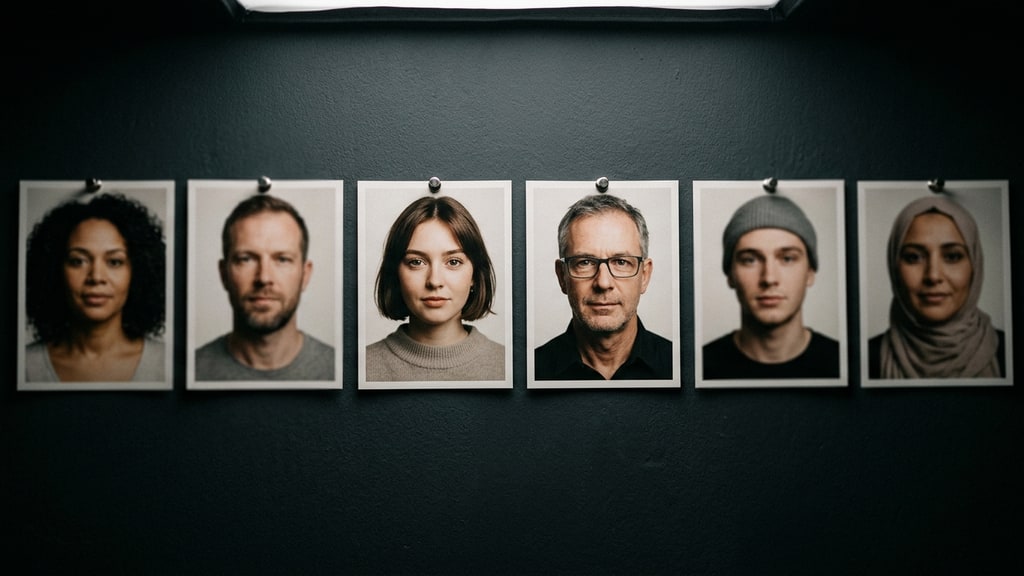
Most model comparisons in this space are written as a ranking: this one is better at people, that one is better at motion. The ranking is useless two weeks later, and it hides the thing you actually need, which is a way to look at a take and say what is wrong with it.
CreativeEdge CL+, the Japanese studio that produces AI drama, anime and a horror visual novel in parallel, published a note in October on building a promo video for the game version of Hikari no Tennen Musou. The useful part is not its verdict that the Seedance 2.x line still has no rival eight months after its February launch in China. It is the list of properties the studio checked, and the fact that ByteDance's own description of what it optimized lines up with that list.
Start from what the vendor said it fixed
On 31 July 2026, ByteDance described the work behind Seedance 2.5's live-action look as systematic optimization of five things: object surface texture, human skin, eye characteristics, lighting, and color saturation. Not "more realistic video". A named list.
That framing is more useful than a benchmark score because it tells you where to look. The studio expanded it into the axes it grades on, and added the two that decide whether a clip survives an edit.
Here is the version I would run, with what to actually inspect.
The seven checks
Skin. Pores, sebum specular highlights, uneven tone across the face, and local shadow under the nose and jaw. The failure mode is smoothness that reads as plastic under any light that is not diffuse. Watch the forehead and the cheekbone in a close-up.
Eyes. Corneal reflection, iris detail, lids, and gaze consistency. A missing catchlight makes a face look dead no matter how good the skin is. Gaze that wanders between frames is worse, because it reads as a continuity error rather than a rendering limit.
Hair. Clumps and individual strands together, and how both respond to motion and to light. Generated hair tends to move as sheets. Look at the hairline where it meets skin, which is where patchiness shows.
Cloth. Fiber texture, fold behavior, and deformation under tension. The tell is a garment that folds in the same pattern while the body inside it moves.
Lighting. Light direction held constant, reflectance that changes correctly per material, and contact shadows where objects meet the floor or a body. Floating contact shadows are the single most common giveaway in an otherwise convincing frame.
Camera. Depth of field, motion blur, exposure, and lens character. A generated shot often puts focus where the shot did not ask for it: the background razor sharp and the subject soft, when the story needs the reverse. That is easy to produce in-camera by focusing past your subject, which is precisely why it slips through review.
Temporal continuity. Shape, background, reflections and shadows staying coherent across the clip. This is the axis people skip, and it is the one that decides whether the take is usable. A frame that is perfect alone can be worthless in a sequence.
Run the test on your shot, not a spec sheet
A model that grades well on a beauty close-up can fail on a two-person conversation, because the seventh axis is where multi-subject scenes break. Build the test around what you are actually shooting.
A workable pass, per model:
- One locked frame, one face, five seconds, no camera move. Grade skin, eyes, hair.
- Same frame with a single line of dialogue. Grade mouth amplitude against audio and whether the upper face follows the line.
- One wide shot with a foreground object. Grade contact shadows and depth of field.
- One shot where a garment moves and deforms: a turn, a walk, or a hand pulling fabric. Grade the folds and check whether they hold under tension or stay in the same pattern while the body moves.
- One shot with a turn, an occlusion, or a hand crossing the frame. Grade temporal continuity, which is where information disappears and the model has to invent it.
Score each axis 0, 1 or 2. Then decide by use case rather than by total. A wide establishing shot can survive with weak eyes and weak cloth. A dialogue close-up cannot. One take without catchlights does not prove the model refuses to draw them, though: rerun the close-up with an explicit lighting cue and try a single targeted edit before you treat missing eyes as a model limit.
The grading also tells you which fix belongs where. Weak skin and eyes usually point at the model itself. Weak contact shadows are often a scene reference problem. Weak continuity across a turn is a length or complexity problem, and the response is to shorten the action, not to describe it harder.
Reference capacity is a spec that shapes your authoring
One number in the post deserves attention because it changes how you plan a shoot. Seedance 2.5 accepts up to 30 image references, and the studio argues that this is not file-count inflation. ByteDance's official example for the feature was a concert scene assembled from 18 images: venue, pianist, instrument, singer, orchestra, choir, and audience seating, each specified separately.
Feeding 30 raw images into a generation would be inefficient in compute and memory, so multimodal models compress references into feature or token representations. How Seedance 2.5 does that is not public. What matters for planning is the design intent: many independent targets, each with its own reference, in one take.
For comparison, Kling 4.0's own guide allows up to 15 combined reference assets per generation, with individual caps inside that total: up to 10 images, up to 5 videos adding up to 30 seconds, and up to 7 subjects. So the gap is real but narrower than the headline numbers suggest. Seedance 2.5 will take 30 image references in one generation; Kling's ceiling for images inside a mixed set is 10. What that changes is how you divide your references, not whether a shot is possible. With fewer image slots, the planning question becomes which parts of a scene share one reference and which get their own.
What the trailer example proves, and what it does not
The studio's cast reveal trailer for the game runs 45 seconds and, in their words, came together with almost no trial and error, at a success rate high enough that credit consumption stayed minimal. A second piece, a 62-second cinematic prototype for the horror visual novel, used Seedance 2.5 with Suno for music.
That is a real data point, and it is also the easy tier. A cast reveal is a sequence of short, controlled shots with a clear visual idea per beat. Nothing in it demands twenty seconds of consistent dialogue with two characters in physical contact. The studio says as much elsewhere: the closer you get to sustained live-action drama, the more the model's stability becomes the whole project.
The same post contains the cost observation that keeps showing up in these tests. The studio tried Wan 3.0 on part of the promo to save credits, and the directing results still fell short, so the retries ate the savings. Start with the model that can hold the look, and route the shots that do not need it elsewhere. The routing logic is in Wan 3.0 as a cost lane, and the per-take arithmetic is in cost per usable second.
The honest limits
This is one studio's evaluation with no published per-axis scores, and the author is working with a house style and a recurring cast, which flatters any model over time. His claim that Kling 4.0 is excellent but below Seedance 2.5 is explicitly hedged as not fully verified.
What transfers without the model names is the discipline. Write down the axes before you look at takes, grade the axes you actually need, and check continuity last, because it is the check that decides whether the shot exists. A ranking tells you what to buy, and a rubric tells you what to reshoot.