The Modular AI Anime Pipeline: Build Productions Like Model Kits
What if producing an AI anime short felt like snapping together a plastic model kit? A modular approach where characters, backgrounds, music, and lip sync are interchangeable components you assemble and reuse.
AI-assisted draft. Reviewed and edited by the Phosphene team before publication.
On this page
- The model kit analogy
- The modular components
- 1. Character modules (the runners)
- 2. Scene and background modules
- 3. The task prompt (the manual)
- 4. Video generation modules
- 5. Audio and music modules
- Avoiding the duplicate character problem
- Orchestration: putting the kit together
- Building your own material set
- Why modularity wins
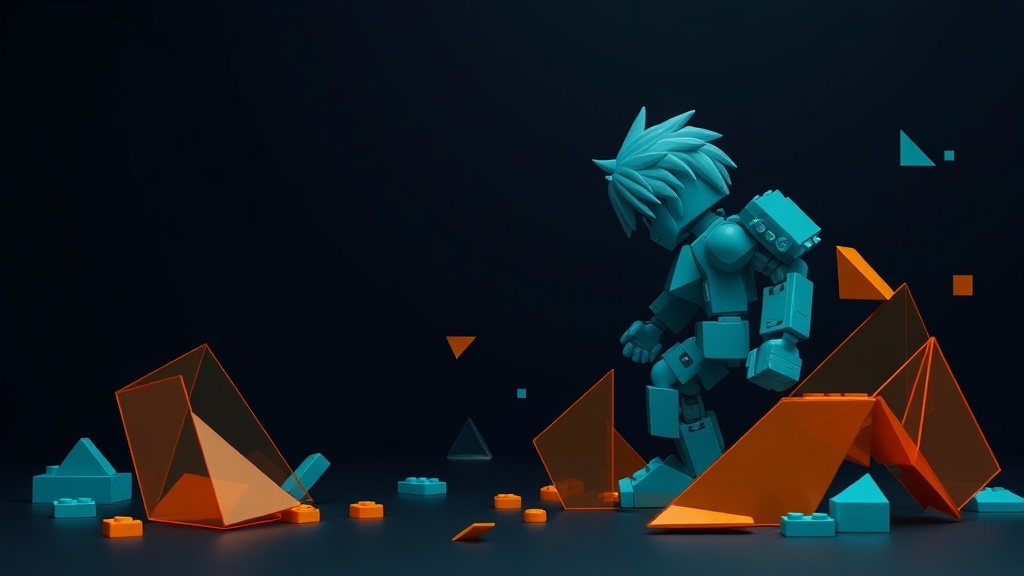
If you've ever built a Gundam or Gunpla model kit, you know the feeling. You open the box and find a set of precisely engineered runners — arms, legs, torso, weapons — each part manufactured to snap together at standard joints. You don't sculpt each piece from scratch. You assemble.
Japanese AI anime creator CreativeEdge CL+ applies the same philosophy to AI animation. Instead of treating each production as a one-off creative struggle, they package reusable material sets — modular collections of character references, backgrounds, prompts, and generated clips that snap together into finished scenes. The approach, documented in their production notes for a 47-second anime short, offers a blueprint for anyone who wants to produce AI anime without starting from zero every time.
The model kit analogy
A plastic model kit has four properties that make it work:
- Standardized interfaces — parts connect at known joints
- Interchangeability — swap an arm from one kit into another
- Documentation — the manual tells you what goes where
- Reusability — leftover parts become a parts bin for future builds
An AI anime production can have all four. The "parts" are your character reference sheets, background plates, prompt templates, music stems, and lip-sync data. The "joints" are the reference systems in video and audio models that let you pass assets between tools. The "manual" is your task prompt — a structured document that defines exactly what each scene needs.
When you organize production this way, your second anime is dramatically cheaper than your first. Your fifth is nearly free, because you're reusing a parts bin you've already built.
The modular components
1. Character modules (the runners)
Your main characters are the most valuable assets in the kit. CreativeEdge treats them as capital assets — they're explicitly excluded from the shared material sets because they're too valuable to distribute freely.
Each character module contains:
- Global reference — a full-body reference image showing the complete design
- Visual reinforcement reference — supplementary concept art that tightens detail on close-ups (faces, hands, clothing details)
- Character definition prompt — a fixed text block specifying hair, outfit, accessories, personality, and build
The two-layer reference structure is critical. The global reference gives the video model the overall character. The reinforcement reference handles the moments when the camera gets close and detail matters most — a smile, a tear, a specific gesture. Without the reinforcement layer, close-ups lose fidelity.
In Phosphene, each character becomes a saved tag configuration. Set the core attributes once — hair style, eye color, wardrobe layers — then recall that exact configuration for any scene. The tags are your character module, portable across every generation.
2. Scene and background modules
Backgrounds and environments are generated separately from characters and composited in editing. This separation matters: if you ask a video model to generate a character and a complex New York City street in one pass, it splits its attention and both suffer.
Instead, build background plates as static images or short ambient loops. Store them as labeled assets — NYC_street_day, cockpit_interior, rooftop_sunset — and reference them when assembling scenes.
3. The task prompt (the manual)
This is the document that orchestrates everything. A well-structured task prompt for a single scene includes:
- Scene overview — what happens, where, and when
- Character definitions — full reference for every character appearing, using the
@character_namereference syntax - Camera direction — shot type, movement style, framing (e.g., "handheld, slight motion blur, slow push-in on speaker")
- Shot progression — a numbered sequence of what happens in each second of the clip
- Audio direction — dialogue, environmental sound, music presence or absence, subtitle instructions
CreativeEdge's task prompts are remarkably detailed. For a 15-second clip, they specify everything from "the first 1.5 seconds have no dialogue" to "the robot lands with vibration, smoke, and dust." This granularity isn't over-engineering — it's what prevents the video model from filling in gaps with unwanted improvisation.
4. Video generation modules
CreativeEdge uses Seedance 2.0 for video generation, producing 720p / 15-second clips. Their hit rate: three usable clips out of five generation attempts, with high prompt fidelity on the successes.
Key technique: scene references for continuity. When cutting between clips in the same scene, they extract a screenshot from a previously generated clip and use it as a reference for the next one. Without this, cuts feel disjointed — the lighting shifts, the background angle changes, the scene doesn't visually connect. With it, clips stitch together seamlessly.
Seedance 2.0 has a maximum of 9 reference slots. When you need more references than that — multiple character references plus backgrounds plus scene continuity stills — the solution is compositing references into a single layout image. Pack multiple reference images into one canvas, and feed that as a single reference slot. It's not elegant, but it works within the constraint.
5. Audio and music modules
Music and audio are generated independently using tools like Suno for compositions and TTS for dialogue. These become stems that layer into the final edit. The task prompt specifies exactly what audio should be present — or explicitly absent. CreativeEdge's anime scene specifies "No Music. No BGM." during dialogue to keep the mix clean.
Avoiding the duplicate character problem
One of the most insidious issues in AI video is character duplication — the same person appearing twice in a frame. It happens when a model receives references for two characters and can't distinguish them clearly. Instead of rendering two different people, it interpolates between them, producing a hybrid face — or worse, two copies of the same face.
CreativeEdge's fix: give each character a two-layer reference set (global + reinforcement) paired with a highly specific text definition. The model needs enough signal to treat each character as a distinct entity in its feature space. Without explicit separation, the model averages the two references into one identity.
This is also why main characters are kept out of shared material sets. If someone else uses your character reference alongside their own character, the collision risk goes up. Characters are personal assets; everything else is shareable infrastructure.
Orchestration: putting the kit together
The final assembly doesn't require professional editing software. CreativeEdge assembled their anime in ScreenFlow — a screen capture tool, not a dedicated video editor. The point: when your generated clips are high-quality and your scene references ensure visual continuity, the edit is straightforward cutting and arranging. The heavy lifting happens in generation, not post-production.
The orchestration layer increasingly involves OpenAI Codex for scripting and automating the pipeline — generating task prompts, managing reference routing, and handling the repetitive bookkeeping of a multi-shot production. As these orchestration tools mature, the model kit approach scales: instead of manually assembling each scene, you define your modules once and let the system snap them together.
Building your own material set
To start thinking in modular terms, organize your next project as follows:
/production-name
  /characters
    /protagonist
      global_reference.png
      reinforcement_references/
      character_definition.txt
    /supporting_cast
      ...
  /backgrounds
    nyc_street_day.png
    cockpit_interior.png
  /prompts
    scene_01_task.txt
    scene_02_task.txt
  /video
    scene_01_clip_a.mp4
    scene_01_clip_b.mp4
  /audio
    dialogue_track.wav
    music_stems/
Everything is labeled, everything is reusable. When you start your next production, you copy the folder structure, swap in new characters and backgrounds, and adapt the prompt templates. The infrastructure carries forward.
Why modularity wins
The model kit approach isn't about cutting corners. It's about separating concerns. When your characters are independent modules, you can redesign one without rebuilding the scene. When your backgrounds are separate plates, you can swap environments without regenerating characters. When your prompts are documented templates, you can hand the production to a collaborator and they can reproduce your results.
This is how creative pipelines mature. You stop reinventing the wheel for each project and start building on a foundation of reusable, well-documented components. The anime you produce in month six is faster, cheaper, and more consistent than the one you produced in month one — because your parts bin is deeper.
Build modular in Phosphene: define each character as a reusable tag configuration, generate background plates and character references as independent assets, and document your scene prompts as templates. Every production strengthens your kit — and your next build assembles faster than the last.