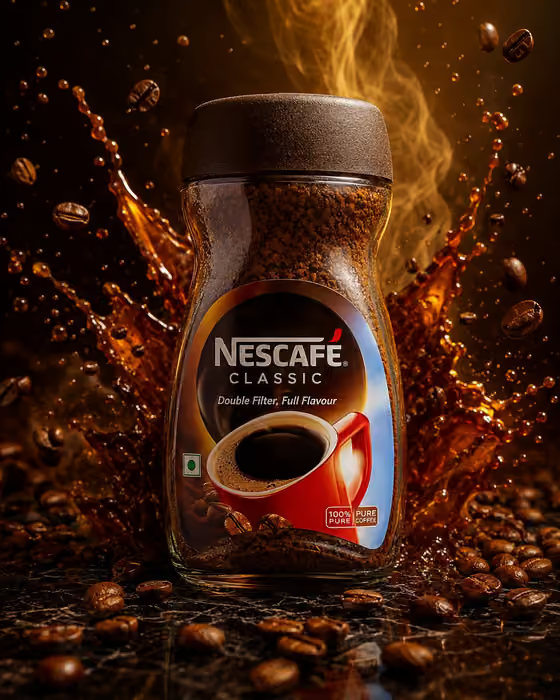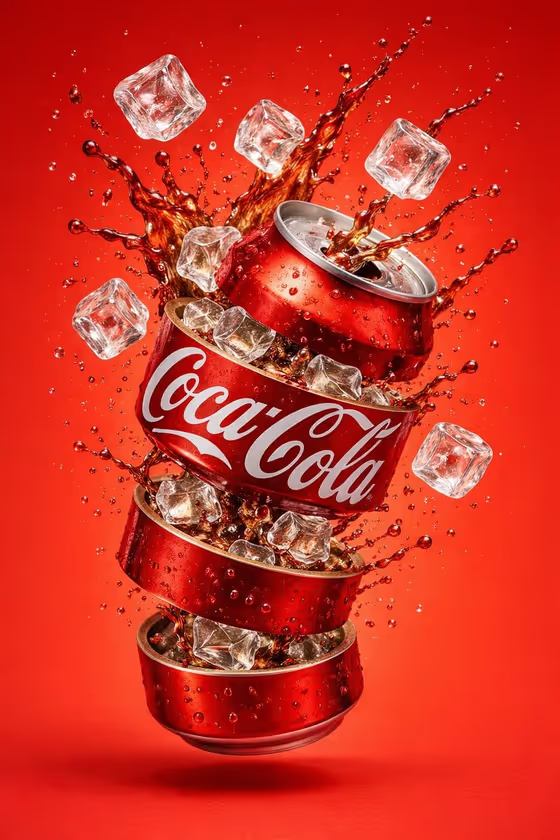
Carbonated Can Burst turns a soda or energy drink can into a high-speed advertising shot. The can floats slightly tilted in a tight, centered frame while a frozen splash of liquid, fine bubbles and suspended droplets explode around it, with glossy aluminum, condensation and a visible pull tab.
It suits small beverage brands, designers building mockups, and anyone who wants a punchy product visual for a launch, a menu or a social post. The result is a single 3:4 image, so it works well for vertical layouts.
What works best as input
- In the Beverage Product field, either describe the can in words (for example, a citrus soda can or a sparkling water can) or add a photo of the exact product so the can matches your real packaging.
- If you use a photo, pick one where the can is fully in view, evenly lit and in focus, so the label shape and colors are easy to read.
- Describe the can type and flavor clearly if you go text-only. A short phrase like a berry energy drink can gives the template more to work with than just a can.
- In Brand Name, type the bold label exactly as you want it printed, such as FIZZ. Keep it short, since a long name is harder to render cleanly on a can.
- Brand Name is text only, so you do not upload anything there. Only the Beverage Product field accepts a photo.
How to use it
- Open the Carbonated Can Burst template in Phosphene.
- Fill in Beverage Product by describing your can or adding a reference photo, then type your Brand Name.
- Choose a Carbonated Splash from the list, such as Bright green citrus, Electric blue berry, Clear silver sparkle or Vivid orange tropical.
- Generate the image, then review the label text, the can shape and the splash before saving or trying another variation.
Tips for a better result
- Match the splash to the flavor. A citrus can with Bright green citrus or a berry can with Electric blue berry keeps the color story consistent.
- Try Clear silver sparkle for sparkling water or tonic products, where a colorless splash feels more fitting than a bold color.
- Generate the same can with different Carbonated Splash options to compare color moods and pick the strongest one.
- If your real packaging matters, use a clear reference photo in Beverage Product so the can design follows your product.
Common mistakes
- Using a very long or complicated Brand Name, which can make the label text look cramped or less accurate.
- Describing the product too vaguely, like just a drink, instead of naming the can type and flavor.
- Picking a splash color that clashes with the can, which can make the product look disconnected from the burst.
FAQ
Do I have to upload a photo?
No. Beverage Product is a text field that also accepts a photo, so you can either describe the can or add a reference of the exact product.
Can I put my own brand on the can?
Yes. Type your label into the Brand Name field, for example FIZZ, and it is used as the bold can label.
What can I change about the splash?
You choose the Carbonated Splash from the available options, including Bright green citrus, Electric blue berry, Clear silver sparkle and Vivid orange tropical.
What kind of image does it produce?
A single 3:4 image of a can floating slightly tilted in a frozen carbonated burst, with condensation, bubbles and droplets.