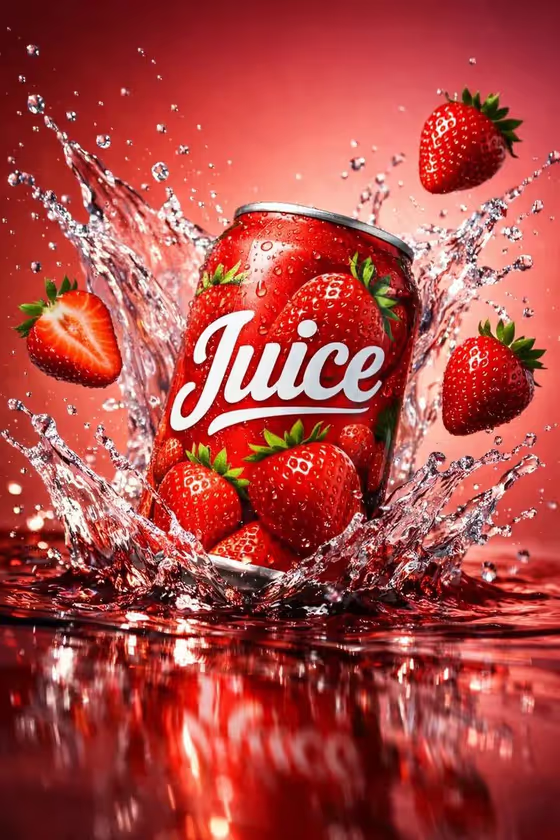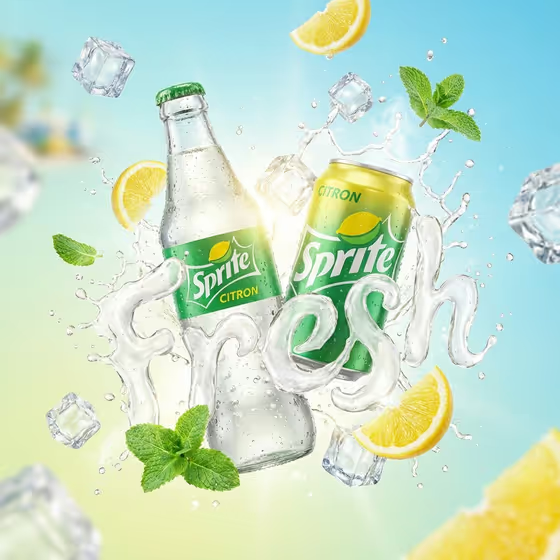
This template builds a floating drink ad around your bottle or can. A splash of liquid curls around the product and forms a word of your choice in smooth, fluid lettering, with ice cubes, fruit pieces and fresh herbs flying through the air against a bright summer gradient.
It suits beverage brands, small drink makers, social media managers and anyone who wants a punchy product visual without a studio shoot. The cover shows a glass bottle and a can with a lemon-lime look, a clear liquid word, mint leaves, lemon slices and a sky-blue to yellow backdrop. You can swap the product, word, fruit and colors to suit your own drink.
What works best as input
- For the Featured product or object field, you can upload a photo of your bottle or can or simply describe it (the placeholder is "a premium beverage bottle"). A photo helps the label and shape carry over.
- Use a sharp, evenly lit photo of the product on its own, ideally on a plain background, so the label, cap and silhouette are easy to read.
- Keep the Rendered name or title short and in capitals (examples are AURORA or YOUR NAME), and keep the Liquid splash word to a single punchy word like FRESH, ZEST, POP or COOL so the liquid lettering stays legible.
- Describe Drink fruit and ice to match the flavor of your drink, for example orange slices and ice, berries and mint, or lime wedges and herbs.
- Write the Summer gradient as two colors that echo your drink, such as Orange to sky blue or Lime green to cobalt.
How to use it
- Open the Liquid Typography Splash Bottle template in Phosphene.
- Add your product in Featured product or object by uploading a photo or typing a short description, then fill in Rendered name or title and pick a Creative direction such as Clean editorial or Playful colorful.
- Enter the Liquid splash word, the Drink fruit and ice, and the Summer gradient, then generate the image.
- Review the 3:4 result, check that the word reads clearly and the product looks right, then adjust a field and generate again if needed.
Tips for a better result
- Match the fruit to the flavor and the gradient to the drink color, as in the cover where lemon slices, mint and a yellow-to-blue backdrop all point to the same lemon-lime theme.
- Try different Creative direction options. Playful colorful suits a loud summer campaign, while Quiet premium or Clean editorial gives a calmer look.
- Pick a splash word that fits the mood, like ZEST for citrus or COOL for a minty drink, and keep it to one short word.
- Change only one field at a time between generations so you can see exactly what each change does.
Common mistakes
- Using a long phrase as the Liquid splash word. Long text is harder to form out of liquid, so short single words read better.
- Uploading a cluttered or dark product photo, which makes the label and bottle shape harder to carry into the ad.
- Choosing a gradient or fruit that clashes with the drink, for example berry colors around a lime drink, which makes the scene feel off-brand.
FAQ
Do I have to upload a photo?
No. The Featured product or object field accepts a photo or a text description, so you can type something like a premium beverage bottle instead.
Can I use a can instead of a bottle?
Yes. The template works with a bottle or can, and the cover example shows both. Describe or upload whichever product you want featured.
What shape is the output?
The template produces a single image in a 3:4 portrait ratio.
Can I change the word made of liquid?
Yes. Type your own word in Liquid splash word, such as FRESH, ZEST, POP or COOL. Shorter words tend to read more clearly.