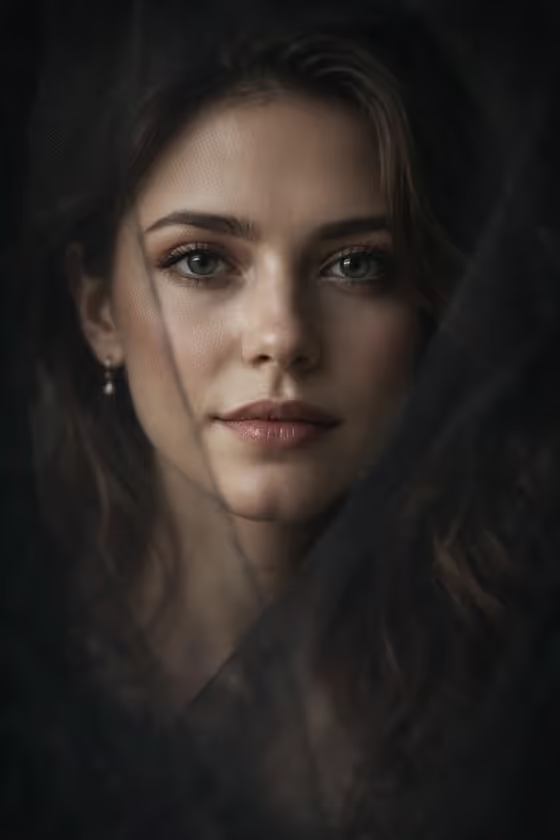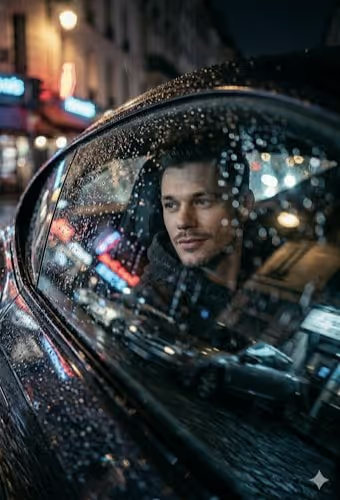
Rainy Car Window turns a portrait into a moody night scene shot from outside a car. Rain-streaked glass sits in the foreground, a contemplative figure looks out toward a neon-lit European street, and the city lights blur into soft blues, teals and warm reds.
It suits anyone who wants a cinematic, melancholic portrait for a profile picture, a creative project, or a mood-driven social post. The output is a single 3:4 image, so it works well as a vertical portrait.
What works best as input
- Use the Portrait subject field to upload a photo of the person you want in the scene, or describe them in text. A clear, well-lit photo of one adult gives the template the most to work with.
- Pick a photo where the face is fully visible and not hidden by sunglasses, a hat brim or heavy shadow. The final scene is dark and moody, so a clear starting face helps.
- Only upload photos of yourself or people who have agreed to it, and use an adult subject.
- If you describe instead of uploading, be concrete, for example 'an adult man matching my reference' or 'an adult woman with a distinctive presence'. Short, specific descriptions work better than long ones.
- For Pose or expression, choose or describe one clear mood, such as 'calm direct gaze' or 'quiet introspection', rather than combining several.
How to use it
- Open the Rainy Car Window template in Phosphene.
- In Portrait subject, upload your photo or type a short description of the person.
- In Pose or expression, choose one of the suggestions or write your own, such as 'intense focused gaze'.
- Generate the image, then review it for the face, the raindrops on the glass and the neon reflections. Adjust the fields and run it again if you want a different mood.
Tips for a better result
- Try different expressions on the same subject. 'Quiet introspection' and 'intense focused gaze' give noticeably different feelings to the same rainy setting.
- Leave the expression on 'the source gaze and expression' if you want the result to stay close to how the person looks in your photo.
- Keep the subject description simple and let the template handle the scene. The rain, neon signs and wet reflections are already part of the fixed direction.
- If the first result is not right, change one field at a time so you can see what made the difference.
Common mistakes
- Uploading a very small, blurry or heavily filtered photo, which gives the template little detail to carry into a dark, grainy scene.
- Writing a long, busy subject description or stacking several conflicting expressions in the Pose or expression field.
- Trying to change the setting, such as asking for daylight or a beach. This template is built around a rainy European city at night.
FAQ
Do I have to upload a photo?
The Portrait subject field accepts a photo, and it also takes a text description, so you can use either. The example placeholder refers to a reference photo, which is the most direct way to get a likeness.
What does the Pose or expression field do?
It sets the gaze or mood of the person looking out the window. You can pick a suggestion like 'calm direct gaze' or write your own short phrase.
What size is the result?
The template produces a single image in a 3:4 vertical aspect ratio.
Can I change the city, weather or time of day?
Not through the fields. The rain-streaked glass, night setting and neon-lit European street are fixed parts of this template.