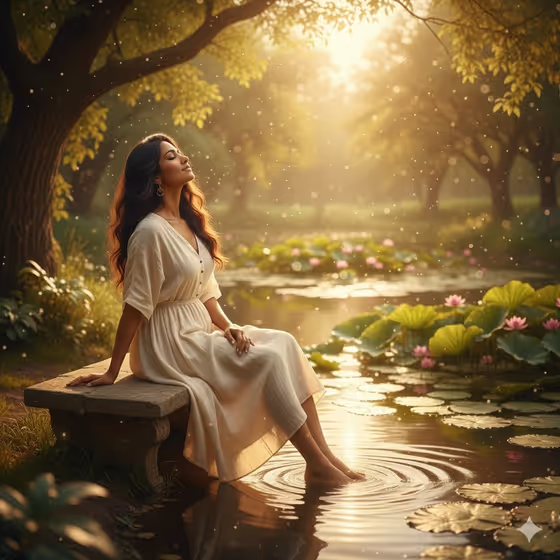
Stillness by the Pond creates a quiet, pond-side portrait in warm golden afternoon light. The scene shows a person seated at the water's edge, gazing toward reflected trees and small ripples, with lush greenery and soft bokeh around them.
It suits anyone who wants a calm, contemplative portrait with a summer feel: a profile image, a mood piece for a journal or blog, or a gentle scene starring yourself or a character you describe. You choose who appears and what they wear, and the template handles the setting and lighting.
What works best as input
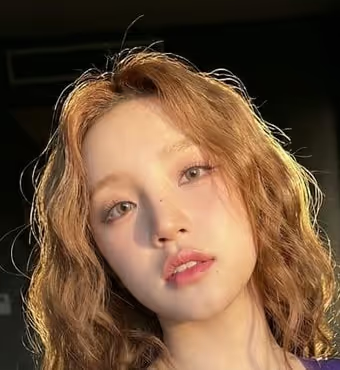
- For the Portrait person or subject field, you can describe the person in words or upload a matching reference photo. Examples from the template include a contemplative young adult woman or a quiet young adult man.
- If you upload a photo, pick a clear, well-lit image where the face is easy to see and not hidden by sunglasses or heavy shadow.
- If you describe instead, keep it short and calm in tone, such as an androgynous summer traveler, so the description fits the peaceful mood of the scene.
- Only upload photos of yourself or people who have agreed to be included, and keep the description respectful.
- The Summer wardrobe field is a choice, not an upload. Pick or type light, summery clothing like a flowing pastel linen dress or a cream shirt and loose sage trousers.
How to use it
- Open the Stillness by the Pond template in Phosphene.
- In Portrait person or subject, describe who should appear or upload a matching reference photo.
- In Summer wardrobe, choose an outfit option or enter your own light summer outfit.
- Generate the image, then look it over for the pose, the golden light on the water and how the outfit reads. The result is a 3:4 portrait, so adjust your inputs and generate again if you want a different feel.
Tips for a better result
- Try different wardrobe choices to change the whole palette. A soft blue blouse and ivory skirt will feel cooler than a cream shirt and sage trousers, while still matching the golden light.
- Pick light, flowing fabrics. The template asks for realistic fabric and a still, windless atmosphere, so airy linen tends to suit the scene well.
- Keep the subject description simple and emotional rather than busy. Words like quiet or contemplative match the introspective mood the template is built around.
- Generate a few variations with the same subject and different outfits to compare which combination you like best.
Common mistakes
- Describing an energetic or action-heavy subject. The scene is built around stillness, solitude and relaxed introspection, so lively poses or moods work against it.
- Choosing heavy or dark clothing. The template is styled around a summer wardrobe in warm light, so winter layers or very dark outfits can clash with the setting.
- Uploading a blurry, tiny or heavily filtered photo. A clear reference gives the template a much better starting point for the subject.
FAQ
Do I have to upload a photo?
No. The Portrait person or subject field accepts a text description, and you can optionally upload a matching reference photo instead.
Can I choose what the person wears?
Yes. The Summer wardrobe field lets you pick or type an outfit, such as a flowing pastel linen dress or a cream shirt and loose sage trousers.
What does the finished image look like?
It is a 3:4 portrait of one person sitting at a pond's edge in warm golden light, gazing toward reflected trees and ripples, with soft bokeh and lush greenery.
Can I change the setting or time of day?
The pond, golden light and calm mood are fixed by the template. You control the subject and the wardrobe.