What an AI Manga Festival Reveals About Comic Production Workflows
From Claude-generated panel layouts to YAML-based asset management and 3D backgrounds, a Japanese AI manga festival showcased production techniques worth stealing.
AI-assisted draft. Reviewed and edited by the Phosphene team before publication.
On this page
The most useful things at an AI comics event are rarely the announcements. They are the quiet production details the creators mention in passing: how pages get laid out, how assets stay consistent, how backgrounds stop eating the budget.
The AICU Lab+NEO August 2026 session, held online on August 8, was a good example. On the surface it was an award ceremony for the C2607 AI manga festival plus a batch of new service announcements. But the technical talk around the AI manga YOUKAI — created with guest judge KARA_Beee handling the artwork — exposed a production workflow that is practical enough to copy, whether you are making a comic page, a character sheet, or a storyboard.
The workflow in four parts
1. Claude-driven panel layouts
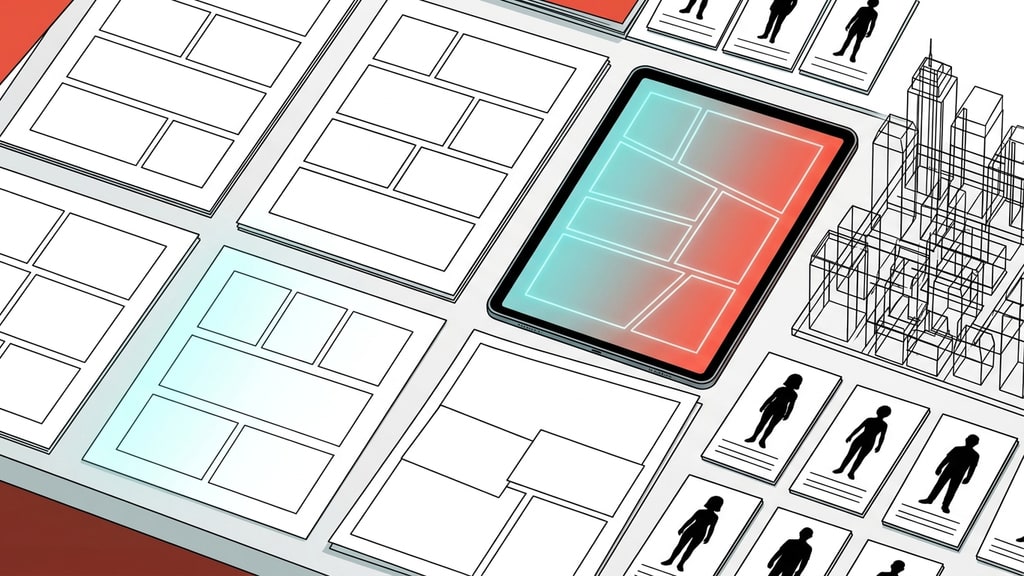
The most interesting technique came first: per-page panel layout generation with Claude. Instead of hand-drawing the 割り (panel divisions) for every page, the creators had Claude generate page-by-page panel structures automatically.
This is the same pattern that works for AI video storyboards: the expensive creative step is deciding what happens in each panel and what the camera (or reader's eye) should focus on. Once that structure exists, it becomes a reusable template for generating the actual artwork.
The takeaway: treat panel layout as structured data, not as drawing. A panel grid is a sequence of decisions — which shot size, which angle, which action beat. Let a language model draft that sequence, then review it like an editor instead of drawing it like an illustrator.
2. YAML as the production database
The second technique was data management in YAML format. Every page, panel, character state, and background reference lives in a structured text file the team can version, diff, and reuse.
That might sound like overkill for a comic, but it solves the same problem that plagues AI video production: consistency across many generations. When character descriptions, clothing states, and scene references are stored as structured data rather than buried in prose prompts, you can:
- reuse the same character definition across pages without retyping it
- generate variations while keeping the core attributes fixed
- review what changed between pages by diffing the files
- hand the whole project to a collaborator without losing context
This is the comic version of what character reference systems do for AI images: the asset is defined once and recalled everywhere.
3. Blender and 3D tools for backgrounds
Backgrounds were the third piece. The team brought Blender and 3D tools into the pipeline for environment work.
This is a well-worn trick in AI anime production that transfers directly to comics: generating complex backgrounds in a single image pass often fails — perspective, repeated elements, and architecture details fall apart. Building the environment in 3D gives you the geometry, camera angle, and lighting, and the AI model handles the final stylized rendering. The character stays composited on top, which keeps the two layers from fighting over the model's attention.
4. The "direct summon" character technique
The most conceptually interesting bit came from the award winners. TORAKO's entries were praised specifically because the characters were created through a technique the organizers called 一次召喚, or "primary summon": generating a character without loading any existing reference image.
Normally, the reliable path to character consistency is to feed the model a reference: a character sheet, a portrait, a full-body image. The primary summon inverts that. The character is defined purely through the prompt — and the results were consistent enough to earn an award.
This is a genuinely useful prompting pattern for anyone doing character work. A well-structured text definition — silhouette, outfit, palette, personality shorthand — can sometimes carry a character across generations without a single reference image. It is not a replacement for reference-based workflows; it is the fallback for cases where no reference exists yet, or where the source image would drag the style in the wrong direction.
What the surrounding ecosystem tells you
Two product announcements framed the technique talk, and both point at where AI comic tools are heading.
First, the GC license concept: a royalty system that pays the original creator every time their character is used in a generation. Whatever the legal details, the direction matters — it treats characters as assets with ongoing value rather than one-off generations.
Second, the YOUKAI manga reader platform: a web reader with multilingual support, reader comments, and a translation bug reporting system, built to distribute individual creators' work internationally. The pattern is worth noting for anyone producing content with AI: distribution infrastructure (reading, commenting, reporting errors) is becoming part of the creator toolchain, not an afterthought.
The reusable version
Strip away the event format and three practical lessons survive:
- Structure the page before you generate it. Panel layouts as text-first structures (Claude-generated or not) beat freehand panel drawing when you are producing many pages.
- Put assets in structured files. YAML (or any versionable format) for character definitions and scene data makes consistency a process instead of a hope.
- Separate environment from character. 3D-built or separately generated backgrounds, composited under the character layer, avoid the everything-in-one-prompt failure mode.
None of these require an event, an award, or a new platform. They are workflow decisions you can make in your next comic page, character batch, or storyboard run.