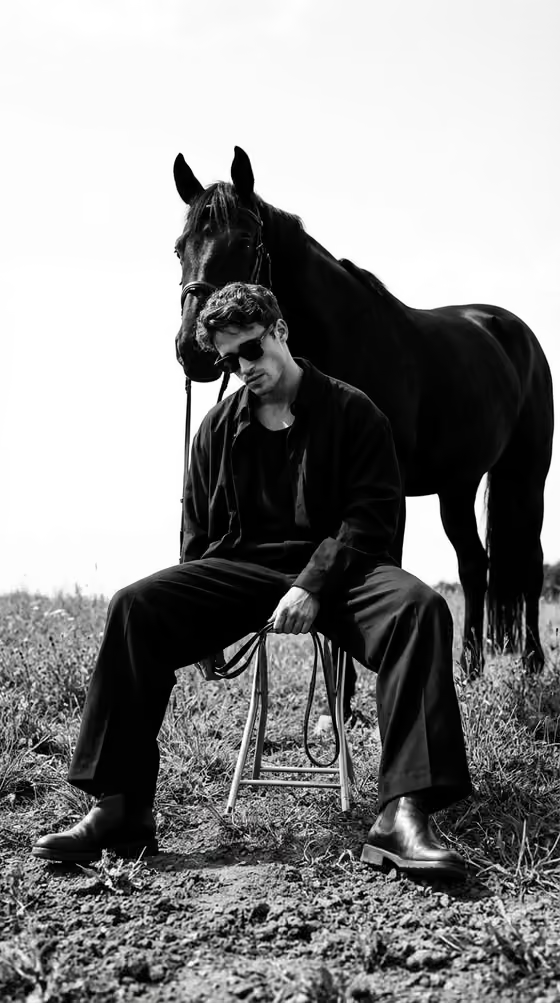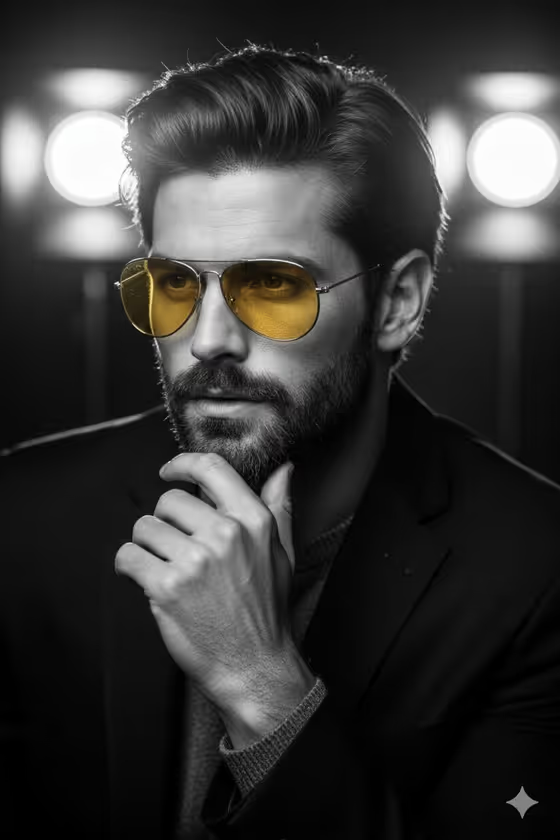
Amber Lens Film Noir turns a portrait into a black-and-white, high-contrast image in the spirit of classic film noir. Everything is rendered in monochrome except the warm amber lenses of a pair of aviator sunglasses, which stay as the single spot of color against deep blacks and glowing backlit bokeh.
It suits anyone who wants a moody, editorial-style headshot or character portrait, such as writers, musicians, actors, or anyone building a dramatic profile image. The output is a 2:3 vertical image, so it fits portrait-format uses well.
What works best as input
- For the Portrait Subject field, you can either describe the person in text or add a photo as a visual reference, since this slot accepts a photo. A clear, front-facing or three-quarter photo gives the template more to work with.
- Choose a photo where the face is evenly visible and in focus. Hair, facial hair, and jacket details are meant to come out highly detailed, so a sharp source helps.
- If you describe instead of uploading, be concrete and short, like the placeholder 'a thoughtful bearded man' or 'a composed woman in dark tailoring'. Mention the look (hair, beard, clothing) rather than a long backstory.
- Dark clothing fits the noir look and the fixed direction, which calls for a dark jacket, so photos or descriptions with dark tailoring tend to match best.
How to use it
- Open the Amber Lens Film Noir template in Phosphene.
- In Portrait Subject, describe who the portrait is of, or add a photo as a reference. Use one of the examples if you want a starting point, such as 'a quiet jazz musician'.
- In Noir Gesture, type the pose or framing you want, for example 'hand resting near chin' or 'direct close-up under backlight'. This field is text only.
- Generate the image, then check that the lenses are the only colored element and that the face, hair, and hands look natural before saving or trying another variation.
Tips for a better result
- Try the Noir Gesture examples one at a time with the same subject, such as 'three-quarter gaze through glasses' versus 'still profile with folded hand', to see how much the pose changes the mood.
- Keep each field focused on one idea. A single clear gesture reads better in a close portrait than several actions combined.
- Vary the Portrait Subject to change the character while keeping the same noir treatment, for example switching between 'a confident mature actor' and 'a composed woman in dark tailoring'.
- Since the result is a tight, shallow-depth portrait, pick gestures that keep the hands and face close together, like a hand near the chin.
Common mistakes
- Asking for extra colors or colored props in the fields. The template is built so the amber lenses are the only color, so extra color requests work against the design.
- Writing a long, crowded description in Portrait Subject or Noir Gesture. Overloading the fields can dilute the quiet, focused intensity the template aims for.
- Using a blurry, heavily filtered, or very dark source photo. The template wants sharp detail in hair, skin, and glasses, and a weak reference gives it less to preserve.
FAQ
Do I have to upload a photo?
No. The Portrait Subject field accepts either a text description or a photo reference. The Noir Gesture field is text only.
Why are only the sunglass lenses in color?
That is the core idea of the template. Everything is rendered in monochrome except the warm amber lenses, which act as the single accent.
What shape is the final image?
It is a vertical 2:3 image, framed as a close portrait.
What kind of gesture should I write?
Short, specific poses work best, like 'hand resting near chin' or 'direct close-up under backlight'. The built-in examples are good models for the level of detail to aim for.