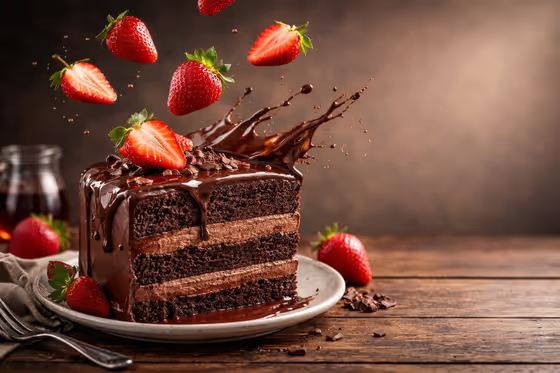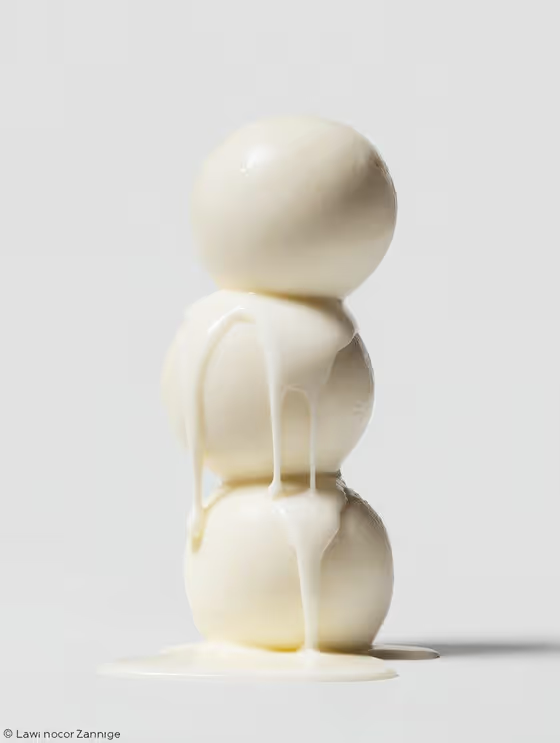
Dripping Food Cover turns a short description of a three-item food stack into a macro magazine cover. The result is a 3:4 image of the stack on a clean white background, with your chosen liquid running down the layers in soft studio light.
It suits food bloggers, bakers, menu designers and anyone who wants an editorial-style food image without setting up a shoot. You pick the food, choose the dripping liquid, and write the title that goes on the cover.
What works best as input
- In the Food Product field, describe the stack clearly with a count and a food, such as "three glazed doughnuts" or "three chocolate brownies". The template is built around a three-item stack, so keep the wording to three layers.
- You can add a reference photo to the Food Product field instead of, or alongside, your description. Pick a photo where the food is clearly visible and not buried in a busy scene.
- Keep the description simple and visual. Plain, tangible foods with a defined shape (round, flat or layered) tend to read well in a macro studio look like the cover example.
- Write the Cover Title as a short, bold word or phrase, like the placeholder "FOOD PIXEL". Short titles suit the restrained cover typography. The title is typed text only, with no photo option.
How to use it
- Open the Dripping Food Cover template in Phosphene.
- Fill in Food Product with your stacked food, or add a reference photo, then choose a Dripping Liquid such as Maple syrup, Dark chocolate sauce, Golden honey or Spicy glaze.
- Type your Cover Title in the third field, then generate the image.
- Review the cover. Check the stack, the drip and the title, then adjust the fields and generate again if you want a different result.
Tips for a better result
- Match the liquid to the food. Maple syrup with pancakes or golden honey with biscuits gives a believable drip, while an odd pairing can look less natural.
- Try the same food with each Dripping Liquid to compare how the color and thickness of the drip change the mood of the cover.
- Be specific about the food. "Three fried chicken biscuits" gives the model more to work with than just "biscuits".
- Keep the title brief so it stays clean and neutral, in line with the minimal magazine styling.
Common mistakes
- Describing a single item or a large spread instead of a three-item stack. The template is designed around a stack of three.
- Writing a long sentence as the Cover Title. The cover typography is restrained, so a long title may feel crowded or come out less clean.
- Using a cluttered or dark reference photo in Food Product. A hard-to-read reference makes it harder to get a crisp food subject on the white background.
FAQ
Do I have to upload a photo?
No. The Food Product field accepts a text description, and a reference photo is an option. The Dripping Liquid and Cover Title fields are text or choices only.
What size is the output?
The template produces a 3:4 image, which suits a portrait magazine cover.
Can I change the white background?
The template's fixed direction places the stack on pure white with clean studio light, so the background is part of the look rather than a field you can edit.
What can I choose for the dripping liquid?
Dripping Liquid is a choice field. Examples include Maple syrup, Dark chocolate sauce, Golden honey and Spicy glaze.