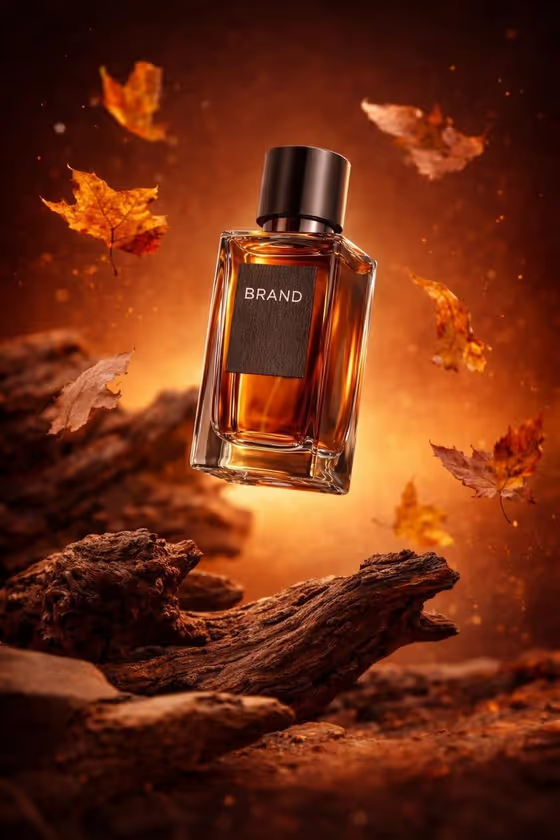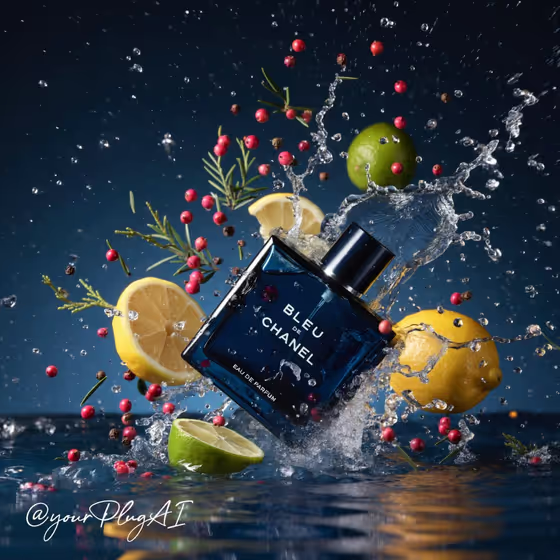
Elemental Perfume Campaign turns a written description of a fragrance bottle into a single 3:4 product image styled like a fragrance ad. You describe the bottle, pick an elemental setting, set the label text, choose a composition, and list the sensory ingredients that surround it.
It suits indie fragrance brands, designers pitching concepts, and anyone mocking up a campaign look before a real shoot. The cover example shows the idea well: a deep-blue bottle caught mid-splash, with citrus slices, pink berries and herb sprigs flying around it against a dark backdrop.
What works best as input
- Describe the bottle by shape, glass color, liquid color and cap material, as in the examples "a deep-blue oval bottle with chrome cap" or "a clear sculptural bottle with amber liquid". Concrete details give the image a clear subject.
- Keep the Brand and label text short and in capitals, using the same separator style as the examples (for instance "NOCTURNE · EAU DE PARFUM"). Short copy is easier to render sharply and read clearly.
- Make Sensory ingredients match the mood of the setting. Citrus peel, ice and white flowers fit cold mist, while cedar, moss, spices and gemstones fit a forest setting.
- Use Composition and angle to say how the bottle sits in the frame, such as "tilted impact moment" or "centered low-angle still life". One clear idea works better than several competing ones.
- This template has no photo upload slot, so every detail of the product has to come from your written descriptions.
How to use it
- Open the Elemental Perfume Campaign template in Phosphene.
- Fill in Perfume bottle design, choose an Elemental setting, then type your Brand and label text.
- Add Composition and angle and Sensory ingredients, then generate the image.
- Review the result, check that the label text is readable and the bottle stays the focus, then adjust your fields and generate again if needed.
Tips for a better result
- Try the same bottle in different Elemental setting options, such as water splash and dark stone versus smoke and candlelight, to compare campaign moods.
- Pair a dynamic composition like "tilted impact moment" with ingredients that suit motion, such as citrus, berries and droplets, for a splash-style ad like the cover.
- Switch the Composition and angle to "close-up on a reflective tray" when you want the glass, cap and label to take up more of the frame.
- Keep the ingredient list to a few items so the arrangement reads as restrained scent cues instead of clutter.
Common mistakes
- Writing a long label with many lines of text. Long copy is harder to keep sharp and legible on the bottle.
- Describing several different bottles or a vague "nice perfume bottle". Without shape, glass and cap details, the bottle has little to anchor on.
- Choosing ingredients that clash with the setting, which muddies the scene and weakens the bottle as the main subject.
FAQ
Can I upload a photo of my real bottle?
No. This template has no photo upload slot, so you describe the bottle in the Perfume bottle design field instead.
Does the label text come out exactly as I type it?
The template asks for the text to be rendered sharply on the bottle, so enter exactly what you want. Short, clear copy gives you the best chance of a readable label, and you should check it in the result.
What shape is the output?
The template produces a single image in a 3:4 aspect ratio.
What does the Elemental setting control?
It sets the sensory environment around the bottle. Options in the template include smoke and candlelight, ice crystals and cold mist, water splash and dark stone, and forest moss and drifting botanicals.