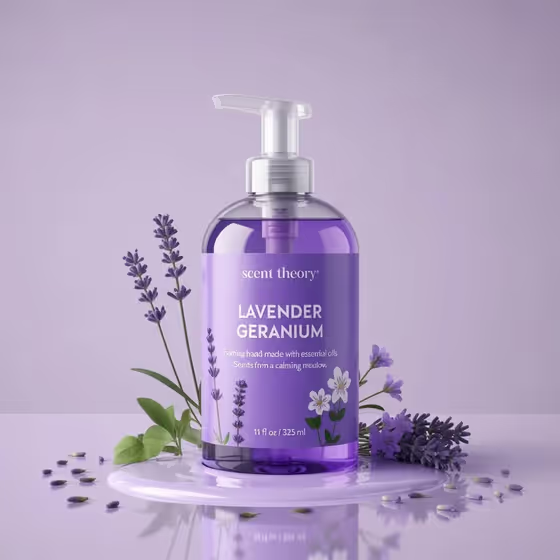
Lavender Bottle Orbit is built for product shots where the bottle must stay exactly as designed while the camera moves around it. You point to the exact bottle, describe the orbit, and the template aims for a steady turntable-style turn with the label, liquid color, lavender sprigs, milk puddle and purple background kept consistent.
It suits brand owners, small shops and marketers who already have a bottle visual they like, such as the soft purple pump bottle on the cover, and want a smooth rotating view without redesigning the product. It works for drinks, wellness bottles and floral skincare packaging.
What works best as input
- In the Exact Product field, use the photo option to attach a clear picture of your actual bottle. A visual reference gives the template the most reliable way to keep the design unchanged.
- Pick an image where the whole bottle is upright, centered and fully visible, including the pump or cap and the label, like the cover shot.
- Choose a photo with even lighting and a clean background so the label text and liquid color are easy to read.
- If you describe the product in words instead, be specific, for example a soft-purple wellness bottle or a floral skincare bottle, and mention label and cap details.
- Use a sharp, uncluttered reference. Props like lavender stems or a milk puddle are fine if you want them kept in the scene.
How to use it
- Open the Lavender Bottle Orbit template in Phosphene.
- In Exact Product, describe the bottle or attach your reference photo of it.
- In Orbit Sequence, type the camera movement you want, such as a full 360-degree constant-speed orbit, or pick one of the example directions.
- Generate, then review the result. Check that the label, bottle shape, colors and framing match your reference throughout the turn.
Tips for a better result
- Keep the Orbit Sequence simple and specific. One clear movement, like a slow circular label-and-material reveal, works better than several ideas combined.
- Try the example directions as starting points, for instance front-to-side-to-back product rotation when you mainly want to show the label and profile.
- If your bottle has a signature scene element, such as a milk puddle, name it in your direction so it stays part of the shot.
- Compare a few runs with different Orbit Sequence wording and keep the one where the design stays most faithful to your product.
Common mistakes
- Using a cropped, blurry or angled reference photo, which makes it harder to keep the bottle design and label faithful.
- Asking for extra camera moves like zooms, shakes or speed changes. The template is designed around a constant-distance, constant-speed orbit.
- Leaving Exact Product vague, such as just a bottle, so the template has little to hold onto for shape, color and label.
FAQ
Do I need to upload a photo?
The Exact Product field accepts either a text description or a photo reference. A photo is the best way to keep your real bottle design unchanged.
Can the Orbit Sequence field take a photo?
No. Orbit Sequence is text only, so describe the camera movement in words.
Will the bottle design change during the orbit?
The template is written to preserve the design, label, liquid color and background and to avoid redesign, but always review the output to confirm it matches your reference.
What kinds of bottles work?
The examples cover lavender drink bottles, milk-based botanical beverages, soft-purple wellness bottles and floral skincare bottles, like the pump bottle on the cover.