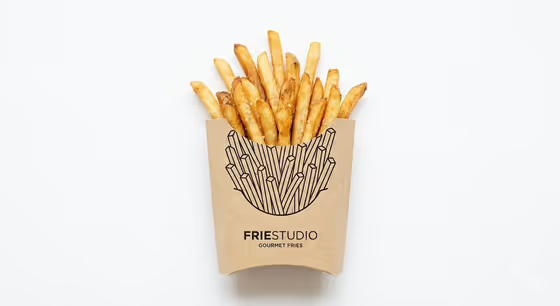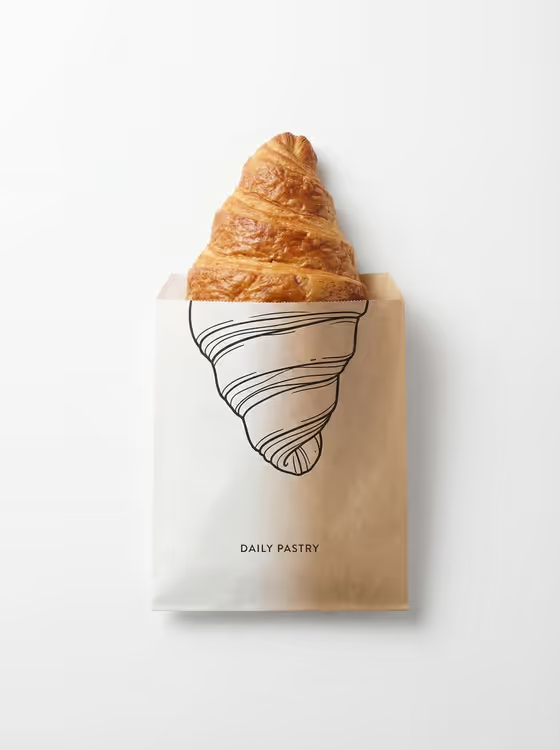
This template makes a top-down product image where real, photorealistic food sits partway out of a paper package, and the rest of that same food is drawn as a clean black line illustration printed on the packaging. The cover shows a croissant rising out of a kraft paper bag, with the inked outline continuing its shape below and a small printed label at the bottom.
It suits bakers, cafe owners, packaging designers and anyone who wants a minimal branded visual on a white background. You describe the featured product and pick a creative direction, and the template handles the white studio setting, soft shadows and the real-to-illustration transition. The output is a 3:4 image.
What works best as input
- In the Featured product or object field, name one clear subject, like the croissant on the cover. Foods with a strong, recognizable silhouette give the line illustration an obvious shape to continue.
- If you upload a photo of the product, choose one with the item clearly visible and well lit, so its shape and surface texture can be preserved.
- Be specific about the item in plain words (for example, a baguette, a glazed donut or a premium beverage bottle) rather than a vague category.
- Keep it to a single product. The template is built around one object emerging from one package.
How to use it
- Open the Minimal Studio Shot On template in Phosphene.
- Fill in Featured product or object by typing a short description or using a photo of your product, since this slot accepts both.
- Set Creative direction by choosing an option such as Clean editorial or Quiet premium, or describe your own.
- Generate the image, then check that the real part and the inked outline line up, and run it again if you want another variation.
Tips for a better result
- For a result close to the cover's mood, try Clean editorial or Quiet premium as the Creative direction. These suit the white background and minimal branding.
- Try Playful colorful or Cinematic dramatic when you want a different feel, and compare them against the quieter options.
- Foods with distinct layers, ridges or curves tend to make the drawn continuation more interesting to look at.
- Keep the product description short and concrete, and change only one thing at a time between generations so you can see what made the difference.
Common mistakes
- Describing several products at once. The template is designed around a single item emerging from its packaging.
- Using a vague product description like 'some food', which gives the illustration no clear shape to continue.
- Expecting the illustration to extend into the background. By design it stays on the packaging surface, so a busy or unusual setting is not what this template produces.
FAQ
Do I have to upload a photo?
No. The Featured product or object slot accepts a typed description or a photo, so you can use whichever you have. The Creative direction slot is choose-or-describe only.
Does it only work with food?
The template is written around real food emerging from paper packaging, as in the croissant cover. The product slot's examples also include objects like a beverage bottle, so you can experiment, but food matches the design best.
What size is the image?
The output is a single image in a 3:4 aspect ratio, laid out top-down on a white background.
Can I control the text on the packaging?
The template has no slot for packaging text. It aims for modern minimal branding, so any printed wording is part of the generated design rather than something you set.