Face Consistency in AI Image Generation: The FLUX.2 Approach
FLUX.2 Klein with the Enhancer module locks character identity across angles, outfits, and scenes without the grid-collage hack. Here is how the multi-reference identity fix, NVIDIA PiD, and a VLM prompt pipeline change the AI influencer workflow.
AI-assisted draft. Reviewed and edited by the Phosphene team before publication.
On this page
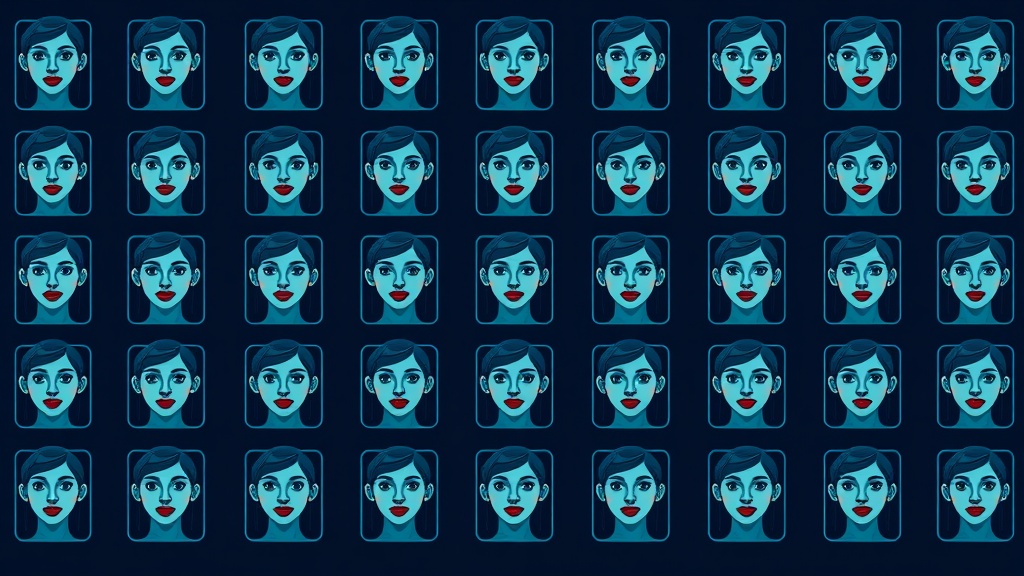
Every AI influencer workflow hits the same wall. You generate a beautiful face — perfect light, perfect hair, perfect vibe. You run the same prompt again to get a second shot in a different outfit, and the face is someone else. Slightly different nose. Slightly different eye spacing. Same name in the caption, different person in the frame.
For most of 2025, the workaround was a 2x2 grid collage — squish four reference crops into a single image, send the grid to the model, and hope the VAE doesn't average the faces into a new person. It was ugly, it failed often, and it was the best anyone had.
FLUX.2 Klein with the Enhancer module, plus NVIDIA's PiD decoder, is the first workflow that treats that problem as a solved engineering question rather than a prompt-engineering prayer.
What FLUX.2 Klein Enhancer actually does
The Enhancer is a node-level feature that does three things at once:
- Multi-reference identity fix. Instead of stuffing your references into a single grid image, you pass them as separate inputs — front view, profile, three-quarter, alternate outfit — and the model keeps the identity anchor stable across all of them. Up to three reference images, individually controlled. No collage. No VAE averaging.
- Single-node replacement for stacked workarounds. Earlier identity-preserving pipelines were a chain of stacked nodes: face detection, embedding extraction, ControlNet conditioning, blending. The Enhancer collapses that whole graph into one node. Your ComfyUI canvas stops looking like a plate of spaghetti.
- LoRA compatibility. Klein's identity fix and a character-specific LoRA aren't redundant — they're complementary. The LoRA biases the output toward your specific character (hair, wardrobe, posture habits). The identity fix enforces hard identity constraints. Running both together gives noticeably tighter consistency than either alone.
The result: you can hand the model a single reference and a prompt like "same woman, three-quarter angle, red dress, rooftop at sunset, looking over her shoulder," and get back a shot that the audience reads as the same person.
NVIDIA PiD: the speed-and-resolution win
The other half of the equation is the decoder. Traditional diffusion pipelines end with the VAE decode plus a separate upscaler — two passes, two models, two chances for skin and fabric detail to soften.
NVIDIA's PiD (Pixel Diffusion Decoder) merges decode and upscale into a single diffusion step. It uses the latent and sigma data from the generation as guidance, then goes directly from low-resolution latent to pixel-space at 4x the resolution in one pass. On an RTX 5090, the upscale step takes under a second.
Three practical consequences:
- Speed. A full FLUX.2 + PiD pipeline is fast enough that "generate three variations, pick one, regenerate the winner" is a normal workflow instead of a credit-burning mistake.
- Detail. Because PiD is a diffusion process in pixel space (not a bilinear upscale), it doesn't just enlarge — it reconstructs detail. Skin texture, fabric weave, jewelry highlights get drawn, not blurred-then-sharped.
- Caption-free. You don't need to write a text prompt for the upscale. The latent IS the prompt. Hit the button, get 4K.
For AI influencer work specifically, this means you can output final-quality deliverables straight from your generation step, no Photoshop cleanup pass required.
VLM-driven prompt refinement
The third piece is less glamorous but quietly essential: a vision-language model that turns your reference images into a properly-formatted text prompt automatically.
The setup uses Qwen 3.6 (or similar) to:
- Look at the reference images and write a description that captures identity-defining features
- Inject that description into the generation prompt
- Auto-adjust aspect ratio and resolution to match what you actually need
You just drop in the reference image and a rough direction ("same character, beach scene, evening"). The VLM does the rest. For batch work — fifty product shots of one character — this is what makes the workflow realistic instead of theoretical.
A practical workflow for Phosphene users
The pieces above are ComfyUI-native, but the same architecture maps cleanly into Phosphene's tag-based system:
- Build your character once in a dedicated dream. Use Phosphene's tag system to lock core identity attributes: hair, eye color, build, signature wardrobe piece. Save the dream as your "character master."
- Generate a reference sheet, not a single hero shot. Three or four angles, two or three outfit variants. Tag each panel with the angle and outfit, but keep the core identity tags identical across all of them. This is your multi-reference pack.
- Use the dream as a reusable seed. When you need a new shot, create a child dream from the character master. Inherit all the identity tags. Add scene tags (location, lighting, time of day), and add an action tag (pose, expression, activity). Generate. The identity tags carry through, and the scene/action tags vary.
- Bypass tags you don't need. In ComfyUI you'd Ctrl+B a group node. In Phosphene you can mark tags as inactive for a single generation, then re-enable. Same effect, more discoverable.
- Use the VLM pass for prompt enhancement. Phosphene already routes generation prompts through a Gemini enhancement step. For character work, point the enhancer at your reference sheet rather than just the text prompt — the VLM does the writing for you.
Where this goes next
Once your static character work is locked, the downstream move is video. The same multi-reference approach feeds directly into hybrid video pipelines:
- Wan 2.2 + LTX 2.3 hybrid generation for character motion that holds identity across cuts
- Prompt-relay multi-reference for storyboard-driven sequences where the scene changes but the character must not
The static-to-video handoff is the part most AI influencer projects get stuck on. Solving it at the static step — with the right identity-locking setup — is what unblocks the entire pipeline.
The takeaway: Character consistency isn't a prompt problem anymore, it's a pipeline problem. The grid-collage era is over. If you're building AI influencers, virtual brand mascots, or any character who needs to appear convincingly in more than one image, FLUX.2 Klein + PiD plus a structured reference pipeline is the new floor — and Phosphene's tag inheritance gives you a way to operationalize it without rebuilding the workflow each time.