How to Write Seedance 2.5 Prompts: A Timestamp Storyboard Formula
Build Seedance 2.5 prompts from a creative brief, assigned references, global rules, timestamp beats, audio direction, and focused constraints.
AI-assisted draft. Reviewed and edited by the Phosphene team before publication.
On this page
- The five-layer prompt
- Layer 1: write the creative brief
- Layer 2: assign every reference a role
- Layer 3: define global rules once
- Layer 4: build timestamp beats
- Use screen direction as a continuity tool
- Prompt camera moves as physical actions
- Write action as cause and effect
- Layer 5: direct audio and name fragile points
- A reusable prompt template
- How to revise a failed prompt
- The editing test for every prompt
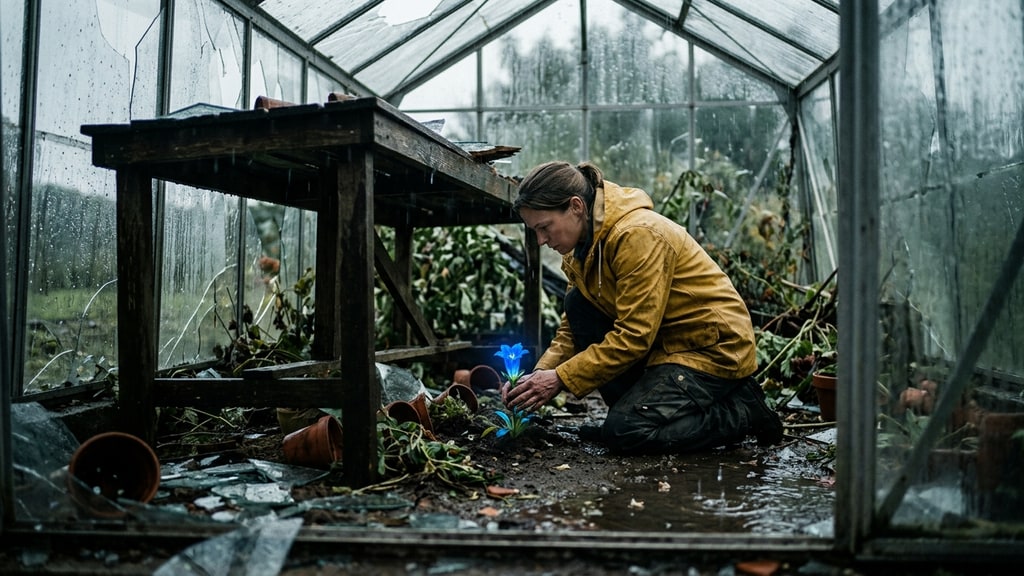
A strong Seedance 2.5 prompt reads less like prose and more like a compact production brief. It names the reference jobs, fixes the rules for the whole clip, and gives each time span one visible purpose.
That structure matters because the model can accept several types of context at once. ByteDance confirms image, video, and audio references, plus timestamp-level direction for generated audio-video.
The public WaytoAGI manual documents prompt formulas used in Jimeng. The useful lesson is the hierarchy, not the wording of its examples. This guide adapts that logic into an original format.
For the capability overview, start with the Seedance 2.5 guide. Here, the focus is the writing itself.
The five-layer prompt
Use this order:
- creative brief
- reference assignments
- global rules
- timestamp beats
- audio and failure constraints
Each layer answers a different question. Mixing them into one paragraph makes omissions hard to see and corrections hard to make.
Layer 1: write the creative brief
The creative brief is one or two sentences. It should define the scene’s outcome, emotional turn, and overall form.
Weak:
Cinematic woman in a greenhouse, beautiful lighting, dramatic camera, detailed, emotional.
Useful:
A botanist enters a storm-damaged greenhouse, finds one surviving blue flower, and shifts from urgency to careful relief. Present it as one restrained cinematic sequence.
The second version contains a beginning, discovery, and emotional change. It gives every later decision a reason.
Do not pack shot instructions into this layer. If the brief already contains five lenses, three camera moves, and every sound effect, it is no longer a brief.
Layer 2: assign every reference a role
ByteDance says Seedance 2.5 can use up to 30 images, 10 videos, and 10 audio files. A large input budget makes naming more important, not less.
Write a reference manifest before the timeline:
Image 1 — exact botanist identity, hair, and clothing.
Image 2 — greenhouse layout, broken roof, center aisle, and worktable position.
Image 3 — blue flower shape and petal color.
Video 1 — slow handheld camera cadence only; do not copy its subject or location.
Audio 1 — rain intensity and glass-room ambience.
Notice the boundary on Video 1. A reference often contains more information than you want. State both the feature to borrow and the features to ignore.
If the reference pack is complicated, build it with the role system in the multi-reference workflow.
Layer 3: define global rules once
Global rules apply across the entire clip. They prevent repeated instructions from crowding the timestamp plan.
Good global rules are observable:
- preserve the exact face and raincoat from Image 1
- keep the center aisle and worktable fixed to Image 2
- use natural overcast light with muted greens
- maintain one continuous direction of screen travel
- keep the camera at shoulder height
“Make it amazing” is not observable. “Use shallow focus during the discovery, with the flower sharp and the background soft” can be reviewed.
Separate visual style from subject facts. “Muted documentary color” is a style rule. “Yellow raincoat with black toggles” is a continuity rule.
This makes later changes safer. You can replace the color treatment without accidentally inviting a wardrobe redesign.
Layer 4: build timestamp beats
ByteDance officially demonstrates timestamp-level control. Use it to schedule changes, not to narrate every frame.
A beat needs four parts:
Time span — framing and camera. Subject action. Scene response. Audio cue.
Here is an original worked example:
0:00–0:06 — Wide shot from the greenhouse entrance, slow handheld advance. The botanist steps over one fallen frame and moves down the center aisle. Heavy rain on glass; no music.
0:06–0:13 — Medium rear three-quarter shot. She notices a faint blue reflection under the worktable and stops. The camera settles instead of passing her.
0:13–0:21 — Low close shot beside the table. She kneels and lifts a loose pane without touching the flower beneath it. Rain softens; one glass creak.
0:21–0:28 — Close-up on her face, then a gentle rack focus to the flower. Her breathing slows. Introduce one low sustained cello note.
0:28–0:30 — Hold on the flower moving slightly in the draft. No camera move and no new action.
Each span advances one idea. The camera supports the action instead of competing with it.
Do not force equal-length beats. A reveal may need two seconds; a reaction may need seven. Allocate time according to what the viewer must understand.
Use screen direction as a continuity tool
Prompts often describe where a subject goes in the fictional space but omit how that reads on screen.
If the botanist moves left to right in the wide shot, preserve that direction after the cut unless a motivated angle change explains the reversal.
Useful phrasing includes:
- continues moving left to right
- camera remains on the subject’s aisle side
- eyeline stays toward the lower right of frame
- the door remains behind her on frame left
These instructions give the model a spatial ledger. They also make failures easier to identify during review.
Prompt camera moves as physical actions
“Dynamic camera” is vague. Name the camera’s path, speed, and stopping behavior.
Compare:
Dramatic camera movement around the botanist.
With:
The camera tracks backward at her walking speed, shoulder height, then stops when she stops. No orbit and no sudden push-in.
The second version defines a relationship between camera and subject. It is less flashy on paper and more useful in motion.
Use one primary camera move per beat. A simultaneous orbit, crane, zoom, rack focus, and whip pan asks the model to solve too many transformations while preserving identity and physics.
Write action as cause and effect
Generated motion becomes muddy when a prompt lists poses without transitions.
Weak:
She runs, stops, kneels, lifts glass, looks emotional.
Better:
She sees the blue reflection, slows over two steps, plants both feet, then kneels beside the table. She braces the glass with her left hand before lifting it with her right.
Cause and effect clarify order. Contact instructions clarify which body part meets which object.
This is especially important because ByteDance acknowledges remaining weakness in complex physical motion and multi-subject interaction. Prompt structure can reduce ambiguity, but it cannot guarantee stable physics.
For demanding contact, shorten the beat. Inspect hands, feet, object edges, body weight, and the moment of impact before accepting the clip.
Layer 5: direct audio and name fragile points
Audio direction should say what is present, what changes, and what should remain absent.
Use separate lines:
Dialogue: none.
Ambience: rain on glass throughout; reduce intensity after 0:13 without cutting it abruptly.
Foley: one boot scrape at 0:03, glass creak at 0:18.
Music: one low cello tone enters at 0:23; no melody and no percussion.
The WaytoAGI manual describes audio controls in a Jimeng workflow, including removal or management of background music. Treat those as product-workflow observations, not universal model behavior.
End with constraints aimed at the scene’s likely failures:
Keep one botanist only. Preserve the yellow raincoat, black toggles, flower shape, aisle geometry, and left-to-right screen direction. No readable labels, extra plants appearing, broken limbs, floating glass, or sudden weather change.
A giant negative list is rarely useful. Choose the five or six failures that would make this specific shot unusable.
A reusable prompt template
Copy this structure and replace the bracketed text:
Creative brief
Subject must goal in location, moving emotionally from starting state to ending state. Present the scene as format or tone.
Reference assignments
Image 1: identity details to preserve.
Image 2: scene geometry to preserve.
Image 3: prop or style details to borrow.
Video 1: borrow motion/camera feature only; ignore unwanted content.
Audio 1: use for voice/ambience/rhythm role.
Global rules
Preserve identity and wardrobe. Keep spatial anchors fixed. Use lighting and palette. Maintain screen direction and camera rule.
Timeline
0:00–time — shot size and camera. one main action. scene response. audio.
time–time — next framing. next action caused by the first. audio transition.
time–end — final framing. resolution or hold. audio ending.
Constraints
Keep critical invariants. Avoid scene-specific failure modes.
The template is intentionally plain. Its job is to expose missing decisions before generation.
How to revise a failed prompt
Change one layer at a time.
If the face drifts, simplify the identity references and strengthen the global identity rule. Do not rewrite the soundtrack.
If events happen out of order, reduce the number of actions per timestamp. Give transitions more time.
If the camera becomes chaotic, remove secondary moves and define where the camera stops.
If the extension begins with a jump, rewrite the final beat as a handoff. End on a stable pose, clear motion vector, and continuous audio bed, then begin the extension from those same conditions.
If the clip fails at multi-person contact, split the exchange into shorter shots. A better adjective will not solve an overloaded physical problem.
The editing test for every prompt
Before generating, read the prompt as if you had to cut the result tomorrow.
Can you identify the opening frame, turning point, and final hold? Does each beat have one dominant action? Are reference roles explicit? Can you name what must survive into a continuation?
If not, the prompt still describes a mood rather than a sequence.
Seedance 2.5 gives creators room to specify time, references, and sound together. The useful prompting skill is not adding detail everywhere. It is putting each detail in the layer where it can be acted on and reviewed.