Seedance 2.5 Multi-Reference Workflow for Consistent Characters
Turn Seedance 2.5 image, video, and audio inputs into a deliberate reference system for identity, wardrobe, scenes, motion, and sound.
AI-assisted draft. Reviewed and edited by the Phosphene team before publication.
On this page
- Start with roles, not files
- The five reference roles
- Identity anchors
- Wardrobe and prop anchors
- Scene anchors
- Style anchors
- Motion and audio anchors
- Build a reference manifest
- Use a consistency hierarchy
- An original multi-reference prompt
- Prepare the assets upstream
- Add references in passes
- Review the entire timeline
- Know when a reference is hurting
Seedance 2.5 can accept up to 30 image, 10 video, and 10 audio references in one generation, according to ByteDance. That large input budget makes it tempting to upload everything connected to the project.
A useful reference pack gives every file ownership of one clear part of the result. Ambiguity appears when several files compete to define the same face, coat, room, lens, or movement.
Use the smallest pack that fully describes the shot.
This workflow turns a folder of assets into a reference system. For the wider model and availability context, see the Seedance 2.5 guide.
Start with roles, not files
Before selecting assets, list the visual facts the shot must preserve.
For a character scene, that list may include:
- face and body proportions
- hair shape and color
- hero wardrobe
- signature prop
- location geometry
- color and texture treatment
- camera cadence
- voice identity
- environmental sound
Now assign one owner to each fact. An owner is the reference that should win if another file disagrees.
This simple step prevents a common mistake: using one beautiful image as identity, wardrobe, scene, lighting, lens, and composition evidence even though only the face is approved.
The five reference roles
Identity anchors
An identity anchor defines who the subject is. It should show the face clearly, avoid heavy occlusion, and preserve the proportions you want in motion.
Use a small set of complementary views:
- front or near-front portrait
- three-quarter view
- profile when side angles matter
- full-body view for proportions
- expression view for a critical emotion
Do not use five near-duplicate portraits with slightly different faces. The model has to reconcile those differences, even if they look minor to you.
If one image has the correct face and another has the correct hairstyle, state that division in the prompt. Better still, make one approved character sheet that combines both decisions.
Wardrobe and prop anchors
Wardrobe is often mistaken for identity. Keep it separate when the same character changes clothes between scenes.
A wardrobe anchor should show construction details that matter in motion: coat length, fasteners, sleeve shape, footwear, and how a bag sits on the body.
For a hero prop, include a clean view with readable silhouette and scale. If a brass key is palm-sized, say so. An isolated product view without scale can expand or shrink once a character holds it.
Scene anchors
A scene anchor defines spatial relationships. Treat it as a floor plan with lighting and camera clues, not a loose moodboard.
Choose an image where the door, table, window, path, and practical lights are easy to locate. If the shot uses several angles, add a second view that clarifies the same room rather than inventing a different layout.
Write down three or four spatial invariants:
- window remains behind the desk
- entrance stays frame right in the opening shot
- red practical light is above the rear door
- center aisle remains clear
These become global prompt rules and review checkpoints.
Style anchors
A style anchor owns palette, contrast, texture, lens character, or illustration treatment. It should not accidentally become an identity reference.
State its limited role:
Use Image 6 only for low-contrast cyan shadows, warm practical highlights, and fine 16 mm grain. Do not copy its people, clothing, location, or composition.
This boundary is especially useful when the style image contains a strong face or famous location that does not belong in your shot.
Motion and audio anchors
Video references can define camera movement, body motion, timing, or performance energy. Audio references can define voice, ambience, rhythm, or another sonic element.
Limit each one to a named feature:
Video 1 defines the slow lateral camera track and stopping cadence. Ignore its subject and background.
Audio 1 defines the actor’s voice character. Audio 2 defines room tone. Do not add music.
ByteDance confirms these multimodal reference categories. Exact attachment behavior belongs to the product surface you use, so avoid building a workflow around assumed interface labels.
Build a reference manifest
Create a short manifest beside the files. It can be plain text.
For example:
| ID | Role | Must preserve | Must ignore |
|---|---|---|---|
| Image 1 | identity | face, age, hairline | background, earrings |
| Image 2 | proportions | height, build, posture | gray test clothing |
| Image 3 | wardrobe | navy coat, boots, satchel | model face |
| Image 4 | scene | station geometry, red light | empty advertising panel |
| Image 5 | style | cool fluorescents, grain | subject, framing |
| Video 1 | motion | walking cadence, camera speed | location, outfit |
| Audio 1 | sound | station hum, distant rail tone | announcement voice |
The manifest exposes conflicts before the model has to solve them.
It also makes iteration controlled. If the coat drifts, you know whether to replace Image 3, revise its assignment, or simplify competing wardrobe evidence.
Use a consistency hierarchy
Not every detail deserves equal protection. Rank the requirements.
Tier 1: identity-breaking failures
- different face or apparent age
- changed body proportions
- missing signature hair shape
- unexplained character duplication
Tier 2: story-breaking failures
- wrong wardrobe for the scene
- prop changes identity or scale
- room exits move between shots
- screen direction reverses without cause
Tier 3: polish failures
- grain strength changes
- background decoration drifts
- minor lighting mismatch
- nonessential folds differ
Protect Tier 1 first. A prompt that aggressively locks every fabric fold can crowd out the rules that keep the person recognizable.
An original multi-reference prompt
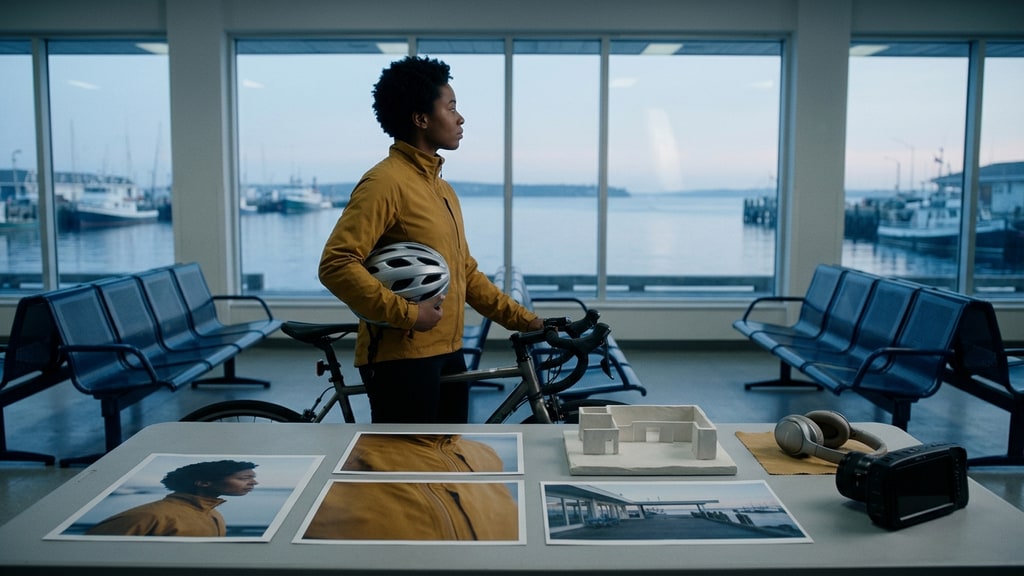
Imagine a bicycle courier waiting inside a closed ferry terminal at dawn. The scene uses five images, one motion clip, and one ambience track.
Copy and adapt this structure:
Reference ownership
Image 1 is the authority for the courier’s face, freckles, short black curls, and apparent age. Image 2 is the authority for height and lean body proportions.
Image 3 defines the mustard cycling jacket, black gloves, navy trousers, and silver helmet. Do not use the person shown in Image 3.
Image 4 defines the ferry terminal layout: glass doors behind the benches, ticket counter on frame left, pale blue dawn outside.
Image 5 defines soft halation, restrained contrast, and cool shadows only. Do not copy its room or composition.
Video 1 defines the slow breathing and one-foot weight shift. Keep the courier otherwise still. Audio 1 defines room tone and distant harbor sound; no music.
Shot
Begin in a medium-wide locked frame. The courier checks the closed doors, shifts weight once, then looks toward an off-screen ferry horn. Slowly push in after the horn.
Continuity rules
Preserve the face from Image 1, proportions from Image 2, complete outfit from Image 3, and terminal geometry from Image 4. One courier only. The helmet remains under the left arm.
Avoid
No wardrobe mixing, duplicate helmet, moving doors, readable ticket text, added passengers, or abrupt change from dawn to daylight.
The prompt says which source wins. It also prevents unused content inside each reference from leaking into the scene.
Prepare the assets upstream
Reference quality is a design problem before it is a video problem. The image-first character pipeline explains why a character sheet and storyboard should exist before animation.
Phosphene can help create upstream character sheets, expression boards, scene anchors, and style frames; those assets remain reference material for a separate Seedance 2.5 workflow.
Keep those images clean. Avoid tiny panels, contradictory labels, or decorative borders that could be interpreted as scene content.
If you use a multi-view sheet, make each view large enough to inspect. If the final shot is full-body, include footwear and silhouette evidence rather than supplying portraits alone.
Add references in passes
Do not begin with the full pack. Build it in controlled passes.
Pass 1: identity and scene
Test the face, proportions, wardrobe, and location with simple motion. Confirm that the core visual contract is compatible.
Pass 2: motion
Add a motion or camera reference. Check whether the new input damages identity or geometry.
Pass 3: audio
Add voice or ambience only after the visual plan holds. Review timing as well as sound quality.
Pass 4: style refinement
Add a style anchor if the base references do not already define the look. Keep its role narrow.
This sequence makes regression visible. If the face changes after Video 1 arrives, you have a specific conflict to solve.
Review the entire timeline
Reference success is temporal. A correct opening frame does not prove a consistent clip.
At each beat boundary, check:
- face shape and age
- hair silhouette
- garment closures and accessories
- prop hand and prop scale
- scene landmarks
- camera side and screen direction
- voice and ambience continuity
Pay extra attention to turns, occlusion, fast motion, and interactions. Those moments hide information and force the model to reconstruct it.
ByteDance notes that complex physical motion and multi-subject interaction can remain unstable. For two-person contact, reduce the reference pack to the essentials and shorten the action.
Know when a reference is hurting
Remove a reference when it has no unique role, contradicts the authority file, or adds detail the shot does not need.
Signs of conflict include:
- the face alternates between two looks
- wardrobe elements merge
- the set inherits objects from a style image
- camera motion copies the wrong part of a video
- background audio brings an unwanted voice or music layer
More input is useful only when it reduces uncertainty.
The official limits make Seedance 2.5 unusually flexible, but the production advantage comes from assignment. Give every reference a job, name what it must not contribute, and remove any file that cannot justify its place.