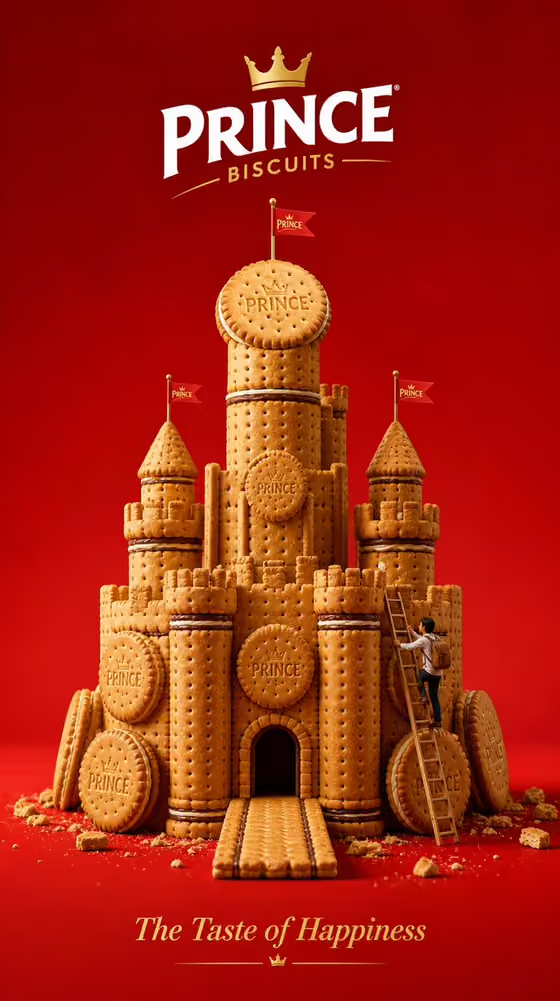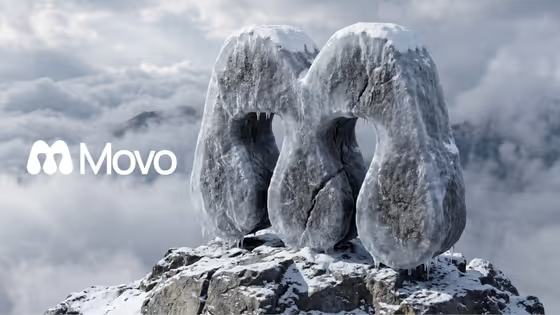
Frozen Summit Logo turns a flat logo into a massive 3D monument of dark, frost-coated stone standing on a jagged mountain peak. The result is a portrait-format (3:4) image with snow on the top surfaces, icicles hanging from the lower curves, and a sea of clouds rolling behind it.
It suits designers, founders and brand teams who want a dramatic hero visual for a logo, such as a launch graphic, a presentation cover or a social post. The template keeps the logo's silhouette and proportions, so the shape stays recognizable while the render supplies the stone, ice and scenery.
What works best as input
- This template has one text field, Logo design, and it does not accept a photo. You describe or name the logo in words rather than uploading an image.
- Keep the entry short and clear, like the placeholder 'my uploaded logo' or 'my exact brand emblem', so the template treats it as one definite mark.
- If you do not have a specific logo in mind, describe the shape instead, for example 'a geometric monogram' or 'a bold mascot mark'.
- Simple, bold shapes with clear negative spaces tend to suit the idea, since the template carves those gaps out as open voids through the rock.
How to use it
- Open the Frozen Summit Logo template in Phosphene.
- Fill in the Logo design field by choosing one of the examples or typing your own short description of the logo.
- Start the generation and wait for the 3:4 image to finish.
- Review the result, checking that the logo's silhouette reads clearly and the frost, stone and cloud scene look right. Adjust the field wording and generate again if needed.
Tips for a better result
- Try different wording in the Logo design field, such as 'a geometric monogram' versus 'a bold mascot mark', to see how the stone monument takes on different shapes.
- Be specific about the shape's character (rounded, angular, chunky, thin) so the carved mass matches what you picture.
- Generate a few variations and compare them. The rock cracks, frost buildup and cloud layout can differ between runs.
- Use logos with strong outer outlines for the clearest result, since the outer boundary becomes the shell of the sculpture.
Common mistakes
- Writing a long scene description in the Logo design field. The mountain, frost and clouds are already set by the template, so only describe the logo itself.
- Choosing a very thin or intricate logo, where fine detail can get lost once it is extruded into thick, chunky stone.
- Expecting text or extra objects in the image. The template is built to show only the logo as a sculpture, with no additional elements.
FAQ
Can I upload my logo file?
No. The Logo design field is text only and does not accept a photo, so you name or describe the logo instead.
Will the logo keep its shape?
The template is written to retain the logo's exact silhouette and proportions, turning it into thick carved rock. Check the result, as simple, bold shapes are the easiest to preserve.
What does the final image look like?
A 3:4 image of a frost-covered stone monument on a rocky summit, with snow on top, icicles on the lower edges, and a misty sea of clouds behind it, viewed from a slightly low three-quarter angle.
Can I change the mountain, weather or lighting?
Not through this template. The scene, lighting and camera angle are fixed, and the only thing you control is the Logo design field.