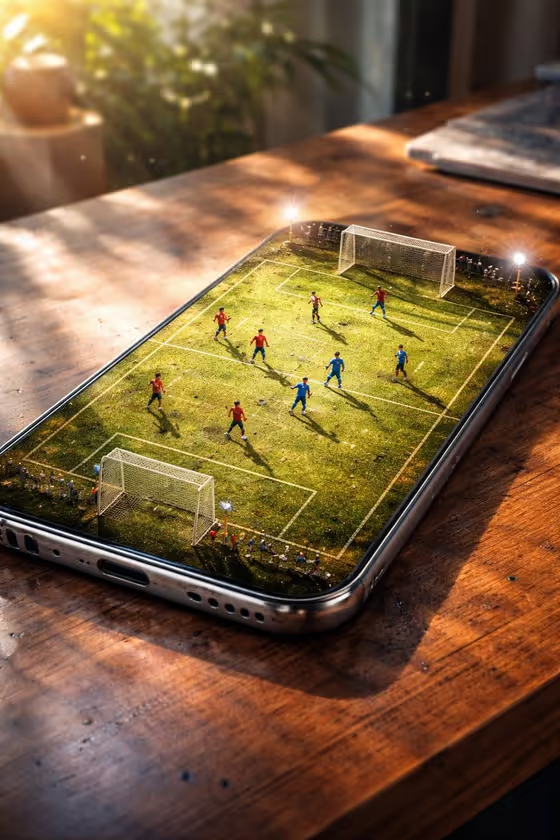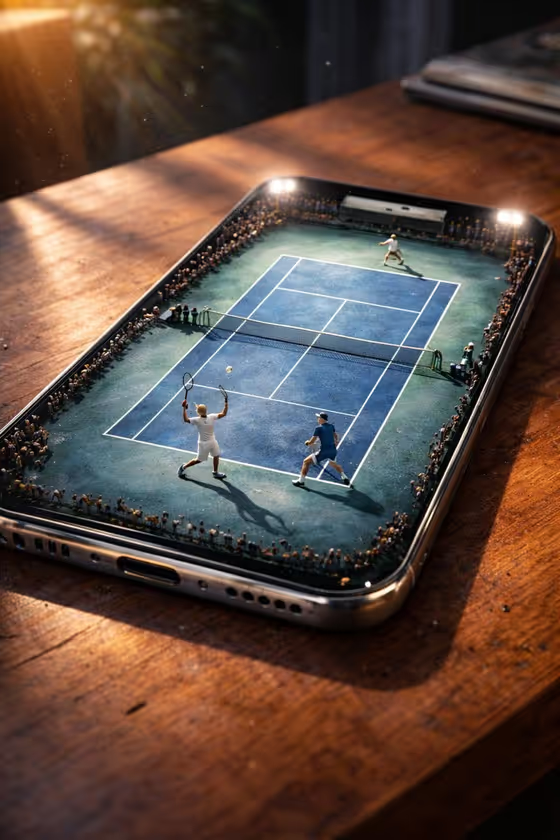
Phone Court Showdown turns a phone screen into a tiny tennis arena. The result is a 3:4 image of a phone lying on a wooden table, with toy-scale players mid-match on the glass and a miniature crowd packed around the edges.
It suits anyone who wants a playful product-style shot: sports fans, people making social posts about a phone or an event, or anyone who likes miniature-world visuals. You choose the phone, the court surface and the moment of play, and the template handles the macro lighting and realism.
What works best as input
- In the Phone field, describe the device in plain terms, such as a sleek black smartphone or a rugged sports phone. This slot also accepts a photo, so you can add a product reference if you want a specific model to show.
- If you use a photo of the phone, pick a clear, well-lit shot where the whole device is visible and the body shape and color are easy to read.
- Mention color and finish when you type the description (silver, colorful, compact). The cover image shows a metallic edge catching the light, so material details carry through.
- Keep the Phone description short and focused on the device. The court color and match action are set in their own fields, so you do not need to repeat them.
How to use it
- Open the Phone Court Showdown template in Phosphene.
- Fill in the Phone field by describing the device or adding a product reference photo.
- Choose a Court color (for example Classic blue hardcourt, Clay orange, Grass green or Electric violet) and a Match moment (for example Explosive serve, Net volley, Diving return or Championship point).
- Generate the image, then review it. Check that the phone looks right and the court color and action match what you picked, and adjust the fields if you want another version.
Tips for a better result
- Try the same phone with different court colors. Clay orange and Grass green give a very different mood from the blue hardcourt in the cover.
- Match the moment to the story you want. Championship point feels dramatic, while Net volley or Diving return emphasize movement.
- Use a distinctive phone description, such as a colorful compact phone, to make the device itself more memorable in the frame.
- Generate a few versions with one field changed at a time, so you can see exactly what each choice does.
Common mistakes
- Writing a vague phone description like just phone. A bit more detail about color and style helps the device look intentional.
- Putting court or action details into the Phone field. Use the Court color and Match moment fields for those so the choices stay clean.
- Using a cluttered or dark phone photo as the reference, which makes the device shape hard to read.
FAQ
Do I have to upload a photo?
No. The Phone field is text, so you can simply describe the device. It also accepts a photo if you want to add a product reference.
What can I change besides the phone?
You can pick the Court color and the Match moment. Both are choice fields with options like Clay orange, Grass green, Explosive serve and Championship point.
What does the final image look like?
It is a 3:4 image of the phone on a wooden table with a miniature tennis match on the screen, with details like court wear, chalk marks and stadium-light reflections.
Can I get a different look from the same phone?
Yes. Keep the Phone field the same and change the Court color or Match moment, then generate again to compare.