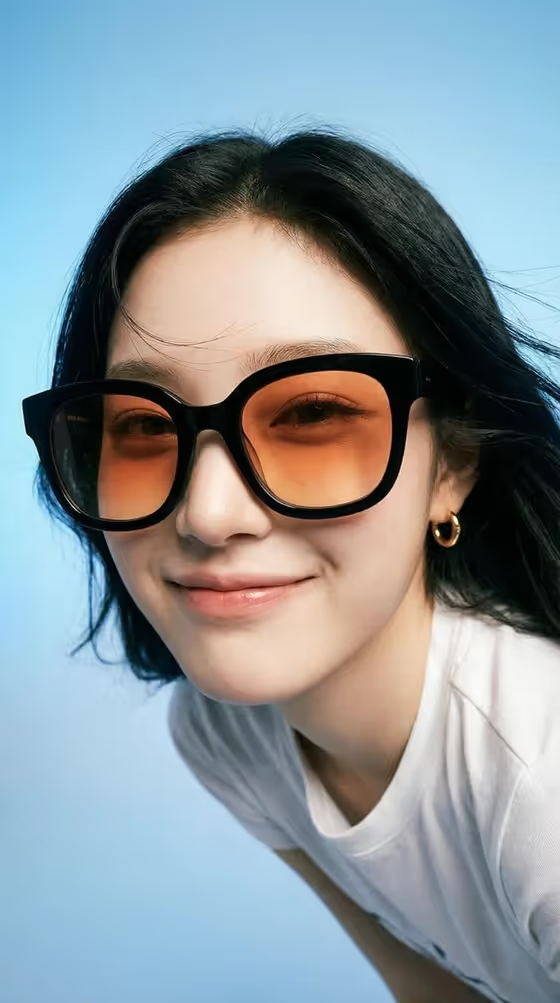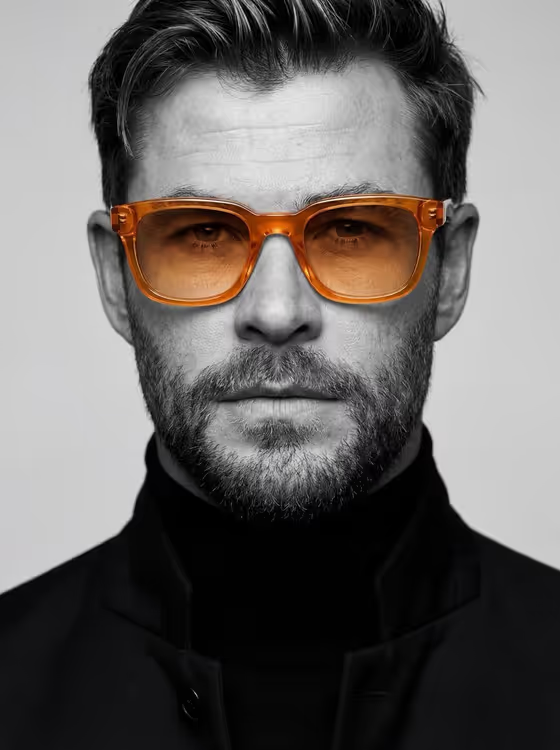
This template makes a close-up editorial headshot in black and white where only the eyeglasses keep their color. The frame and lenses stay vivid and translucent while the face, hair, clothing and background are rendered in monochrome, as in the amber-orange glasses on the cover.
It suits anyone who wants a striking portrait with a single spot of color, such as a profile picture, a creative headshot, or a fashion-style image. It works with a described person or a reference photo, and the output is a 3:4 image.
What works best as input
- For the Portrait subject person field, either describe the person in a few words (for example, "a sharply groomed man" or "a poised older woman") or upload their photo. Because the template asks for 2+ uploads, plan to provide more than one image where photos are used.
- If you use photos, choose a clear, front-facing shot with the whole face visible and evenly lit. A close-up with a calm, direct expression suits the centered headshot framing.
- Use photos of yourself or people who have agreed to be used. The template is built for everyday portraits, so avoid trying to recreate public figures.
- For Minimal wardrobe, you can describe the outfit or add a photo of it. Keep it restrained and dark, like the black turtleneck and tailored coat in the example, so the glasses stay the focus.
- For Eyewear accent color, name one specific colour and material, such as "cobalt blue glass" or "ruby red crystal". This is a text choice, not a photo upload.
How to use it
- Open the Selective-Color Eyewear Portrait template in Phosphene.
- Fill in Portrait subject person with a short description or an uploaded photo, then pick or type your Eyewear accent color and Minimal wardrobe.
- Generate the image and wait for the 3:4 portrait to finish.
- Review the result, checking that only the glasses carry color, then adjust a field and generate again if needed.
Tips for a better result
- Pair the color with its material, like "emerald green acetate" or "translucent amber-orange", so the frame and lenses both read as translucent and vivid.
- Keep the wardrobe dark and simple. Options like "charcoal crewneck and overcoat" or "dark silk blouse and blazer" let the colored glasses stand out.
- Try the same subject with several accent colors to compare which one works best against their skin tone and hair.
- Add a few concrete details to the subject, such as hair style or grooming, to guide the sharp, textured look of the cover.
Common mistakes
- Choosing a colorful or patterned outfit. The whole image except the glasses is rendered in monochrome, so busy clothing works against the idea and can muddy the result.
- Writing a vague accent color like "nice color". Without a clear colour and material, the glasses may not come out vivid or translucent.
- Uploading a blurry, dark, or heavily angled photo. A clear, front-facing close-up gives the template the most to work with.
FAQ
Will anything besides the glasses have color?
The template directs everything else to be rendered in clean black and white, with only the frame and lenses keeping one vivid translucent color. Results can vary, so regenerate if stray color appears.
Do I have to upload a photo?
The subject field accepts either a text description or a photo. The template lists 2+ uploads as its upload requirement, so use photos where you want a specific person to appear.
What aspect ratio is the output?
The portrait comes out in a 3:4 aspect ratio, as a centered close-up headshot.
Can I change the outfit?
Yes. The Minimal wardrobe field takes a description or photo, and restrained dark options such as a black turtleneck and tailored coat suit the style best.