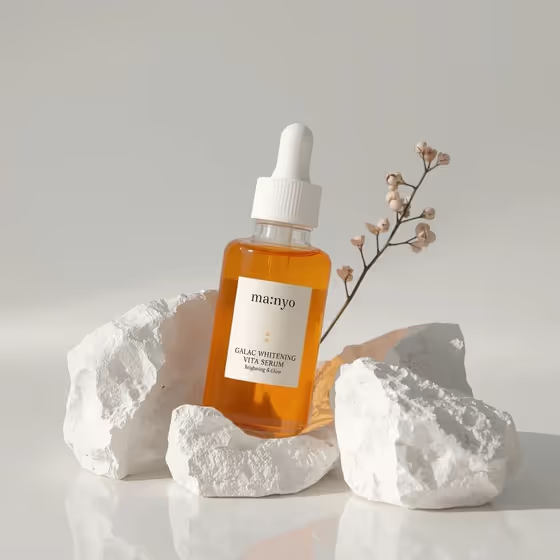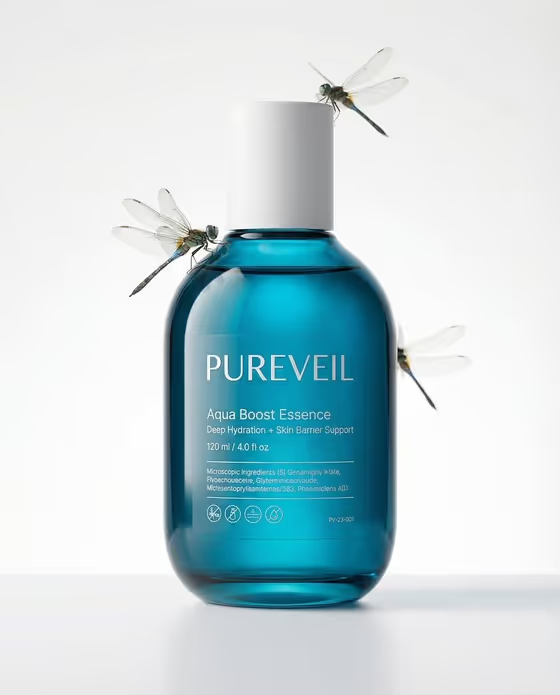
This template turns a skincare bottle, jar or tube into a clean studio portrait with a few tiny animal companions posed beside it. The product sits in the center of a white, airy background, and the animals are scaled and posed to look natural, like the dragonflies perched on the cap and shoulder of the blue bottle in the cover.
It suits skincare founders, small beauty brands and designers who want a quiet, premium-looking product image for a launch, a store listing or a social post. You can describe the container in text or upload a photo of the real product, then choose the animals, where they sit and what the label says.
What works best as input
- If you upload a photo in the Skincare product field, use a clear shot of the real container with the cap and shape fully visible, so the bottle is recognizable in the result.
- If you describe the product instead, name the container type, material and cap, as in "a frosted serum bottle with dropper" or "a matte cream jar with metal lid".
- For Animal companions, be specific about species, count and color, such as "two pale-blue butterflies" or "three tiny green tree frogs". Vague entries leave the look to chance.
- In Brand and product copy, keep the text short and structured: brand, descriptor, then volume, for example "AURA · HYDRATING SERUM · 30 ML". Short lines are easier to render readably.
- Pick a Label finish that matches the packaging you imagine, like "gold foil lettering" or "blind embossed mark", so the label looks like a real print treatment.
How to use it
- Open the Skincare and Tiny Companions template in Phosphene and fill in the Skincare product field, either by typing a description of the container and cap or by adding a photo of your real product.
- Choose your Animal companions, then write the Companion placement, for example "resting on cap and beside the bottle" or "hovering at upper left and lower right".
- Enter your Brand and product copy and the Label finish, then generate the 3:4 image.
- Review the result, checking that the label text is readable and the animals sit naturally. Adjust the fields and generate again if needed.
Tips for a better result
- Keep the animal count small. Two or three companions keep the white background uncluttered and the product as the hero.
- Match the animals to the product mood: pale butterflies or white doves for soft, airy formulas, beetles or frogs for a greener, botanical feel.
- Describe placement with specific positions, like "one on the lid and others on the surface" or "perched symmetrically around the label", to control the composition.
- Try the same product with a different Label finish, such as silver foil with matte ink versus black ink direct print, to compare packaging directions.
Common mistakes
- Writing long label copy with many lines or ingredient lists. Small text is hard to render sharply, so stick to brand, descriptor and volume.
- Leaving the Companion placement vague or contradictory, such as asking for animals both hovering and resting in the same spot, which can make poses look unnatural.
- Describing a cluttered scene or adding props in the product field. This template is built around one container on a clean white field, so extra items work against it.
FAQ
Can I upload a photo of my own product?
Yes. The Skincare product field accepts either a text description or a photo of the real product. The other fields are text or choices only.
Can I choose which animals appear?
Yes. The Animal companions field lets you set species, count and color, with examples like butterflies, tree frogs, doves or beetles.
Will the label text on the bottle be readable?
The template is set up to render your brand, descriptor and volume with a clear hierarchy, so short, well-structured copy gives the best chance of crisp text. Check the result and regenerate if a line looks off.
What format is the output?
A single image in a 3:4 portrait aspect ratio, with the product centered on a white studio background.