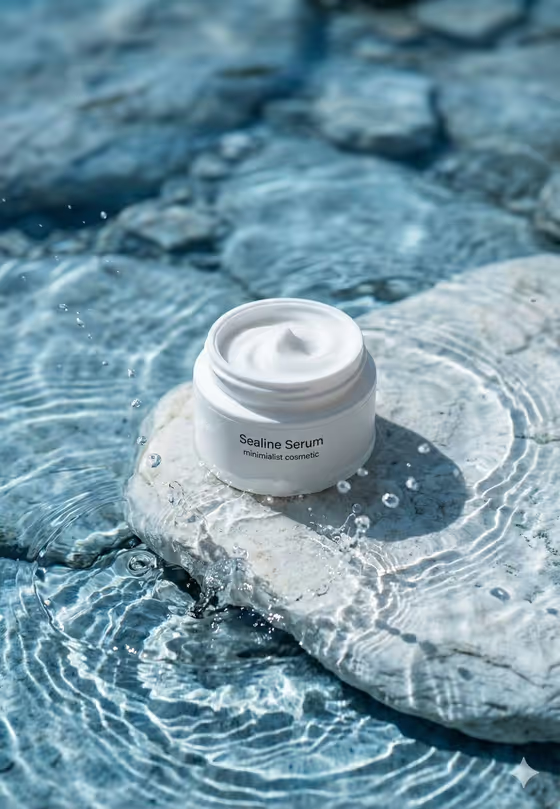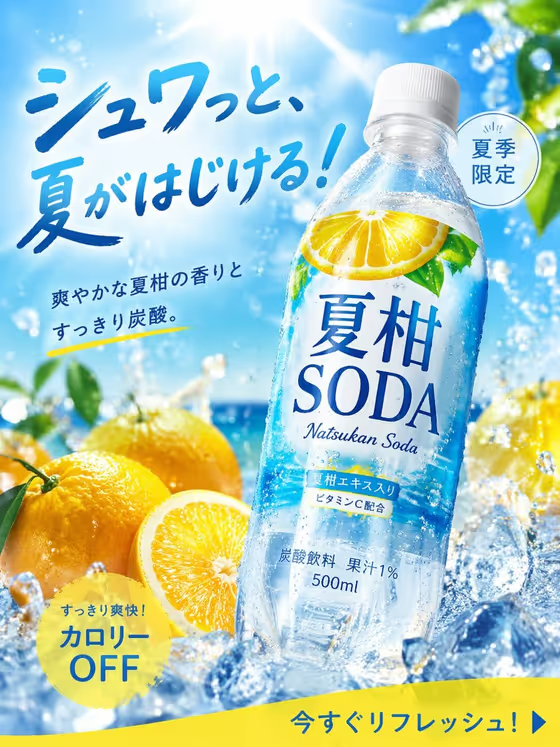
Summer Citrus Soda Ad turns a drink name or a reference photo into a 3:4 product visual of a chilled, condensation-beaded bottle. The bottle stays centered, with Japanese product naming kept crisp and legible, and the look is a bright seasonal retail ad like the one on the cover: sky, ice, splashing water and fresh citrus.
It is made for small beverage brands, designers building campaign mockups, and anyone who wants to test a summer soda concept before a real photo shoot. You pick the drink and a campaign palette, and the template handles the composition and the bold, contemporary ad hierarchy.
What works best as input
- In the Drink product field you can type a description or add a reference photo. A clear, well-lit shot of the bottle or can works best, with the label facing the camera.
- If you type instead, be specific about the drink and container, for example a yuzu sparkling drink or a blood-orange soda can, rather than just writing soda.
- If your product name is in Japanese, include it exactly as it should appear, since the template aims to keep the product naming crisp and legible.
- Use a reference with a plain or simple background so the bottle shape and label are easy to read.
- Keep to one drink product per generation, because the layout centers a single cold bottle.
How to use it
- Open the Summer Citrus Soda Ad template in Phosphene.
- In Drink product, describe your drink or add a reference photo of the bottle or can.
- In Campaign palette, choose the color scheme you want, such as Citrus orange and sky blue or Coral and turquoise.
- Generate the image, then review the bottle, the label text and the overall palette, and adjust your inputs if something is off.
Tips for a better result
- Match the palette to the flavor. Lemon yellow and white suits a lemon drink, while Tangerine, aqua and cream fits an orange or mandarin soda.
- Try the same drink with several palettes to compare campaign directions side by side.
- Name the flavor or fruit in your description so the citrus cues in the scene fit your product.
- If the label looks wrong, retry with a clearer reference photo or a shorter, more precise product name.
Common mistakes
- Writing a vague drink description like a soda, which gives the template little to work with and a generic result.
- Using a cluttered or dark reference photo where the label is hard to read, which can make the product naming less accurate.
- Entering several different products at once, when the layout is built around one centered bottle.
FAQ
Do I have to upload a photo?
No. The Drink product field accepts either a text description or a reference photo, so you can start with just a name like a yuzu sparkling drink.
What shape is the result?
The output is a single image in a 3:4 portrait ratio, suited to poster-style and mobile ad layouts.
Can I use my own product name?
Yes, put it in the Drink product field. The template is set up to keep Japanese product naming crisp and legible, so check the label text in the result.
What does the Campaign palette change?
It sets the color scheme of the campaign look, for example Citrus orange and sky blue or Lemon yellow and white, while the centered cold bottle and summer styling stay the same.