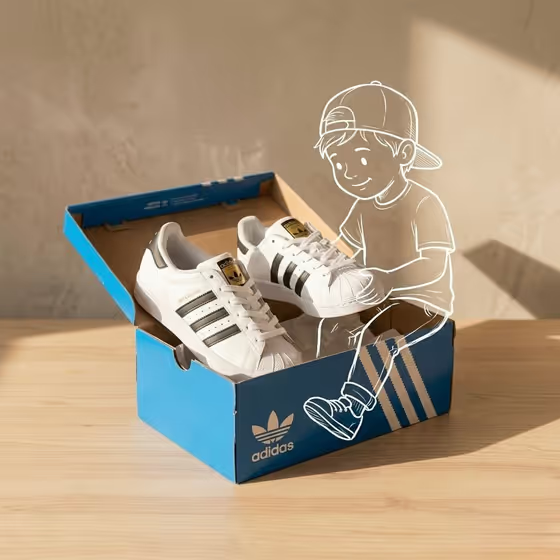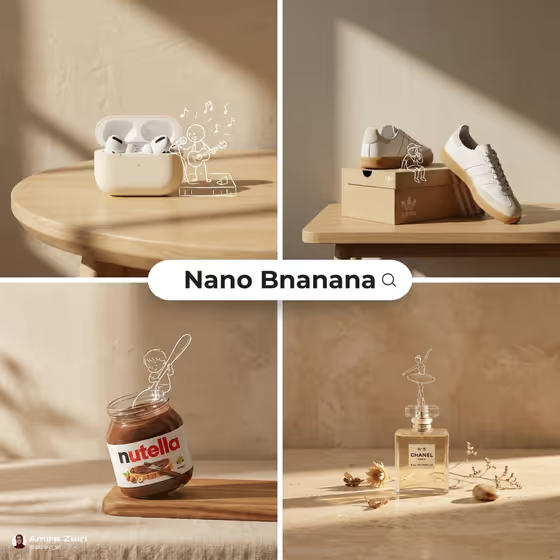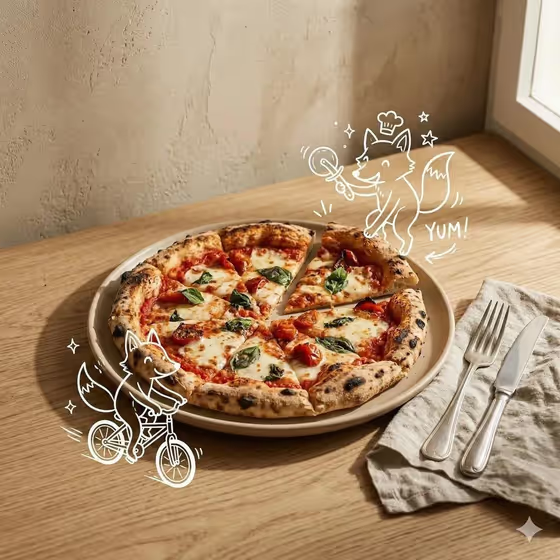
Sunlit Product Doodle Story makes a square image that mixes realistic product photography with a simple white line drawing. A real-looking product sits on a warm tabletop against a textured beige wall, and a hand-drawn character climbs, polishes, peeks or otherwise reacts to it, as in the cover where little fox sketches interact with a pizza.
It suits small brands, food and drink makers, and anyone who wants a playful hero shot for a product page or social post without staging a photoshoot. You describe the product arrangement, choose the doodle character, and set the tabletop composition, and the template handles the lighting and styling.
What works best as input
- For Product setup, you can type a description or upload a reference photo. A clear, well-lit shot of the product works best, and a short phrase like "a coffee tin beside a small cup" is enough if you describe it instead.
- Name the object and what it sits on or beside (stacked blocks, books, a round plinth). The template uses this arrangement to build the scene, so concrete details help.
- For Doodle character, pick or describe one clear action, such as a tiny climber scaling the product or a curious character peeking over the top. A single, simple idea reads better as a line drawing than a crowded scene.
- Tabletop placement is text only, so describe the composition in words, for example "off-center beside a round plinth" or "low on the table with tall wall space".
- If you upload more than one photo, keep them consistent: the same product, similar angles, and no heavy filters or busy backgrounds.
How to use it
- Open the Sunlit Product Doodle Story template in Phosphene.
- Fill in Product setup with a description of your product arrangement, or add a reference photo of it.
- Choose or describe your Doodle character, then type your Tabletop placement, such as "centered with one small block".
- Generate the image, then check that the character touches the product convincingly and the shadows and wall look right. Adjust a field and run it again if needed.
Tips for a better result
- Match the character action to the product. A climber suits tall items like bottles and jars, while a polishing figure suits anything with a label.
- Use the placement field to control negative space. "Low on the table with tall wall space" leaves room above the product, which is handy if you plan to add copy later.
- Try the same product with different characters, such as a gardener or a peeking figure, to get a small set of matching variations.
- Keep the product setup simple. One hero object with one or two supporting items keeps the scene clean and premium.
Common mistakes
- Describing a crowded setup with many products. The template is built around one hero product with refined negative space, so extra items can clutter the scene.
- Asking for a colorful or detailed character. The doodle is meant to be a crisp white line drawing, so vague or multi-part character requests work against the look.
- Writing a vague placement like "nice table". Without a clear composition such as centered or off-center, the framing is left to chance.
FAQ
Do I need to upload photos?
The input summary lists 2+ photos, but the Product setup and Doodle character fields also accept text descriptions. Tabletop placement is text only.
What size is the result?
The template outputs a square 1:1 image.
Can I add text or a logo to the scene?
The template is set up to avoid extra text, watermarks and unrelated props, so the output stays a clean product and doodle composition.
Can the doodle be a different color?
The direction calls for a crisp white hand-drawn line overlay, so expect white linework against the photographic scene.