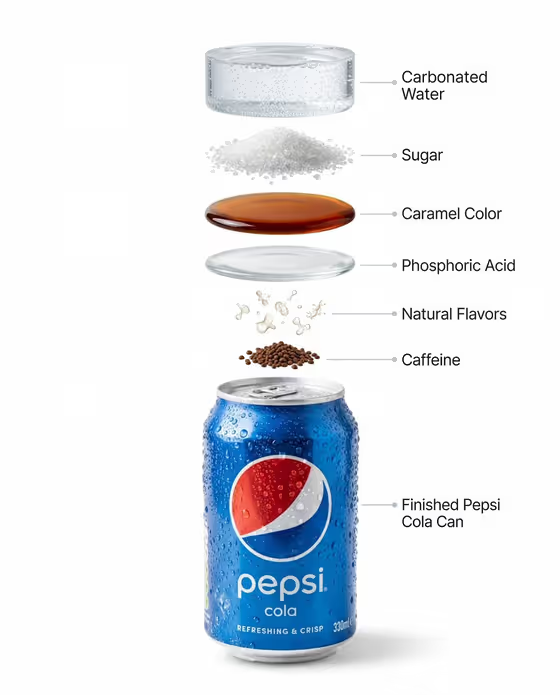
This template produces a clean catalog-style image of a single upright beverage can on a pure white background, with a soft contact shadow and plenty of empty space around it. The output is a 3:4 image, which suits product listings and catalog layouts.
It is built for people who want a cold, fresh look without a photo shoot: small brands, sellers, and designers mocking up packaging. You describe the can and choose a cold surface treatment, and the template handles the lighting, glossy aluminum highlights and white backdrop.
What works best as input
- This template has no photo upload slot, so everything comes from the two fields. In Beverage product or can, describe the can in plain words, such as the examples 'blue cola can' or 'silver sparkling water can'.
- Name the color and general package style you want (for instance 'bright citrus soda can'). Specific color words give the can a clearer identity than a vague 'drink can'.
- The field help says to describe an unbranded can, so favor generic descriptions over real brand names or trademarked label art.
- For Cold surface treatment, pick the option that matches the mood you want: fine condensation droplets for a classic look, frosted can with melting beads for extra chill, crushed ice at the base, or cold mist and sparse droplets.
How to use it
- Open the Chilled Beverage Catalog Shot template in the Objects category.
- In Beverage product or can, type a short description of your can, for example 'blue cola can'.
- In Cold surface treatment, choose the freshness style you prefer, such as fine condensation droplets.
- Generate the image, then check the can shape, label area, condensation and shadow, and adjust your wording if you want a different result.
Tips for a better result
- Keep the can description to color, finish and flavor cue. Short, concrete phrases like 'silver sparkling water can' read more reliably than long sentences.
- Run the same can with different cold surface treatments to build a small set of variations, for example fine droplets versus frosted with melting beads.
- Choose crushed ice at the base when you want a more scenic feel, or fine condensation droplets for the cleanest, most minimal catalog look.
- Because the template always places one can on pure white with generous empty space, you can crop or extend the canvas later for banners and layouts.
Common mistakes
- Describing several products or adding props in the text field. The template is designed around one upright can and no unrelated props, so extra items work against it.
- Writing a very long or vague description. 'Some drink' gives little to work with, while a clear color and type of can gives a more focused result.
- Expecting exact label text from a typed description alone. Small printed details may not match a real package, so review the label area carefully before using the image.
FAQ
Can I upload a photo of my can?
This template's fields are text and a choice list, and neither accepts a photo. You describe the can in the Beverage product or can field instead.
What background will I get?
A pure white background with a soft natural contact shadow under the can, so it is ready for catalog or listing use.
What does the Cold surface treatment option change?
It sets the visible freshness look, such as fine condensation droplets, a frosted can with melting beads, crushed ice at the base, or cold mist with sparse droplets.
What size is the image?
The output is a 3:4 portrait image.