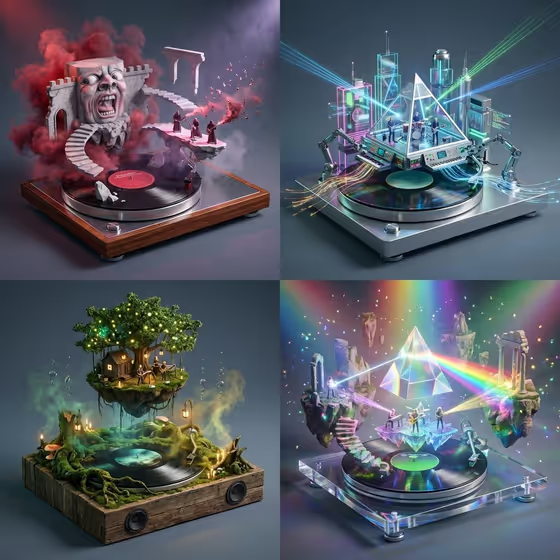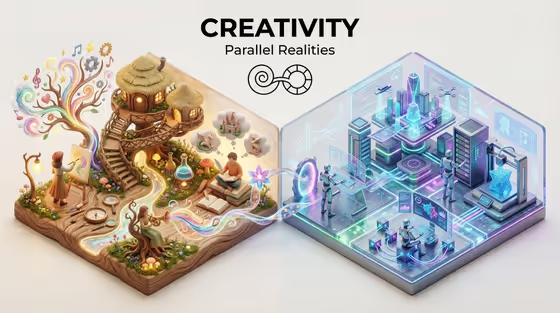
Parallel Worlds Diorama turns a shared theme and two contrasting ideas into one miniature scene on a single raised base. The base is split down the middle, so one world sits on the left and the other on the right, with a bold theme title and a "Parallel Realities" subtitle at the top, as in the cover image of an organic treehouse world beside a glowing machine city.
It suits anyone who likes visual contrasts: designers building a concept poster, writers picturing a setting, teachers illustrating a big idea, or anyone who wants a shareable image about two sides of a theme. Everything is typed in, so there is no photo to prepare.
What works best as input
- This template has no photo slot, so all four fields are text. The more concrete your wording, the more distinct the two sides will look.
- For Diorama theme design, use a short pairing or concept such as "nature and technology" or "dream and reality". It becomes the title, so keep it brief and readable.
- For World A and World B, describe a place with a clear look and mood, such as "an old-world craft village" against "a speculative digital future". Pick two worlds that contrast in materials, color and lighting.
- For Background color, name one clean solid color such as "warm off-white" or "deep charcoal". The title and icon are drawn in black or white to stand out, so choose a color that gives them contrast.
- Keep each field to one idea. A single vivid phrase works better than a long list of unrelated details.
How to use it
- Open the Parallel Worlds Diorama template in Phosphene.
- Fill in Diorama theme design, World A, World B and Background color. You can start from the example suggestions and edit them.
- Generate the image. The result comes out in a 3:4 aspect ratio.
- Review the result. Check that the title reads clearly, the two worlds look different, and the background suits the text. Adjust a field and generate again if needed.
Tips for a better result
- Make the contrast physical, not just thematic. Opposing materials, like wood and moss against glass and metal, give each side its own lighting and texture.
- Match the theme to the worlds. If the theme is "order and chaos", try "a serene orderly society" for World A and "a chaotic improvised settlement" for World B.
- Try the same worlds on different backgrounds. A deep charcoal background feels very different from a soft sky blue.
- Vary one field at a time so you can see what each change does to the scene.
Common mistakes
- Choosing two worlds that are too similar, which makes the split hard to see. Push them toward opposite moods.
- Writing a very long theme. It becomes the title, and a short phrase fits the top-center lockup better.
- Picking a background color close to dark or light everywhere in the scene, which can reduce the clarity of the title and icon.
FAQ
Can I upload a photo for this template?
No. All four fields are text, and none of them accept a photo, so you describe the theme, both worlds and the background in words.
Which world appears on which side?
World A is the left side and World B is the right side, and both sit on one mirrored base with a few details crossing the center.
Will there be people in the scene?
The template uses tiny faceless stylized inhabitants, and they behave differently in each world.
Can I change the "Parallel Realities" subtitle?
No. The subtitle and the minimal icon are part of the fixed direction. You control the main title through the Diorama theme design field.